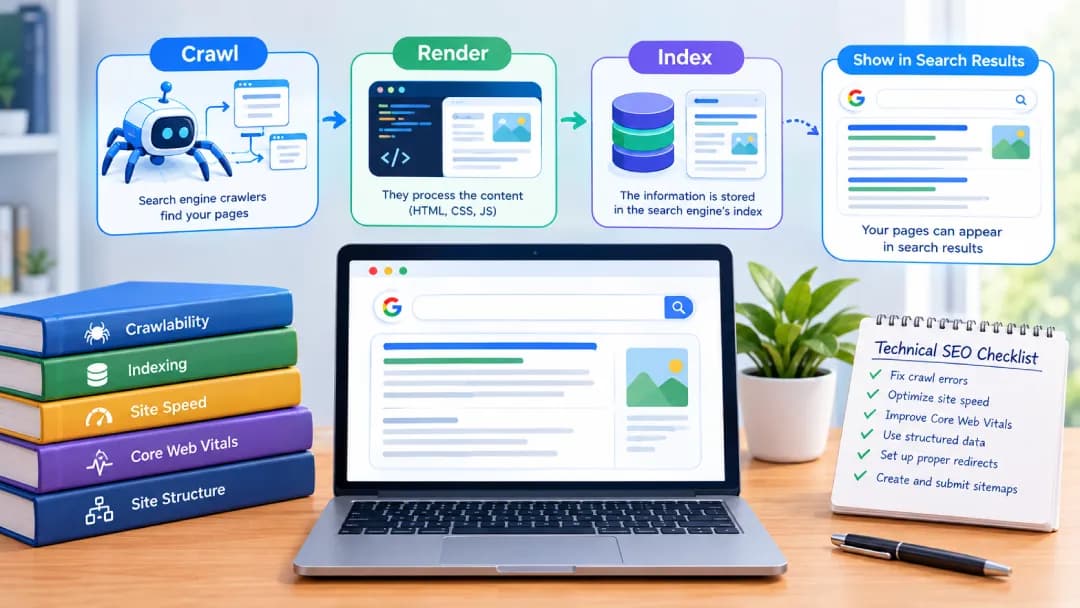
Technical SEO is the practice of optimizing a website's infrastructure so search engines can crawl, render, index, and understand its pages. It covers site speed, mobile friendliness, security, structured data, and site structure. A technically sound site makes its content easier to access and understand, which gives valuable pages a better chance to appear in relevant results.
Table of contents14 sections
Understanding Technical SEO and Its Role in Organic Search
What Is Technical SEO?
It is the behind-the-scenes work that helps search engines access, interpret, and trust your website.
How Technical SEO Differs from On-Page and Off-Page SEO
On-page SEO covers content and tags, and off-page SEO covers links and reputation. Technical SEO makes sure the site itself works.
Why Technical SEO Matters for Search Visibility
A page generally needs to be crawled and indexed to appear as a standard Google result, although indexing alone does not guarantee rankings. Technical SEO is the foundation. Relevance and content quality still decide how well pages perform.
How Search Engines Discover, Render, and Index Your Website
What Is Crawling?
Crawling is the process in which search engine crawlers, also called spiders, follow links to discover webpages.
What Is Indexing in SEO?
Indexing means storing a page so it can appear in search results. Not every crawled page gets indexed.Understanding what indexing in SEO is and how Google indexes pages\] helps you identify why some URLs may not appear in search results and how to monitor their indexing status using Google Search Console.
How Google Search Console Helps Monitor Indexing
Google Search Console shows which pages are indexed, flags errors, and lets you inspect individual URLs. Say a page is not appearing in Google. Open URL Inspection, then check its HTTP status, robots.txt access, any noindex directive, and the canonical URL. Use the live test and the rendered page where relevant, fix the root cause, and validate the fix. A passing test does not guarantee indexing, and Google can take time to process changes.
Robots.txt, XML Sitemaps, and Meta Robots Directives
The robots.txt file controls crawling, not indexing, so it is not a reliable way to remove a page from search. If a URL is blocked, Google cannot read its noindex tag. To keep a page out of the index, allow crawling and use a noindex directive in the robots meta tag. Use robots.txt to manage crawling when appropriate, but do not block a URL if Google needs to read its noindex directive. For example, a Disallow rule may reduce crawling of certain cart paths, but first assess whether those URLs need to remain crawlable for indexing controls or other technical requirements. An XML sitemap lists pages worth finding, but it helps discovery and does not guarantee indexing. Plugins like Yoast SEO can generate sitemaps.
How JavaScript Rendering Affects SEO
Heavy JavaScript can delay or hide content from crawlers, so key text and links should appear in the rendered HTML. Compare the rendered page in URL Inspection with what visitors see, and make sure scripts and other resources are not blocked. As a hypothetical example, a product description that loads only after a visitor clicks a tab may be missing from the rendered HTML. If so, move that text into the initial HTML or render it on the server.
Crawl Budget: How to Use It Efficiently
On large sites, block low-value URLs and fix slow responses so crawlers spend time on pages that matter.
How to Find and Fix Orphan Pages
Orphan pages have no internal links. Compare your sitemap with a crawl, then link to them.
HTTP Status Codes: 200, 301, 404, and 5xx
A 200 means success, 301 a permanent redirect, 404 a missing page, and 5xx a server problem that needs fast attention.
Pagination and Crawlability Best Practices
Give paginated pages unique URLs and plain, crawlable links to the next page. Choose canonicals with care: pointing every page at page one can hide the items deeper in the series.
Building a Website Structure That Search Engines and Users Can Navigate
How to Create a Logical Website Architecture
Group related content into clear categories, and keep important pages easy to reach through logical categories and relevant internal links. A shallow site structure can help users and crawlers discover content, but there is no universal three-click ranking rule.
SEO-Friendly URL Structure: Best Practices
Use short, lowercase, descriptive URLs with hyphens, and avoid unnecessary parameters. Following the best practices for an SEO-friendly URL structure helps create clear, consistent URLs that are easier for users to understand and for search engines to process.
What Is Internal Linking?
Internal links connect pages on the same website. They help visitors navigate, help search engines discover related pages, and provide context about the relationship between pages through their link text. A clear internal linking strategy helps organize related content and makes important pages easier to discover.
How to Build an Effective Internal Linking Strategy
Link from strong pages to important ones with descriptive anchor text, and add contextual links to every new page.
How to Find and Fix Broken Internal Links
Crawl the site to find dead links, then update them to the correct URL or remove them.
Improving Website Speed and Core Web Vitals for Better User Experience
What Are Core Web Vitals?
Core Web Vitals are Google's measures of loading speed, responsiveness, and visual stability. Check field data from real users, through PageSpeed Insights and CrUX, alongside lab tests, since the two can differ. The thresholds below describe a good experience. They are not a guaranteed ranking boost.
What Is LCP (Largest Contentful Paint)?
LCP measures how quickly the main content loads. Aim for 2.5 seconds or or less by following Largest Contentful Paint optimization techniques.
What Is INP (Interaction to Next Paint)?
INP measures how fast a page responds to clicks and taps. Aim for under 200 milliseconds. Understanding Interaction to Next Paint (INP) can help you identify responsiveness issues and improve the experience for website visitors.
What Is CLS (Cumulative Layout Shift)?
CLS tracks unexpected movement while a page loads. Keep it under 0.1. Understanding Cumulative Layout Shift (CLS), how it works, and its benefits can help you identify layout issues and improve the user experience.
Common Causes of Poor Core Web Vitals
Oversized images, render-blocking scripts, slow servers, and images without set dimensions are the usual culprits.
How to Improve Page Speed and Core Web Vitals
Compress images, use caching and a CDN, and defer scripts. Faster pages improve the experience for visitors, although bounce rate also depends on audience and intent. As a hypothetical example, a 3 MB hero image can hold back LCP on a landing page. Serving a compressed, correctly sized version and loading it early usually helps, and field data in PageSpeed Insights shows whether real visitors actually benefit.
Managing Duplicate URLs, Canonical Tags, and Redirects
What Is a Canonical Tag?
A canonical tag tells search engines which version of a page is preferred. Keep it consistent with your redirects, sitemap, and internal links, because conflicting signals can lead Google to choose a different URL. For example, suppose /shoes/blue-running-shoes/ and /shoes/blue-running-shoes/?utm\_source=email show the same product page. You may want Google to treat the clean URL as the preferred version, so use a consistent canonical signal and keep internal links and your sitemap aligned with it. Google ultimately chooses the canonical URL based on multiple signals. If Search Console reports a different canonical than the one you declared, look for conflicting signals such as redirects, internal links, or sitemap entries.
Common Causes of Duplicate Content
URL parameters, www and non-www versions, HTTP and HTTPS duplicates, and printer-friendly pages all create duplicates.
How to Fix Redirect Chains and Redirect Errors
Send old URLs straight to the final destination with a single 301 instead of several hops.
What Is 404 Error and Why Does It Matter for SEO?
A 404 means the page was not found. Ordinary 404s are not a ranking problem on their own, and a deleted page with no replacement can rightly return a 404 or 410\. Large numbers of low-value URLs, however, can complicate crawl management and frustrate visitors.
How to Fix 404 Errors and Redirect Valuable Missing Pages
Redirect a missing page only when a genuinely relevant replacement exists. Prioritize by backlinks, organic traffic, internal links, and user intent. Let the rest stay 404\.
Making Your Website Secure, Mobile-Friendly, and Accessible
Why HTTPS Matters for Website Security
HTTPS uses TLS to encrypt data exchanged between a website and its visitors. A valid TLS certificate helps authenticate the website, and HTTPS is a lightweight Google ranking signal. Also check the Security Issues report in Search Console for hacked content or other security problems.
Mobile-First Indexing and Mobile Usability
Google mainly indexes the mobile version, so mobile content must match desktop, as described in Google's mobile-first indexing best practices. The old Mobile-Friendly Test has been retired, so check rendering with URL Inspection, browser device emulation, and real devices.
Website Accessibility and Technical SEO Considerations
Alt text, clear headings, and readable contrast help both users and crawlers.
Using Structured Data to Help Search Engines Understand Your Content
What Is Schema Markup?
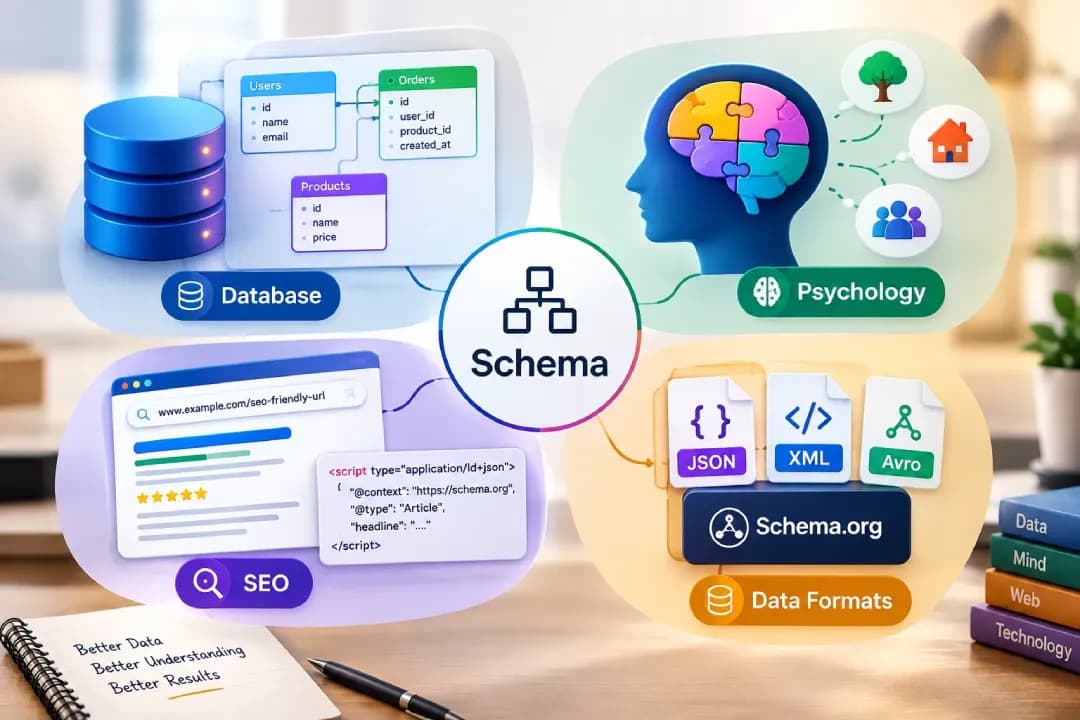
Schema markup is structured data that labels your content and may make pages eligible for rich results. Valid markup does not guarantee that Google will show them. In SEO, using the right schema markup for your website can help search engines interpret your content and make your pages eligible for rich results.
Common Schema Types Used in Technical SEO
Article, Product, LocalBusiness, Organization, and BreadcrumbList are common types. FAQ rich results are now largely limited to well-known government and health sites, so do not rely on them. Follow Google's structured data guidelines and mark up only content that is visible on the page.
How to Generate, Test, and Validate Schema Markup
Write JSON-LD, test it with Google's Rich Results Test, then monitor it in the Search Console. Treat validity, eligibility, and actual display as three separate questions, since markup can be valid and still not produce a rich result.
Handling Technical SEO for International and E-Commerce Websites
International SEO: Hreflang and Multilingual Website Structures
Hreflang tags tell Google which language or regional version to show. They must reference each other, include a self-reference, and use valid language and region codes.
E-Commerce Technical SEO: Product Pages and Category Architecture
Give each product a unique URL, descriptive title, and product schema, and keep categories shallow. Decide in advance how variants and out-of-stock products will be handled.
Faceted Navigation, Product Filters, and Crawl Traps
Filters can create thousands of near-duplicate URLs. Control them with canonicals, noindex tags, or robots rules. As a hypothetical example, a shoe category with color, size, and price filters can produce tens of thousands of combinations. Keep the few filter pages with real search demand crawlable and indexable, and keep the rest from consuming crawl resources. Choose one method deliberately, because a robots.txt block stops Google from reading a noindex tag on those URLs.
Conducting a Technical SEO Audit: From Diagnosis to Implementation
What to Check During a Technical SEO Audit
Review crawlability, indexing, speed, mobile usability, security, duplicate content, structured data, and internal links.
The Best Technical SEO Audit Tools and When to Use Them
Use Search Console for indexing, Screaming Frog or Sitebulb for crawls, PageSpeed Insights for speed, and Ahrefs or Semrush for ongoing monitoring.
A Step-by-Step Technical SEO Audit Checklist
Crawl the site, review indexing, check robots.txt and sitemaps, test Core Web Vitals, fix status codes, then validate schema. For each issue, record the evidence, the root cause, the fix, and how you will verify it. As a hypothetical example, if 100 important pages are excluded by a noindex tag, the evidence is the Page indexing report, the fix is removing the tag, and the check is a validation request in Search Console.
How to Prioritize Technical SEO Issues by Impact
Fix indexing blockers first, then issues affecting many pages, then minor details. Weigh each issue by severity and likely impact.
These are suggested operational categories, not official Google severity levels. Actual priority depends on the pages affected, business impact, and the underlying cause.
| Priority | Example | Typical next step |
|---|---|---|
| Critical | Important pages accidentally blocked or set to noindex | Investigate and correct immediately |
| High | Broken internal links, incorrect canonical signals, or widespread server errors | Identify affected URLs and fix the root cause |
| Medium | Poor Core Web Vitals on important landing pages | Diagnose field data and make targeted improvements |
| Low | Minor URL consistency issues with no demonstrated impact | Schedule alongside other maintenance |
How to Re-Test Fixes and Monitor Technical SEO Performance
Recrawl after changes, validate fixes in Search Console, and compare reports over time.
Technical SEO KPIs: Indexing, Crawl Errors, Speed, and Organic Growth
Track indexed canonical URLs, crawl errors, Core Web Vitals scores, organic clicks and impressions, and conversions.
Preventing Technical SEO Problems During Website Changes and Ongoing Maintenance
Technical SEO Best Practices for Website Migrations and Redesigns
Map every old URL to a new one, test on staging, and monitor closely after launch. As a hypothetical example, if a redesign moves /blog/post-name/ to /resources/post-name/, each old URL should 301 to its exact new address, the sitemap and internal links should use the new URLs, and Search Console should be watched for indexing changes and new 404s for several weeks.
Common Technical SEO Mistakes and How to Avoid Them
Accidental noindex tags, blocked resources, forgotten redirects, and neglected mobile pages cause most damage.
A Practical Technical SEO Maintenance Schedule
Check Search Console weekly, run a crawl monthly, and perform a full audit quarterly.
Preparing Your Website for AI Search and Emerging Search Technologies
How Crawlability and Content Accessibility Affect AI Search
AI-generated answers draw from content that is easy to crawl and read, so clean HTML helps. Google's AI features guidance says no special AI schema or separate text file is needed to appear in AI Overviews or AI Mode. The usual fundamentals still apply: crawl access, internal links, and accessible text.
Technical SEO Considerations for AI Crawlers
Google Search crawling and other AI crawlers are separate matters. Review your robots.txt file for AI user agents and decide which to allow based on your own policy and business goals. No setting guarantees AI visibility.
How to Monitor Technical SEO as Search Technologies Evolve
Follow Google updates, track search visibility, and revisit your audit regularly.
Knowing When to Hire a Technical SEO Specialist or Agency
Signs Your Website Needs Professional Technical SEO Support
Falling traffic, indexing drops, a planned migration, or a persistently slow site are clear signals.
What a Technical SEO Consultant Does
A consultant audits the site, prioritizes fixes, and works with developers to implement them.
In-House SEO vs. an Agency: Choosing the Right Support
In-house teams know the product well. Agencies bring broader tools and experience across many sites.
Conclusion: Turning Technical SEO Improvements into Sustainable Search Performance
Technical SEO is not a one-time project. It helps search engines crawl, understand, and index your website effectively. By fixing indexing issues, improving Core Web Vitals, managing redirects, and maintaining a clear site structure, you can build a stronger technical foundation. Regular audits help identify problems early and maintain website performance. Combined with valuable content and a positive user experience, consistent technical SEO improvements can support long-term search visibility and organic growth.
Frequently Asked Questions About Technical SEO
What Is Technical SEO in Simple Terms?
It is making your website easy for search engines to crawl, understand, and index.
What Is the Difference Between Technical SEO and On-Page SEO?
Technical SEO fixes site-wide infrastructure, while on-page SEO optimizes individual page content.
Which Tools Are Best for a Technical SEO Audit?
Google Search Console, Screaming Frog, and PageSpeed Insights cover most needs.
How Often Should You Perform a Technical SEO Audit?
Every three to six months, and after any major site change.
Can Poor Technical SEO Hurt Rankings Even with Great Content?
Yes. Crawl or indexing problems can stop strong content from ranking at all.
Can You Do Technical SEO Yourself, or Do You Need an Expert?
Beginners can handle the basics with free tools. Complex sites usually benefit from a specialist.