Indexing in SEO refers to the practice search engines like Google utilize to save and categorize lists of pages they find in order for them to appear in search results. Non-indexed pages are essentially invisible to Google’s search, no matter how great and structured the content.
Knowing about indexing helps with how you think about publishing something new on your website. Indexing is the barrier between a page being live and a page being available for a real user to find it. In this guide, I aim to unpack indexing, its importance in relation to Google search, and some useful tips and tricks to prioritize indexing your pages quickly and efficiently.
Understanding SEO Indexing and How Search Engines Process Web Pages
What Does Indexing Mean in SEO?
Before getting into the technical side, it helps to separate indexing from the other terms it often gets confused with.
Indexing Meaning: A Plain-English Definition
In SEO, indexing structured data essentially means putting content and/or images in the right place. When a search engine visits a web page, it takes a snapshot of the information and tags it before saving it in its search index, which is a large database.
Think of the search index as an ever-expanding library catalog, but instead of listing books, it categorizes billions of web pages. When a search is made, the pages are automatically retrieved in a second, even if the web page was saved years before.
A web page that is saved in the search index is retrievable in search results. So, at the end of the day, page content that is relevant will only be shown in search results if the page is saved in the search index.
Indexing vs. Crawling vs. Ranking — How They Differ
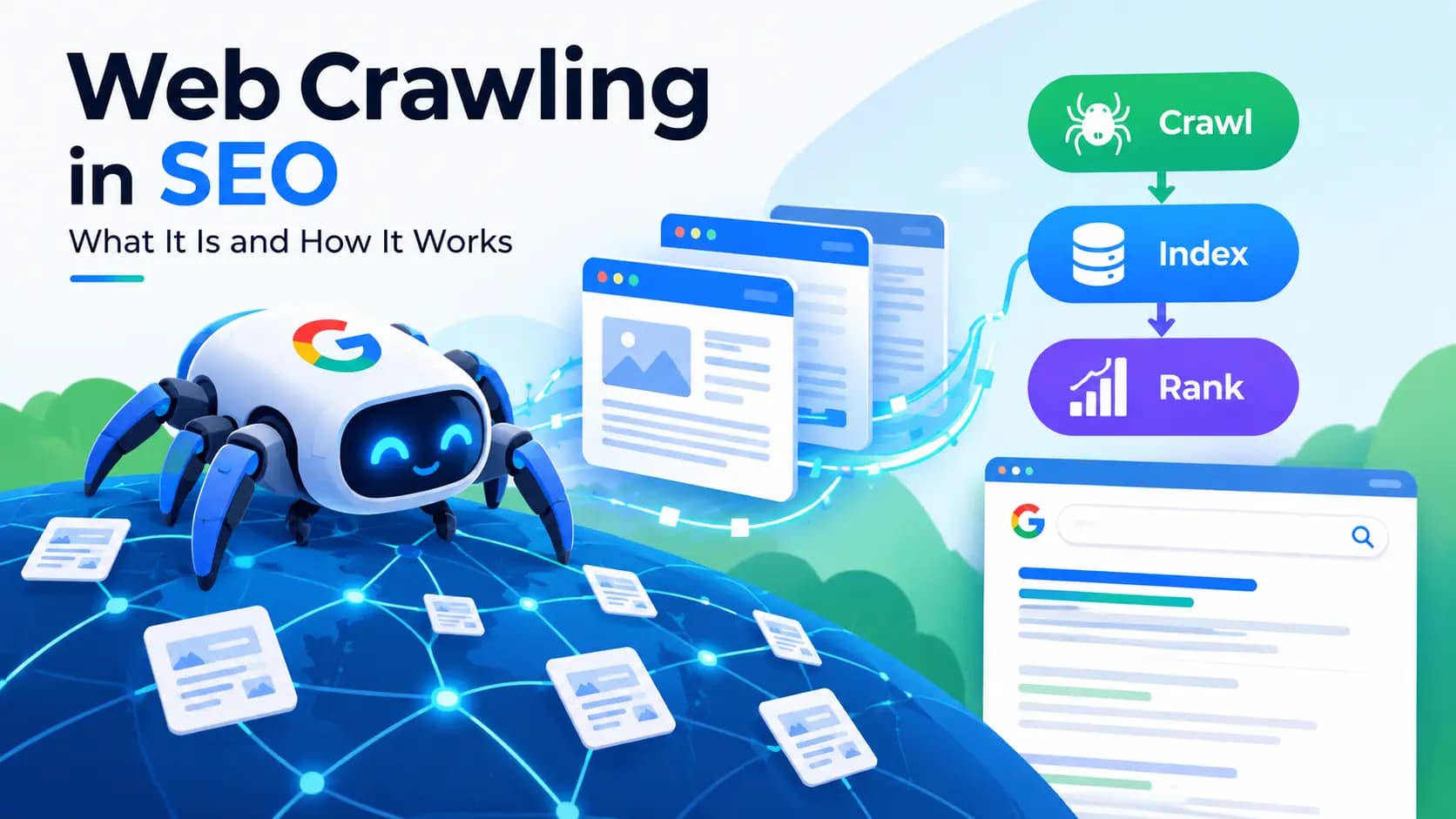
When talking about search engines, crawling, indexing, and ranking are three distinct steps that are often confused for one another.
- Crawling is the step of search engines discovering pages. It most commonly occurs through a link or sitemap followed by a “search engine crawler” or a Googlebot.
- Indexing is the step of storage and analysis. After crawling, a search engine will decide whether to catalog the page and how to categorize it.
- Ranking, as the last step, is ordering. This includes where each page falls along the continuum of the search query results.
A page can be crawled and not indexed, or be indexed and rank poorly. Each individual step of the process depends on the previous step, thus why most issues with indexing also require that crawling be double checked.
Why Indexing Is the Foundation of SEO Visibility
SEO strategies are futile without page indexing. Experienced SEOs index as a first step instead of last. Page elements that are optimized to the best of your ability may be overlooked if the page is not in the index. Preliminary optimization is a waste of time if the page is not in the index.
How Does Google Search Work? Crawling, Indexing, and Ranking Explained
Understanding indexing in isolation only tells part of the story. It exists as one stage in a three-part system that determines how Google search works overall.
Step 1 Crawling: How Google Discovers Pages
Google starts crawling by looking for URLs that it already knows. Crawling continues from there. Googlebot navigates links within pages, both internal and external. Crawling of pages includes the reading of XML sitemaps.
Crawling is made more efficient by revisiting the pages that were previously crawled. Googlebot finds pages by following links from existing pages on the index. This is why internal linking matters, as it gets new content crawled.
Step 2 Indexing: How Google Stores and Organizes Content
Google pulls a page and analyzes its content. Google sorts through videos, images, and page structured data along with the page text to understand the content.
Google also hunts for any duplicate content and determines if the page contains content of value. Google analyzes the value of the content on the page and applies canonical signals if there are multiple versions of the page. Google will not store a page in its index if another version of the page already exists.
Step 3 Ranking: How the Google Algorithm Orders Search Results
When someone performs a search query, the Google algorithm searches through the index for pages containing that information, and ranks them. This ranking is done using a variety of factors, most prominently, relevancy, but also quality, experience of the page, authority, and many more.
It is with these factors and beyond relevancy of a page that SEO work outside of indexing begins to apply, like link building or optimizing Core Web Vitals.
The Role of the Google Search Index (Google's Massive Database)
The search index is the foundation of the search engine. Without a search index, Google would have to search through every web page every time a query is performed, instead of being able to return search results in a few seconds. Without a large and complex search index, real time search would not exist in its current form.
How Does Google's Crawler and Indexing System Actually Work?
What Is the Google Crawler (Googlebot) and How It Scans Websites
Googlebot has automation built into its system. It '') visits sites based on crawl budget, site authority, and how frequently a site is updated. More often than not, sites with high authority and frequent updates are crawled more.
Smaller sites and ones that have recently been built take longer for Googlebot to visit. This is true until those sites start to build signals that Googlebot trusts.
How Google Determines Which Pages to Index
Not every crawled page gets added to the index. Google ranks pages based on a few factors including the uniqueness of the content, overall site quality, and value to searchers. Thin content, duplicate pages, and pages that are blocked due to technical errors are a few typical reasons for pages to be crawled but never make it to the index.
Structured Data and Its Role in Helping Search Engines Understand Content
Using a schema on a webpage with structured data allows search engines to understand a webpage’s content at a more advanced level. This level of detail does not imply that a webpage will be indexed, but search engines such as Google can evaluate the nature of a webpage and recognize it as a product, article, or recipe, which can better organize a page’s content in search results.
How to Check If Your Website or Page Is Indexed by Google
Using the "site:" Search Operator
Typing `site:yourdomain.com` into Google search gives a rough, quick view of which pages from a domain are currently indexed. It's not perfectly precise, but it's a fast first check.
Checking Index Status in Google Search Console
For accurate data, Google Search Console is the go-to tool. The Index Coverage report shows exactly how many pages are indexed, which ones are excluded, and why.
Using the URL Inspection Tool for Individual Pages
For a single page, the URL Inspection Tool inside Search Console shows real-time index status, along with details on the last crawl date and any issues detected.
Common Reasons a Website Isn't Getting Indexed
Robots.txt Blocking Search Engine Crawlers
A misconfigured robots.txt file can accidentally block Googlebot from accessing entire sections of a site. This is one of the most common and most avoidable indexing mistakes.
Noindex Tags Preventing Indexing
A noindex tag tells search engines directly not to index a page. These tags are sometimes used during a site migration or redesign in place of properly hiding pages that need to be removed from search results. This results in important content becoming hidden.
Duplicate Content and Canonical Issues
When multiple URLs show very similar content, Google may choose to index only one version, or none at all, until canonical signals clarify which version should be treated as primary.
Poor Internal Linking Reducing Page Discovery
Since crawlers cannot ‘follow’ links to reach pages without any internal links, or ‘orphaned’ pages, the pages become significantly more difficult to locate. Orphaned pages can go completely unindexed, since they are not linked to anywhere else in the site.
Low-Quality or Thin Content
Unique value is what Google wants and what users are after as well. So, the search engine is probably not going to index pages that are lacking it or that are just variations of other pages that already exist.
How to Improve Indexing: Practical Tips for Faster, Better Indexing
Submitting a Sitemap.xml to Google Search Console
Current sitemaps provide Google with direct access to a list of pages to crawl, and are especially useful for large websites or newly published content.
Requesting Indexing via URL Inspection
After publishing or updating a page, using the "Request Indexing" option in Search Console can speed up the process, though it doesn't guarantee immediate results.
Strengthening Internal Linking Between Pages
New or important pages benefit from having links to them from established pages. This creates a path for crawlers to follow for indexing. This method of indexing is simple and reliable.
Publishing Original, High-Quality Content (EEAT Considerations)
Content that reflects real experience, expertise, and trustworthiness tends to get indexed and treated more favorably overall. Google's Helpful Content guidance consistently points back to this idea: content built for people, not just for algorithms.
Avoiding Common Indexing Mistakes (Accidental Noindex, Blocked Resources)
Periodically auditing robots.txt, noindex tags, and canonical tags helps catch issues before they quietly suppress indexing across a site.
SEO Indexing Best Practices for Website Owners
Maintaining a Clean, Crawlable Site Structure
A logical URL structure, working internal links, and a properly configured robots.txt all make it easier for crawlers to move through a site efficiently.
Monitoring Indexing Status Regularly
Checking Search Console on an ongoing basis, rather than only after publishing new content, helps catch indexing drops early — often before they affect traffic significantly.
Keeping Content Fresh and Relevant
Regularly updating existing pages signals to search engines that a site is active, which can encourage more frequent crawling and, as a result, more consistent indexing.
Conclusion
Indexing is the first step to see if a page is searchable. It happens after crawling, and even though it’s usually overlooked, it should be the first sign of whether the content is good enough for the search engine to rank it. Search engines will crawl and index pages they deem valuable. When a site is user friendly, well-structured, and useful to searchers, it will be crawled and ranked. It is simple to check the status of pages that are indexed regularly to see how your pages are performing as opposed to checking to see why your traffic is dropping.
What is the difference between indexing and ranking in SEO?
Indexing is the process of storing a page in a search engine's database. Ranking is what happens after — determining the order in which indexed pages appear for a given search query. A page must be indexed before it can rank.
How long does it take for Google to index a new website or blog post?
It varies. Some pages get indexed within hours, especially on established sites with strong crawl activity. Others can take days or weeks, particularly on newer sites with limited authority.
Why is my page not showing up in Google search results even though it's indexed?
Being indexed doesn't guarantee a high ranking. The page may simply be outranked by more relevant or authoritative content for that particular query.
Can I force Google to index my page faster?
Not exactly, but you can encourage faster indexing by submitting the URL through Search Console's URL Inspection tool, linking to it internally, and making sure it's included in your sitemap.
Does having a sitemap guarantee my pages will be indexed?
No. A sitemap helps Google discover pages more efficiently, but indexing still depends on content quality, crawl budget, and whether the page meets Google's indexing criteria.
What is a noindex tag and when should I use it?
A noindex tag tells search engines not to include a specific page in their index. It's typically used for low-value pages like internal search results, staging pages, or duplicate content you don't want competing with the main version.
How can I check how many pages of my site Google has indexed?
The Index Coverage report in Google Search Console gives the most accurate count, along with details on any pages that were excluded and why.