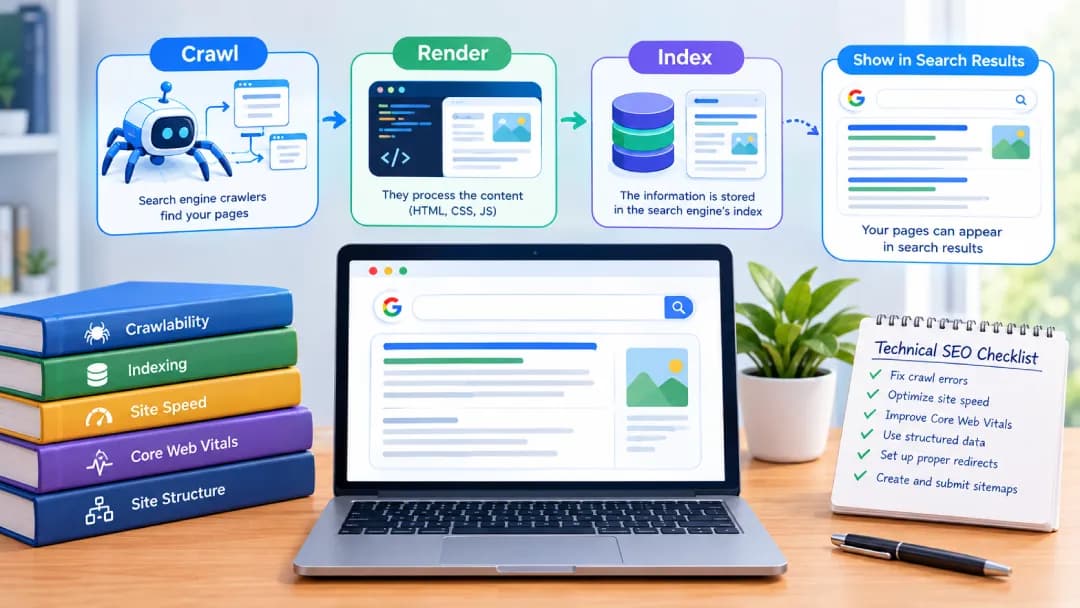
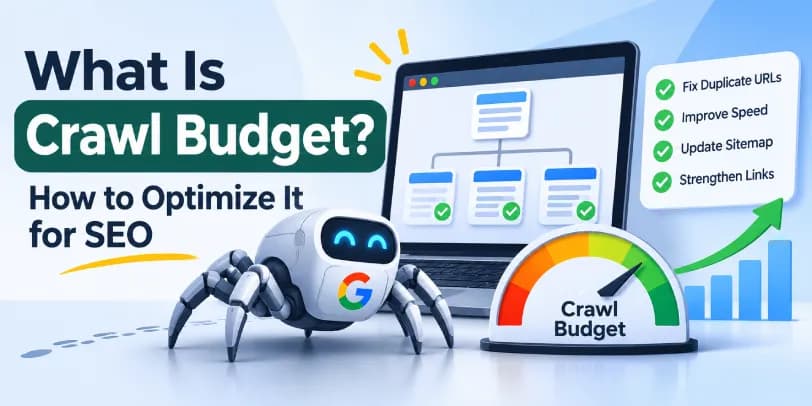
Crawl budget is the set of URLs on your website that a search engine can crawl and wants to crawl. Google decides it using two things: crawl capacity (how much crawling your server can handle) and crawl demand (how much Google wants your content).
So why should you care? A page has to be crawled before Google can properly index it and show its content in search results. When crawlers spend their time on duplicate or useless URLs, your new products, articles and updates may wait longer to be noticed. That makes crawl budget an important part of technical SEO.
Not every website needs to manage it, though. If you run a small business site and new pages get picked up quickly, you can probably spend your energy elsewhere. Larger and fast-changing sites are a different story.
Table of contents10 sections
What Is Crawl Budget in SEO?
In SEO, crawl budget describes how much time and resources a search engine is willing to spend on crawling your site. Google's crawl budget guide treats each hostname as a separate site. As a result, `www.example.com` and `blog.example.com` each have their own budget.
It isn't a fixed number you receive every month. Instead, it shifts as your server, your content and Google's interest in your URLs change.
Because the budget works per hostname, `example.com`, `shop.example.com` and `cdn.example.com` are assessed separately even though they share one domain. HTTP and HTTPS are a slightly different case. They are different URLs, but on the same hostname they don't count as two separate sites for crawl budget. Duplicate protocol versions should still redirect to HTTPS.
Separate asset hosts matter too. If images or scripts load from your own CDN subdomain, those requests fall under that hostname's budget. This can ease the load on your main host, but a slow or blocked asset host can still disrupt rendering.
How Search Engine Crawlers Discover Website URLs
Crawlers, such as Googlebot, are programs that request pages and read what comes back. They mostly find URLs by following links from pages they already know. XML sitemaps give them another route, and redirects can point them to new addresses too.
Imagine you publish a new service page. If your main navigation links to it and your sitemap lists it, a crawler has two clear paths. A page with no links pointing to it is much easier to miss.
Google also uses different crawlers for different jobs:
| Crawler or token | What it does |
|---|---|
| Googlebot Smartphone | Crawls as a mobile device and makes most Search requests |
| Googlebot Desktop | Crawls as a desktop browser |
| Googlebot-Image and Googlebot-Video | Fetch image and video files |
| Googlebot-News | A robots.txt token for Google News; it has no separate user agent in requests |
| Google-InspectionTool | Used by testing tools such as URL Inspection and the Rich Results Test |
Some requests are user-triggered, meaning a person's action causes the fetch. These fetchers generally ignore robots.txt, so don't read every Google request as scheduled Search crawling.
Why Do Search Engines Have Crawling Limits?
The web is practically endless, while computing resources are not. Search engines therefore have to choose where to spend them.
There is also your server to think about. Thousands of requests arriving at once could slow a site down for real visitors, so Google limits its crawling to avoid overloading you.
Crawl Budget vs. Crawling vs. Indexing
These three terms are often mixed up, but each one answers a different question.
| Term | Question it answers |
|---|---|
| Crawl budget | Which URLs can and will Google spend time requesting? |
| Crawling | Has a crawler fetched this URL? |
| Indexing | Has Google processed the page and stored it for possible use in search results? |
A crawled page isn't guaranteed a place in the index. Google still evaluates it, groups it with any duplicates and decides whether it is suitable.
JavaScript adds another stage. Googlebot first fetches the initial HTML and picks up the links in it. The page then joins a rendering queue, where a headless version of Chromium runs the scripts and produces the rendered HTML. Google checks that version for content and further links.
The wait may be only seconds, but it can be longer. As a result, content or links that exist only after JavaScript runs can be discovered later, or missed if scripts fail or are blocked. Anything that loads only after a click or other user action is especially risky. Google's JavaScript SEO guide covers the process, and server-side rendering or pre-rendering can put key content in the first response.
Why Is Crawl Budget Important for SEO?
Its value is indirect but practical. Crawling is the doorway to search visibility, and a clogged doorway slows everything behind it.
How Crawl Budget Helps Search Engines Discover New and Updated Pages
Suppose an online store adds 500 products and changes prices across thousands more. If Googlebot is busy requesting endless filter combinations, those changes can take longer to reach Google. Customers might then see outdated information in search results.
Efficient crawling gives important pages a better chance of being discovered and revisited in good time.
How Crawl Efficiency Supports Website Indexing
Crawl efficiency means that most requests go to pages that matter. A clean site structure, working links and fast responses all help.
However, efficiency only gets your content seen. The page still has to be useful and distinct enough to earn indexing. Fixing technical waste won't rescue thin or copied content.
During a technical audit, separate crawlability (can Google fetch it?) from indexability (is it allowed and suitable to be indexed?).
| What you find | Likely problem | Where to look |
|---|---|---|
| Crawlable page with noindex | Indexing is switched off, perhaps on purpose | Meta robots tag and HTTP headers |
| Page meant for search but blocked | Crawl restriction | robots.txt rules |
| Canonicalised duplicate still being crawled | Normal, unless it happens at large scale | Canonical and internal link signals |
| Orphan page with no internal links | Weak discovery | Compare sitemaps and your database with a site crawl |
| URL discovered but not crawled | Crawl priority or capacity | Crawl Stats and server logs |
| Page crawled but not indexed | Often quality, duplication or indexing signals | Content and Page Indexing report |
Does Crawl Budget Directly Affect Google Rankings?
No. Google states that crawling is necessary for a page to appear in search results, but it isn't a ranking signal. A higher Google crawl rate won't automatically move you up.
What it can do is help Google see your latest content. If you improve a page, those improvements can't count until Google has crawled and processed the new version.
Does Your Website Need Crawl Budget Optimization?
Google aims its advice mainly at large sites with 1 million or more unique pages that change about weekly, and medium or larger sites with 10,000 or more pages that change daily. It also includes sites where many URLs show as "Discovered \- currently not indexed" in Search Console.
These figures are rough guides, not strict thresholds. Your site's behaviour matters more than a single number.
Large Websites With Extensive URL Inventories
Marketplaces, directories, job boards and large publishers can create URLs faster than anyone reviews them. Old listings, tag pages and sorted views pile up. On sites like these, managing the URL inventory is routine maintenance.
Frequently Updated Websites and News Publishers
Timing is everything for news. A story crawled two days late has lost much of its value. Sites with fast-moving prices, stock levels or listings face a similar problem, so they should watch how quickly changes get picked up.
E-commerce Websites With Faceted Navigation
Faceted navigation lets shoppers filter by size, colour, brand, price and more. It's great for users. On the other hand, every combination can produce its own URL, and a few thousand products can easily turn into millions of crawlable addresses.
When Small Websites Don't Need Dedicated Crawl Budget Optimization
If your site has a few hundred pages and new content is usually crawled soon after publishing, you don't need a special crawl budget project. Keeping your sitemap current and checking the Page Indexing report regularly is normally enough.
When a page on a small site isn't indexed, look first at content quality, internal links, noindex tags, canonical tags and robots.txt rules.
How Does Google Determine Crawl Budget?
Google crawl budget comes down to two questions. How much can Google crawl without causing trouble, and how much does it actually want to crawl?
Crawl Capacity Limit
The crawl capacity limit caps how much of your server's time Google's crawlers take up, based on the number of simultaneous connections and how long they last. You may also see it called the crawl rate limit, an older term. Every site starts with the same conservative default, and Google adjusts it from there. All of Google's crawlers share this capacity.
Server Response Time and Server Health
When your server answers quickly and consistently, Google can use more connections. When response times climb, it backs off. Slow database queries, weak hosting and uncached pages are common culprits.
Server Errors and Rate-Limiting Responses (5xx and 429\)
Server errors in the 5xx range signal that something is broken or overloaded. A 429 response means "too many requests." Both tell Google to slow down.
Check firewalls and security tools as well. An overly strict rule can return 429 errors to genuine Googlebot requests without anyone on the marketing team knowing.
A 503 (Service Unavailable) is the usual choice for short maintenance or overload, and it also slows crawling. Use it temporarily. URLs that keep returning server errors can eventually drop out of the index.
How Google Adjusts Its Crawling Rate
The adjustment is automatic. If your site stays healthy and there's demand for more crawling, the limit can rise. If it struggles, the limit falls. Google's own resources are finite too, which also affects how much any site receives.
Crawl Demand
Crawl demand reflects how much a crawler wants your URLs. For Googlebot, it depends on your site's size, update frequency, page quality and relevance compared with other sites. Even with plenty of server capacity, low demand means less crawling.
Among the factors you can influence, Google highlights three primary ones: perceived inventory, popularity and staleness.
Perceived URL Inventory
This is the collection of URLs Google knows about on your site. Without guidance, it tries to crawl all or most of them. If many are duplicates, removed pages or unimportant variations, time gets wasted. Of the three factors, this is the one you can control most.
Page Popularity and Importance
URLs that are more popular across the web tend to be crawled more often. Relevant links and real user interest help here. Your homepage and leading category pages, for example, are usually revisited more than an old archive page.
Content Freshness and Update Frequency
Google recrawls pages to pick up changes, which is what the staleness factor is about. A live pricing page gives it more reason to return than a policy page untouched for years. Changing only the publish date adds nothing of value.
How Content Quality and Page Value Influence Crawling Priorities
Quality and relevance also shape demand, alongside the three factors above. For Search, Google mentions overall user value and content uniqueness among the things it weighs. In practice, thousands of near-identical pages give crawlers little reason to keep coming back.
How to Check Crawl Budget in Google Search Console
Search Console doesn't show a single "crawl budget" score. Instead, you piece the picture together from crawl activity, indexing status and, when needed, your own server records.
How to Find the Crawl Stats Report
Open your property, go to Settings, then open the Crawl stats report. The Crawl Stats report covers the last 90 days and is available only for root-level properties, such as a Domain property. It shows Google's crawling history, request volume, responses and availability problems.
Important Crawl Stats Metrics to Monitor
Look for trends and sudden changes rather than judging one day in isolation.
These metrics also show whether your optimisation worked. Before changing anything, save a baseline from Crawl Stats and your logs. Then compare periods of equal length, ideally several weeks, and track:
- Total Googlebot requests, and requests to priority URLs
- How often key pages and sections are recrawled
- The share of requests going to each section, including parameter and other low-value URLs
- Changes in response codes and average response time
A lower request total isn't automatically good or bad. Wasted crawling has fallen when low-value URLs take a smaller share and important pages are still visited as often, or more often. Keep in mind that launches, seasonality and site changes can also move the numbers.
Total Crawl Requests
This counts every request Google made, including repeat requests for the same URL and resources hosted on your site. A spike might follow a new section or a site migration. It could also point to a flood of parameter URLs. A sharp drop is a good reason to check robots.txt changes and server health.
On large sites with several subdomains, use a Domain property and check the Hosts list. It lets you view each major host separately, so a busy blog or CDN subdomain doesn't hide a problem on your shop.
Average Response Time
This is the average time taken across the resources Google fetched. If it rises while crawl requests fall, investigate your server.
Host Status and Server Availability
Host status checks three areas: robots.txt fetching, DNS resolution and server connectivity. Pay close attention to robots.txt. If the file returns 5xx or 429 errors, Google can pause or reduce crawling. A 404 is fine because it simply means no file exists.
Response Codes and File Types
Most responses should be successful ones, such as 200 or 304\. A large share of redirects, 404s or server errors deserves a closer look. The file type breakdown shows whether requests are going to HTML, images, JavaScript, CSS or something else. You can also see crawl purpose: discovery of new URLs or refresh of known ones.
How to Identify Crawl Issues Using the Page Indexing Report
The Page Indexing report answers a different question: what is the indexing status of your URLs?
Watch for "Discovered \- currently not indexed," which means Google knows the URL but hasn't crawled it yet. "Crawled \- currently not indexed" means it was fetched but not indexed, so more crawling may not be the answer. Also review soft 404s, server errors and duplicate statuses.
For JavaScript pages, run the URL Inspection tool and choose to view the crawled page. The HTML shown there is the rendered version Google processed. Compare it with your page's raw source (View Source in a browser) to see which content and links depend on JavaScript. A live test shows how the page renders now, which may differ from the indexed copy.
How to Check Googlebot Activity Using Server Logs
Crawl Stats gives example URLs, not a complete history you can filter by address. Server logs fill that gap. They record each request, including the URL, time, status code and user agent.
Filter for Googlebot, then verify that the requests really came from Google, since user agents can be faked. After that, check whether your key pages are being requested and which sections absorb the most hits.
Group requests by user agent: Googlebot Smartphone and Desktop, Googlebot-Image, Googlebot-Video and Google-InspectionTool. Verify them with reverse and forward DNS lookups or Google's published IP ranges. Googlebot-News won't appear as its own user agent.
Third-party crawlers are separate. Moz (formerly SEOmoz) uses a bot called Rogerbot for Moz Pro's Site Crawl, which audits campaign sites weekly. A Moz site crawl is useful for finding broken links and duplicate content, but it doesn't show how Googlebot behaves or spend your Google crawl budget.
If you want Moz to crawl your site sooner, look for the recrawl or on-demand crawl options (some people still call this a Moz crawl test). How long a Moz crawl takes depends largely on the size and setup of the site.
What Wastes Crawl Budget? Common Causes Explained
Waste usually means Google keeps requesting URLs that add nothing new. These are the patterns to look for.
Duplicate Content and Duplicate URLs
The same page can live at several addresses: with and without a trailing slash, under HTTP and HTTPS, or inside multiple category paths. Each version is another URL a crawler may request.
Faceted Navigation and URL Parameters
Filters, sorting options and tracking parameters multiply quickly. A URL like `/shoes?colour=black&size=9&sort=price` may be handy for a shopper, but hundreds of similar combinations rarely deserve crawling.
Unnecessary Redirects and Redirect Chains
A single redirect after moving a page is perfectly normal. Chains are the problem. If URL A points to B, which points to C, the crawler makes extra requests before reaching the content.
The redirect type matters as well. Google follows both 301 and 302, but treats a 301 as a strong signal that the new URL should be processed as the main one. A 302 is a weak signal, so keep it for temporary moves.
Soft 404 Pages and Low-Value URLs
A soft 404 looks like a missing or empty page but returns a success code. An out-of-stock template saying "nothing found" with a 200 status is a classic example. Google may keep crawling it.
Not every error is waste. According to Google, 4xx responses other than 429 generally don't waste crawl budget. A true 404 for a deleted page is often exactly right.
Infinite URL Spaces and Session IDs
Calendars with an endless "next month" link can generate URLs forever. Session IDs added to addresses cause a similar mess, creating a new URL for the same page on different visits.
Unnecessary Crawling of Alternate URLs and Resources
Alternate language versions, mobile URLs, CSS, JavaScript and background data requests can all use crawl budget. That doesn't make them bad. Google needs many of these files to render your pages. The goal is to trim redundant ones, such as scripts whose URLs change on every load without any change in content.
International sites feel this more because every country or language version adds URLs. Whether you use country domains, subdomains or subfolders affects how crawling is split: separate hostnames have separate budgets, while subfolders share one.
Hreflang annotations tell Google which pages are alternates and can help it discover them. They shouldn't replace crawlable internal links, so add a visible language or region selector. Near-identical versions, such as English pages for several countries with barely any differences, may be treated as duplicates. Create a regional version only when it serves a real need, such as different currency, stock or wording.
How to Optimize Crawl Budget: 9 Practical Strategies
Good crawl budget optimization starts with priorities. List the pages that matter most, such as revenue pages, key categories and fresh content. Then compare that list with what Googlebot is actually requesting.
On large sites, classify URLs by template or section before ranking them:
| Group | Examples | Crawl priority |
|---|---|---|
| Indexable, revenue-generating | Products, services, key categories | Highest |
| Indexable, informational | Guides, articles, support pages | High when current and useful |
| Non-indexable but needed by users | Account pages, sorted views | Low |
| Removed or accidental | Dead listings, session URLs | Clean up |
Next, match each group against your logs. Compare request share and recrawl frequency. If sorted views receive more Googlebot hits than your best-selling products, you've found where to start.
1\. Remove or Consolidate Duplicate URLs
Pick one preferred version of each page and link to it consistently. For example, if a product appears under two category paths, choose one address. Use a permanent redirect when the duplicate no longer needs to exist, or a canonical tag when it must stay available.
2\. Manage URL Parameters and Faceted Navigation
Decide which filtered pages deserve search traffic. A "men's leather boots" page might, while a view sorted by price probably doesn't. Block unwanted combinations in robots.txt, keep parameter order consistent and return a 404 for filter combinations with no results. Google's faceted navigation guide explains the options.
3\. Fix Redirect Chains and Unnecessary Redirects
Point old URLs straight to their final destination. In other words, turn A to B to C into A to C. Update internal links and sitemaps as well, so crawlers don't keep passing through the old address.
Website migrations need extra care. Map every old URL to its closest new equivalent, test the redirects before and after launch, and update canonicals, hreflang, sitemaps and internal links. For a domain change, use Search Console's Change of Address tool.
Expect Google to crawl old and new URLs side by side for a while, because it processes a move URL by URL. Keep redirects in place for at least a year. Monitor logs, Crawl Stats and Page Indexing for both properties. Short-lived swings in crawling and rankings are common. Persistent 404s, 5xx errors, redirect loops or new URLs that stay unindexed after several weeks need investigation. A site move with URL changes can take longer on large sites.
4\. Improve Server Response Time and Website Performance
Ask your developers to review server response times, database queries, caching and hosting capacity. A content delivery network can help with static files. Better site speed lets Google fetch more when demand exists, and visitors benefit too.
5\. Fix Soft 404s and Unnecessary Error Pages
If a page is permanently gone with no replacement, return a 404 or 410\. If there's a close substitute, redirect to it. A discontinued phone case could redirect to its newer version, but not to the homepage. Also repair broken links inside your site and resolve recurring 5xx errors quickly.
Google currently handles 404 and 410 in much the same way, so use whichever your system supports cleanly. Use 401 for pages that require authentication and 403 for forbidden access. Neither is a tool for slowing Googlebot: 4xx codes other than 429 don't reduce the crawl rate. Also check that security rules aren't returning 403 on public pages by mistake.
6\. Use Robots.txt to Control Unnecessary Crawling
The robots.txt file is your main tool for SEO crawl control. For instance, a store could block internal search results:
``` User-agent: * Disallow: /search/ ```
Block only what you don't want crawled at all, and test rules carefully. Never block CSS or JavaScript that Google needs to understand a page.
7\. Keep XML Sitemaps Updated and Accurate
Include the canonical, indexable URLs you want found. Remove redirected, deleted and noindexed addresses. Add a `lastmod` value that reflects meaningful updates, not the time the sitemap was generated.
8\. Use Internal Linking to Help Google Discover Important Pages
Link to priority pages from relevant, well-visited parts of your site. A new buying guide, for example, can be linked from its category page and related articles. Use standard HTML links with descriptive anchor text, and avoid burying key pages many clicks deep.
On JavaScript sites, make sure navigation uses real `<a href>` links rather than click events alone. Infinite scroll and "load more" features should also have crawlable paginated URLs. For international sites, link between related pages within each language, not only through the language selector.
9\. Implement HTTP Caching and Support 304 Responses
When a page or file hasn't changed, your server can reply with "304 Not Modified" instead of sending it again. This relies on validators such as `ETag` or `Last-Modified`. It saves bandwidth and server effort, especially on large sites where many URLs stay the same between visits. Ask your developer to confirm that changed content still returns a fresh 200 response.
You may also notice 206 (Partial Content) in logs, usually when a client requests part of a large file such as a video or PDF. It is a normal success response. Google's crawl budget guidance doesn't describe a special effect for it, so investigate only if the same files are fetched in unusual volumes or the responses are broken.
Common Crawl Budget Myths and Mistakes to Avoid
Some fixes sound sensible but do something quite different from what people expect.
Using Noindex to Prevent Crawling
A noindex tag keeps a page out of the index. It doesn't stop the request, because Google has to crawl the page to see the tag. Use it when exclusion from search is the goal.
Assuming Robots.txt Removes URLs From Google's Index
Robots.txt controls crawling. A blocked URL can still be indexed without its content if other pages link to it. To remove a page from search, let Google crawl it and find a noindex rule, remove the page, or protect it with a password.
Treating Canonical Tags as Crawl Restrictions
A canonical tag suggests which duplicate you prefer. Google can still crawl the other versions, and it may even choose a different canonical.
Assuming Blocking URLs Automatically Frees Crawl Budget for Other Pages
Blocking a section doesn't guarantee that Google will move those requests elsewhere. Google says the freed capacity isn't shifted unless it was already hitting your site's capacity limit. Therefore, don't toggle robots.txt rules to redirect crawling temporarily.
Believing XML Sitemaps Guarantee Crawling and Indexing
A sitemap helps Google learn about URLs. It is a hint, not a promise. Weak or duplicated pages can sit in a sitemap and still be ignored.
Using Crawl-Delay to Control Googlebot
Google doesn't process the `crawl-delay` rule. If Googlebot is overwhelming your server in an emergency, temporarily return 500, 503 or 429 responses. Keep this short, since prolonged errors can harm crawling and cause URLs to drop from the index.
Conclusion
Crawl budget optimization helps search engines focus on the most important pages of your website. By fixing duplicate URLs, reducing unnecessary crawling, improving server performance, and strengthening internal links, you can make crawling more efficient. Monitor your Google Search Console reports regularly and focus on improvements that help Google discover your valuable content.
Frequently Asked Questions About Crawl Budget
What Is a Good Crawl Budget for a Website?
There's no universal number. A good crawl budget is one that lets Google find your important new and updated pages within a reasonable time. For a news site, that may mean very quickly. A small company website can usually wait longer.
How Can I Increase My Crawl Budget?
Google points to two routes. Add server capacity if your server is what's holding crawling back, and improve the value and uniqueness of your content to support demand. Cutting wasteful URLs helps you use the existing budget better. None of these guarantees an increase in Google crawl rate.
Can I Set My Crawl Budget Manually?
No. You can't assign yourself a number or ask for a higher rate through a setting. You can guide what gets crawled with robots.txt, sitemaps and internal links, and server responses can slow crawling in an emergency.
How Often Does Google Crawl a Website?
It varies from page to page. Some URLs are visited many times a day, while others may go weeks or longer between visits. Popularity, update patterns, quality and server health all play a part. This is different from how often a site is crawled by Moz, where Pro campaigns run on a weekly schedule.
Where Can I Check My Website's Crawl Activity?
Start with the Crawl Stats report in Google Search Console. Use the URL Inspection tool to see the last crawl information for an individual indexed page, and use server logs for a detailed request history.
Does Crawl Budget Affect Indexing?
It can. If an important URL isn't crawled, Google can't evaluate its content properly. Still, more crawling doesn't guarantee indexing. A sensible crawl budget SEO audit therefore looks at both sides: whether Google can reach your pages efficiently, and whether those pages are worth keeping in its index. Start with your Crawl Stats report and your most important URLs, and let the evidence show you what to fix first.