
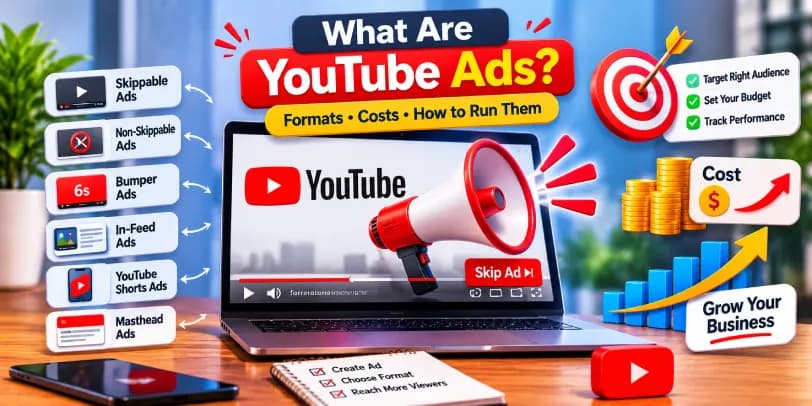
YouTube ads are paid video, image, or text promotions that businesses and creators place on YouTube to reach viewers while they watch, search, or browse. Advertisers set them up through Google Ads, choose who should see them, and usually pay only when someone views, clicks, or otherwise interacts with the ad. If you have ever watched a short promo before a video starts, seen a sponsored thumbnail in search results, or noticed a banner beside a video, you have already seen YouTube advertising in action.
Table of contents10 sections
What Are YouTube Ads? Definition and How They Work
YouTube is the second most visited search platform after Google, so it is no surprise that video advertising on it has become a core part of YouTube marketing. An ad can be a six-second clip, a 30-second story, or a promoted video that appears next to organic results. What makes it work is the combination of video format and Google's targeting data.
How YouTube Ads Work Through Google Ads
Every campaign is built and managed inside Google Ads, which is why people often search for "google ads for youtube" or "youtube google ads." You upload your video to YouTube, link your channel to a Google Ads account, then create a video campaign. Google does not host the video for you. The ad always plays from a video that already lives on YouTube.
Behind the scenes, an auction runs every time a viewer becomes eligible to see an ad. Many beginners assume the highest bidder simply wins, but that is not how it works. Google calculates an Ad Rank for each competing advertiser, and the highest Ad Rank takes the slot. Ad Rank is built from a few things:
- Your bid, meaning the most you are willing to pay for a view, click, or thousand impressions.
- Ad quality, which includes how relevant your video is to the viewer and how likely people are to watch or click it.
- The expected impact of your assets, such as headlines, call-to-action buttons, and sitelinks.
- Context, including the video being watched, the device, the viewer's location, and the time of day.
In practice, this means a well-made, relevant ad with a modest bid can beat a careless ad with a bigger budget. It also explains why the same campaign can cost very different amounts from one audience to the next.
Where YouTube Ads Appear on the Platform
Ads show up in several places: before, during, or after videos, in YouTube search results, on the home feed, next to suggested videos on the watch page, and inside Shorts. They can also reach people outside YouTube through partner sites and apps.
Viewers have some control over this. In their Google account's ad settings (My Ad Center), they can turn off personalized ads, limit certain topics, or report an ad that feels inappropriate. Paying for YouTube Premium removes most ads altogether. For advertisers, this is a useful reminder that people notice ads, so relevance and quality count.
YouTube Ads vs. Google Search Ads
Search ads respond to intent. Someone types "plumber near me" and sees a text ad. YouTube ads usually interrupt or accompany a viewing session, so people may not be looking for your product yet.
That difference changes the job each does. Search ads capture existing demand. Video ads create interest, build recognition, and warm up audiences who can later be retargeted. Many strong accounts use both together instead of choosing one.
Types of YouTube Ads and Their Formats
Knowing the formats is the fastest way to avoid wasted spend. Each one suits a different goal, budget, and style of creative.
Skippable In-Stream Ads
These play before, during, or after a video, and viewers can skip after five seconds. You are generally charged only when someone watches around 30 seconds (or the full ad if it is shorter) or interacts with it. They work well for storytelling and for ads where you want to hook people early and let uninterested viewers leave for free.
Non-Skippable In-Stream Ads
Viewers must watch the whole ad, which is typically 15 seconds. They are normally bought on a CPM basis. They guarantee your message is seen, but they can irritate viewers if the creative is dull. Use them for a clear, tight message, like a product launch or an offer with a deadline.
Bumper Ads
Bumper ads are non-skippable and last up to six seconds. They are cheap, short, and ideal for reinforcing a brand message or supporting a larger campaign. Think of them as a reminder rather than a full pitch.
In-Feed Video Ads
Formerly known as discovery ads on YouTube, these appear as a thumbnail with text in search results, on the home feed, or beside related videos. Viewers choose to click and watch, which makes them a good fit for tutorials, explainers, and content with real value. You pay when someone clicks to watch.
YouTube Shorts Ads
Shorts ads appear between vertical videos as people swipe through the feed. The audience skews younger and moves fast, so the first second or two has to grab attention. Native-looking, mobile-first creative usually performs better than repurposed TV spots.
YouTube Masthead Ads
The masthead is the large banner at the top of the YouTube home page. It is reserved and sold through Google sales reps, mainly for big launches and brands that want massive reach in a short window. It is rarely the right choice for small budgets.
Where Outstream Ads Appear Through Google Video Partners
Outstream ads are designed for mobile and play on websites and apps that partner with Google, not on YouTube itself. They typically start muted and expand when tapped. They are usually charged by viewable impressions, and they are a handy way to extend reach beyond the platform. Keep in mind that this inventory behaves differently from YouTube's own placements, so it is worth checking its results separately in your reports.
YouTube Ads on Connected TV
More people now watch YouTube on smart TVs, which has made YouTube TV ads and connected TV placements a serious option. Viewers sit back and watch longer, so completion rates tend to be higher. Many advertisers combine these placements with mobile and desktop campaigns, and some run them alongside traditional TV and YouTube ads to cover different parts of the household.
Why Should Businesses Use YouTube Advertising?
The short answer is that your customers are already there, and video moves people in ways text and static images often cannot.
Reaching a Large and Diverse Audience
YouTube has more than two billion logged-in monthly users, spread across nearly every age group, country, and interest. Whether you sell software to marketers or sneakers to teenagers, a version of your audience is probably watching.
Building Brand Awareness and Engagement
Video lets people see your product, hear your voice, and understand your personality in seconds. Repeated exposure builds familiarity, and familiarity makes later sales conversations easier. If you want to increase brand awareness, this is one of the stronger paid channels.
The catch is that awareness is harder to prove than a sale. Views and reach are easy to count, but the lift in recall or search interest takes more careful measurement. We will come back to that in the measurement section.
Driving Website Traffic and Conversions
With call-to-action buttons, sitelinks, and lead forms, video ads can send people directly to a landing page or a signup form. Campaigns built around actions rather than views are the right choice here. They optimize toward people who are likely to convert, not just watch.
Reaching Audiences Across Multiple Devices
The same campaign can follow a viewer from phone to laptop to living room TV. That cross-device reach is hard to replicate with channels tied to a single screen.
Benefits of YouTube Advertising for Small Businesses
Small businesses often assume video is too expensive. It does not have to be. You can set a daily budget as low as a few dollars, target a tight local audience, and test a simple phone-shot video. A local gym, a dental clinic, or a niche online store can compete well when the targeting is narrow and the message is clear.
YouTube Ads Targeting Options Explained
Targeting is where YouTube advertising earns its reputation. Done well, it puts your message in front of the right people without wasting budget on everyone else.
Demographic Targeting
You can choose by age, gender, parental status, and household income in certain regions. It is a simple starting point, particularly when your product clearly suits a specific group.
Interest and Behavioral Targeting
Google groups viewers into affinity audiences (people with long-term interests), in-market audiences (people actively researching a purchase), and life events. If you sell wedding photography, for instance, targeting people planning a wedding is far sharper than targeting everyone interested in photography.
Keyword and Contextual Targeting
You can enter keywords related to your topic, and your ads can appear on videos and channels about those subjects. This keeps your ad aligned with what the viewer is already watching, which usually improves relevance and results.
Placement Targeting (Channels and Videos)
You can choose specific channels, videos, or websites where your ad appears. This takes research, but it gives you control and works well when you know exactly which creators your audience follows.
It is also your first line of defense for brand safety. Beyond picking where you want to show up, Google lets you decide how much risk you accept through inventory types:
- Expanded inventory includes nearly all content that meets YouTube's monetization rules, including some mature themes.
- Standard inventory is the default and filters out most content with strong profanity, violence, or adult themes.
- Limited inventory is the strictest option and excludes much more, which suits brands with very low risk tolerance.
On top of that, content exclusions let you block sensitive categories such as sexually suggestive content, tragedy and conflict, sensitive social issues, and shocking material. You can also exclude live streams, embedded videos, and videos carrying certain digital content labels. Stricter settings reduce reach and can raise costs, so most advertisers start with Standard and tighten only if they see a problem.
Remarketing and Custom Audiences
Remarketing lets you show ads to people who already watched your videos, visited your website, or interacted with your channel. Custom audiences let you upload customer lists or build groups based on searches and app activity. These warm audiences usually convert at a better rate than cold ones.
How to Create and Launch a YouTube Ad Campaign
The process is straightforward once you understand the order. Most mistakes come from rushing past the early steps.
Create a Google Ads Account and Link Your YouTube Channel
Set up a Google Ads account, then link your YouTube channel from the account's linked accounts section. Linking gives you access to your channel's videos and lets you build audiences from viewer activity. You do not need an advanced setup to start.
Before you go further, it helps to know that there are two ways to advertise on YouTube. The first is the full Google Ads route described in this guide. The second is the Promote option inside YouTube Studio, which lets you boost a single video with a few clicks. Promote is simpler, and it works for creators who just want more views or website visits without learning the platform. The tradeoff is less control. You get fewer targeting choices, fewer formats, and thinner reporting. If you plan to run YouTube advertising seriously, or you manage budgets for clients, Google Ads is the better tool. Many people start with Promote and move to Google Ads once they want more control.
Choose Your Campaign Objective
Pick the goal that fits your business: sales, leads, website traffic, brand awareness and reach, or product consideration. This choice shapes the formats, bidding options, and optimization available, so be honest about what you want.
Inside Google Ads, your goal also points you toward a campaign type, and the names can confuse beginners:
- Video reach campaigns focus on getting your message in front of as many people as possible at an efficient cost. They typically use bumper, skippable in-stream, and non-skippable formats, and are usually bought on a CPM basis.
- Video views campaigns aim to get more people to watch your video. They suit skippable in-stream and in-feed formats and use cost per view bidding.
- Demand Gen campaigns focus on actions such as leads and sales. They place your creative across YouTube (including Shorts and in-feed placements), Discover, and Gmail, and they have largely replaced the older video action and discovery campaigns.
If you are new, video views or reach is a safe place to start. Once you have an audience and tracking in place, Demand Gen is where most conversion-focused work happens.
Select the Right YouTube Ad Format
Match the format to the goal. Awareness campaigns may suit bumper or non-skippable ads. Consideration and conversion campaigns often work better with skippable in-stream or in-feed ads. When in doubt, begin with skippable in-stream.
Set Up Your Ad Group and Audience Targeting
Define your locations, languages, and the audiences or keywords you want to reach. Keep early ad groups focused. Splitting by audience type makes it easier to see what works.
It helps to picture how an account is organized. The structure runs from account to campaign to ad group to ad. The campaign holds your objective, budget, and bidding strategy. Each ad group inside it holds one targeting setup, such as an in-market audience, a keyword list, or a remarketing list. Each ad group then holds one or more ads, which are your creative variations.
A practical setup might be one campaign with three ad groups: one for in-market audiences, one for keyword targeting, and one for remarketing. Inside each, run two or three different videos. That way every audience sees the same creatives, and you can compare both audiences and ads without the results getting mixed together.
Set Your Campaign Budget and Bidding Strategy
Decide how much you want to spend each day and pick a bidding strategy that fits your objective. You can adjust both later, so there is no need to agonize over the first setting.
Create and Upload Your Video Ad
Upload your video to YouTube first, then add its link inside the campaign. Include a headline, a call to action, and a final URL. Strong ads show the point of the message in the first few seconds, since viewers decide quickly.
A few technical details save you from rejected or poorly displayed ads:
- Aspect ratio: 16:9 is the standard for most in-stream and connected TV placements. Use 9:16 for Shorts and vertical placements, and 1:1 for square placements. Demand Gen campaigns work best when you supply all three.
- Resolution: upload at least 1080p where possible. Low-resolution video looks worse on large TV screens.
- Length: bumper ads run up to six seconds, non-skippable ads are typically 15 seconds, and skippable ads can run longer, although shorter usually holds attention better.
- File format: standard formats such as MP4 or MOV work well for the YouTube upload.
- Safe zones: leave margins at the top and bottom of vertical videos, because buttons, captions, and interface elements can cover them. Keep your logo and key text well inside the frame.
- Thumbnails: for in-feed ads, the thumbnail does a lot of the work. A custom thumbnail at 1280 by 720 pixels, clear and readable on a phone, usually beats an automatically chosen frame.
Review and Launch Your Campaign
Check your targeting, budget, and links, then submit. Google reviews each ad before it runs, usually within a day. Once live, give the campaign several days of data before making big changes.
That review is based on Google Ads policies, and it is worth knowing the basics. Ads can be disapproved for prohibited content such as counterfeit goods, dangerous products, or items that enable dishonest behavior. They can also be limited or rejected for misleading claims, inappropriate content, or a poor landing page, such as one that is broken, unrelated to the ad, or hard to leave. Restricted categories like alcohol, gambling, healthcare, and financial services have extra rules and sometimes need certification or local approval.
If an ad is disapproved, Google Ads shows a status and a reason in your account. Read the policy named in the notice, fix the video, text, or landing page, and resubmit. If you believe the decision was a mistake, you can appeal. Repeated or serious violations can lead to account suspension, so it pays to fix problems properly instead of reuploading the same ad.
YouTube Ads Cost: Pricing Models and Budget Explained
Costs vary widely by industry, audience, and format, so treat any number you read as a rough guide, not a promise. Many advertisers see view costs between a few cents and around thirty cents, but competitive niches can run higher.
Cost Per View (CPV)
You pay when someone watches your ad for 30 seconds, watches the whole ad if it is shorter, or interacts with it, whichever comes first. This model suits skippable in-stream and in-feed campaigns focused on views and awareness.
Cost Per Click (CPC)
You pay when someone clicks through to your site or another destination. It is common with action-focused campaigns where traffic and leads matter more than views.
Cost Per Thousand Impressions (CPM)
You pay for every thousand times your ad appears. Bumper ads, non-skippable ads, and awareness campaigns often use CPM, because the goal is reach.
Daily Budget vs. Campaign Total Budget
A daily budget sets the average amount you want to spend each day. A campaign total budget sets a fixed limit across the full run and suits short, time-bound promotions. Beginners usually find a daily budget easier to control.
One detail surprises many first-time advertisers. Google may spend up to twice your daily budget on a day when traffic looks strong, then spend less on slower days. Over a billing period, you will not be charged more than your daily budget multiplied by the average number of days in a month, which is about 30.4. So a \$20 daily budget can cap at roughly \$608 for the month, even if a single day shows \$38 in spend. This is normal pacing, not overspending. If you need a strict ceiling, use a campaign total budget and set an end date.
Factors That Affect YouTube Advertising Costs
Several things push costs up or down: your industry, targeting, ad quality, creative relevance, season, and competition. Holiday periods are expensive because everyone is bidding. Narrow, high-value audiences cost more than broad ones, but they often convert better.
YouTube Ads Bidding Strategies Explained
Google offers several options. Maximum CPV lets you set the most you will pay for a view. Target CPM focuses on reach. Maximize conversions and Target CPA aim for results at a cost you define. Manual bidding gives control, while automated options use Google's machine learning, which works better once you have conversion data. Since the auction rewards quality as well as price, a stronger ad usually lets you win more impressions at the same bid.
How to Measure and Optimize YouTube Ads Performance
Launching is only half the work. The accounts that perform well are checked often and adjusted with discipline.
Important YouTube Advertising Metrics to Track
Views, Impressions and View Rate
Impressions show how often your ad appeared, views show how many people watched, and view rate is the percentage of impressions that turned into views. A weak view rate usually points to a weak opening or the wrong audience.
Audience Retention
This shows how long people keep watching. If viewers drop off in the first few seconds, the hook needs work. If they stay until the call to action, you are on the right track.
Click-Through Rate (CTR)
CTR is clicks divided by impressions. A low CTR can mean the message, offer, or call to action is not compelling enough.
Conversion Rate
This measures the share of clicks or views that turn into a desired action, such as a purchase or form submission. It tells you whether the traffic you pay for is actually useful.
Cost Per Acquisition (CPA)
CPA is the average cost to win a customer or lead. Compare it with what a customer is worth to you, and the number becomes meaningful.
Return on Ad Spend (ROAS) and ROI
ROAS shows revenue earned per dollar of ad spend, while ROI looks at overall profit after costs. Both help you decide whether to scale a campaign or cut it.
Google Ads Reporting and Campaign Performance Analysis
Google Ads reports let you break results down by audience, device, placement, age, location, and time of day. Look for patterns, such as a placement that consumes budget without results, and adjust accordingly.
Pay special attention to where your ads actually ran. Segmenting by network shows how YouTube search results, YouTube videos, and Google video partners each perform. Splitting by device lets you compare mobile, desktop, tablets, and connected TV. The placements report shows individual channels, videos, and apps, and lets you spot Shorts and partner inventory. These layers often tell different stories. It is common to find that YouTube placements drive most of the quality traffic while partner inventory produces cheap views with little value. Without these breakdowns, a healthy-looking average can hide wasted budget.
Conversion Tracking and Attribution
Install the Google tag or import conversions from Google Analytics so the platform knows what counts as success. Without tracking, Google Ads cannot optimize toward real results, and you cannot tell what your money is doing.
You have several ways to set it up:
- Website conversion actions: install the Google tag (or use Google Tag Manager) and define events such as purchases, form submissions, sign-ups, or phone call clicks.
- Google Analytics 4 imports: bring in GA4 key events as conversions, which is handy if your analytics setup is already solid.
- Enhanced conversions: send hashed first-party data, such as an email address from a checkout form, so Google can match conversions more accurately when cookies fall short.
- Lead and offline tracking: use lead form assets or import offline conversions from your CRM, so you can count leads that become customers days or weeks later.
Because video often influences people before they buy, look at more than last-click data. A view-through conversion happens when someone sees your ad, does not click, and later converts. An engaged-view conversion counts when someone watches a meaningful portion of a skippable in-stream ad (at least 10 seconds) and then converts within the window. Google Ads typically uses a 30-day window for clicks, a 3-day window for engaged views, and a 1-day window for view-through conversions, although you can adjust these. The assisted conversions and attribution reports show where YouTube helped even when another channel got the final click.
There is a limit to all this. Attribution tells you who saw an ad and then converted, but it does not prove the ad caused the sale. Some of those people would have bought anyway. To measure real incremental impact, use Conversion Lift studies or Brand Lift surveys where your budget allows, or run a simple holdout test by pausing ads in one region and comparing it with a similar region that keeps running. These tests need time and spend, but they give a far more honest answer than reported conversions alone.
A/B Testing Different Ad Creatives
Test one change at a time, such as the opening line, thumbnail, length, or call to action. Run both versions long enough to gather meaningful data, then keep the winner and test again.
Ad Scheduling and Placement Optimization
If your data shows better results on certain days or hours, schedule ads for those times. Review your placements report regularly and exclude channels or apps that waste money.
Audience Exclusions and Frequency Capping
Exclude existing customers when you want new ones, and exclude irrelevant audiences. Frequency capping limits how many times one person sees your ad, which prevents irritation and wasted impressions.
Exclusions also support brand safety. Account-level placement exclusions let you block specific channels, videos, topics, or apps across every campaign at once. If you or your clients keep running into inappropriate ads, weird placements, or content you would not want near your brand, add them to the list as soon as you spot them in the placements report. It takes a minute and protects every future campaign.
YouTube Advertising Best Practices and Common Mistakes
Choosing the Right Ad Format for Your Campaign Goal
Use bumper and non-skippable formats for reach, skippable in-stream for storytelling and traffic, in-feed for educational content, and Shorts for younger, mobile audiences. Matching format to goal prevents most early waste.
Creating Engaging Video Ads with Strong CTAs
Put the important message in the first five seconds, because many viewers will skip. Show the problem, offer a solution, and finish with one clear next step. Add captions, since plenty of people watch without sound. Authentic, simple videos often beat polished ones that feel like a commercial.
Avoiding Ad Fatigue
When the same people see the same ad again and again, results drop. Refresh your creative every few weeks, rotate variations, and watch for rising costs and falling click-through rates.
Common YouTube Advertising Mistakes to Avoid
Targeting too broadly is the most common, followed by weak openings and unclear calls to action. Others include skipping conversion tracking, judging results too early, ignoring placement reports, and using the wrong format for the goal. Fixing these often improves results without adding any budget.
It also helps to go in with realistic expectations, because YouTube advertising has real limits:
- Some viewers use ad blockers, so a share of your potential audience never sees the ad.
- YouTube Premium subscribers do not see most ads, which removes a slice of the audience, often people with higher spending power.
- Attention is limited. Many viewers skip at five seconds, and some ads play while the viewer is looking at another screen.
- Viewability differs by format and placement. A muted outstream ad on a partner site is not the same as a full-screen connected TV view.
- Attribution is imperfect, and the effect on brand awareness is hard to measure directly without lift studies.
None of this makes the channel a bad choice. It simply means YouTube works best as part of a wider marketing mix, with clear goals and honest measurement.
Conclusion
YouTube ads give businesses a flexible way to reach people through video, from quick six-second reminders to longer stories that build trust. The formats are varied, the targeting is detailed, and the costs can fit modest budgets if you start focused and test carefully. Choose a clear objective, match it to the right campaign type and format, set up conversion tracking before you spend, watch your placements and brand safety settings, and refresh your creative before it wears out. Treat the first campaign as a learning round, and the second one will almost always perform better.
FAQs
What are YouTube ads and how do they work?
YouTube ads are paid promotions shown to viewers on YouTube and partner sites. Advertisers create them in Google Ads, choose an audience and budget, and pay when people view or interact with them. An auction decides which ad appears, based on bid, ad quality, and relevance to the viewer.
How much does it cost to run YouTube ads?
Costs depend on format, audience, and competition. Cost per view often falls between a few cents and around thirty cents, though competitive niches can cost more. You control spending through a daily or total budget, and Google may spend up to twice your daily budget on a single day while keeping the monthly total within the limit.
What is the difference between skippable and non-skippable YouTube ads?
Skippable ads let viewers skip after five seconds, and you generally pay only if they watch about 30 seconds or interact. Non-skippable ads must be watched in full, usually run around 15 seconds, and are typically bought on a CPM basis.
Which YouTube ad format is best for small businesses?
Skippable in-stream and in-feed ads usually suit small businesses best, because you pay for real engagement and can start with a small budget. Bumper ads can support them cheaply for reminders.
Can you run YouTube ads without a YouTube channel?
Yes, but you still need a video hosted on YouTube. You can upload it through any account, though linking your own channel gives better audience-building and reporting options.
How do you target a specific audience with YouTube ads?
Use demographics, affinity and in-market audiences, keywords, specific channels or videos, and remarketing lists. Combining two or three of these usually produces the most relevant reach.
How do you measure the success of YouTube advertising campaigns?
Track views, view rate, retention, click-through rate, conversions, CPA, and ROAS inside Google Ads. Set up conversion tracking first so the numbers connect to real business results, and consider lift studies if you need to prove incremental impact.
Can you advertise on YouTube for free?
Not through paid campaigns, which always require a budget. You can promote your channel for free through SEO-friendly titles, community posts, collaborations, Shorts, and sharing on other platforms, but that is organic promotion, not advertising.