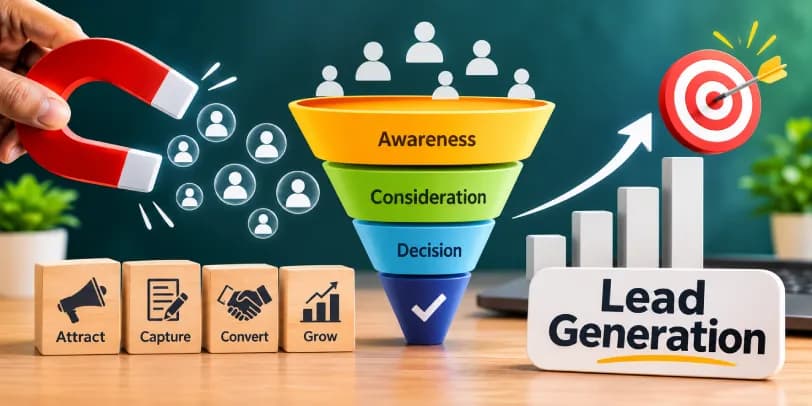

CRM lead tracking is the practice of recording every lead in a customer relationship management system, from the first contact to the final outcome. It shows you where each lead came from, who owns it, what has happened so far, and what should happen next. Done well, it keeps prospects from slipping away, gives your sales team a clear view of the pipeline, and shows which marketing channels produce customers instead of just clicks.
This guide covers what to track, which features matter, how to set up a process, which metrics to watch, and how popular CRM platforms compare. It also touches on the parts people often skip: lifecycle stages, data quality, privacy, offline leads, and forecasting.
Table of contents14 sections
What Is CRM Lead Tracking?
Think of it as a running record for every potential customer. When someone fills out a web form, calls your office, or replies to an email, the CRM creates or updates a lead record. Each later interaction gets added to that record, so anyone on the team can see the full story in seconds.
How CRM Lead Tracking Works
The process starts with lead capture. Web forms, landing pages, live chat, phone calls, social ads, and even a business card scanner can feed contacts straight into the system. The CRM then stores contact info, tags the lead source, and places the lead at the start of your sales funnel.
From there, the lead moves through stages such as new, contacted, qualified, proposal sent, and won or lost. Each stage change, email, call, and note is logged. Many systems also add lead scoring, which ranks leads by how closely they match your ideal customer and how engaged they are.
CRM Lead Tracking vs. Lead Management vs. Lead Generation
These terms get mixed up constantly, so a quick distinction helps.
Lead generation is about attracting new potential customers through ads, content, events, and outreach. Lead tracking is about recording and monitoring those leads once they exist. Lead management is the broader discipline that includes tracking but also covers qualification, routing, nurturing, and handoff to sales.
In short, generation finds people, tracking follows them, and management decides what to do with them.
Lead vs. Prospect vs. Sales Opportunity
A lead is anyone who has shown some interest or whose details you have captured. A prospect is a lead you have qualified as a reasonable fit with a real need or budget. A sales opportunity is a prospect with an active deal, usually with an estimated value and an expected close date.
Most CRMs break this journey into lifecycle stages, and it helps to define each one in writing:
- Subscriber: someone who has opted in to your content, such as a newsletter, but has not shown buying interest.
- Lead: a contact who has given you details or taken a meaningful action.
- Marketing Qualified Lead (MQL): a lead whose profile and behavior meet marketing's threshold, for example a downloaded guide plus several visits to your services pages.
- Sales Qualified Lead (SQL): a lead that sales has reviewed and accepted as worth a direct conversation, usually because there is a confirmed need and a realistic budget.
- Opportunity: an SQL with an open deal attached.
- Customer: a closed-won deal.
- Disqualified lead: someone who is not a fit, with the reason recorded.
The difference between an MQL and an SQL is mostly about who made the call. An MQL is flagged by rules, usually a score. An SQL is confirmed by a person who has spoken to the lead or reviewed the details. A lead moves from one stage to the next when it meets agreed criteria, and ideally that move is logged with a date. Those dates later let you measure how long leads sit at each stage.
Keeping these stages separate prevents inflated pipeline numbers and makes forecasting more honest.
Why CRM Lead Tracking Matters for Sales and Marketing Teams
Most teams do not lose deals because the product is wrong. They lose them because a lead sat untouched for three days, or because nobody knew a colleague had already spoken to the person.
Improving Sales Pipeline Visibility
When every lead sits in one visual pipeline, managers can see how many deals are at each stage, where they stall, and what revenue to expect. Without that, forecasting becomes guesswork built on spreadsheets and memory.
Visibility also feeds forecasting. Each pipeline stage can carry a closing probability, so a deal worth 50,000 at a stage with a 40 percent chance contributes 20,000 to the weighted pipeline. Add expected close dates, and you can estimate revenue by month. The total value of all open deals is a nice number, but the weighted figure is the one worth planning around.
Reducing Lost or Missed Leads
Leads go missing in predictable ways: an inbox buries a form submission, a rep forgets a promised callback, or a hand-typed spreadsheet row never gets updated. A CRM turns follow-ups into tasks with due dates, so the next step is always visible and assigned.
Aligning Sales and Marketing Efforts
Marketing wants to know which campaigns bring in good leads. Sales wants to know which leads are worth calling first. Shared tracking data answers both questions. When both teams work from the same records and the same MQL and SQL definitions, arguments about lead quality become conversations about evidence.
Improving Lead Response Times and Customer Experience
Speed matters. A prospect who submitted a form a few minutes ago is far more likely to take your call than one who submitted it two days ago. Real-time notifications and automated routing shorten that gap, and the buyer experiences a business that seems organized and attentive.
What Lead Information Should You Track in a CRM?
More data is not always better. Track what you will actually use to qualify, follow up, and measure results, and decide in advance which fields are required and which are optional. A simple rule helps: if nobody will ever report on a field or act on it, leave it out.
Contact and Company Information
Start with the basics: name, email, phone number, job title, company, industry, and company size. Email validation at the point of capture saves headaches later, since typos in email addresses quietly kill follow-up campaigns. Data enrichment tools can fill in missing fields automatically, which helps when a web form only asks for a name and email.
Matching is the other half of this. Most CRMs use email address and phone number as the main keys for spotting an existing contact, so formatting matters. Store phone numbers in one format and lowercase emails, and agree on naming conventions for companies, such as always writing "Acme Ltd" instead of a mix of "Acme", "ACME Limited", and "Acme Ltd."
For B2B teams, one company often has several contacts. Link each person to a single company record so you can see the whole account, not just the individual who filled in your form.
Lead Sources and Marketing Campaign Data
Record the lead source for every contact, whether it comes from organic search, Google Ads campaigns, Facebook lead forms, referrals, trade shows, or cold outreach. For paid campaigns, also store campaign, ad group, and keyword details where possible. Source tracking helps you connect marketing spend to actual revenue.
Offline leads need the same discipline. Someone you meet at a trade show or who arrives through a referral should be entered with a source such as "Spring expo" or "Referral from client name," not left as "Other." A short event form, a business card scanner, or a shared import template keeps manual entry consistent.
Website Activity and Engagement History
Pages viewed, forms submitted, emails opened, and links clicked all hint at intent. Someone who has visited your pricing page three times this week is in a different place from someone who read one blog post last month.
Tracking this activity comes with responsibilities. Depending on where your visitors are, laws such as the GDPR in Europe and similar rules elsewhere may require clear consent for marketing emails and for non-essential cookies that identify visitors. In practice, that means a cookie banner that actually controls your tracking scripts, a consent checkbox on forms, and a field in the CRM recording when and how each person opted in. Rules vary by country, so check the requirements that apply to your audience or ask a qualified adviser.
Lead Status, Ownership, and Follow-Up History
Every record should show its current status, the assigned owner, the last contact date, and the next scheduled action. Add fields that fit your business, such as case type, estimated value, or service requested. Even a simple field like hot, warm, or cold gives the team a fast way to prioritize.
Essential Features of an Effective CRM Lead Tracking System
Feature lists can be long and confusing. These six are the ones that make a practical difference.
Multi-Channel Lead Capture
Your leads will not arrive through a single door. A good system pulls them from web forms, email, phone calls, chat, social platforms, and ad networks into one place, so you are not reconciling separate lists every Monday.
Behind the scenes, this usually works through native integrations, APIs, or webhooks. A webhook simply sends a lead's details to your CRM the moment a form is submitted, which is why it suits real-time workflows. Other connections sync on a schedule, perhaps every fifteen minutes or once an hour, which is fine for reporting but too slow for urgent follow-up. Ask which method a given integration uses.
Good capture also catches repeats. When the same person submits two forms or comes in through two channels, the CRM should match them by email or phone and update the existing record instead of creating a new one. That keeps their full history in one place and shows if they have responded to several campaigns.
Lead Scoring and Qualification
Scoring assigns points based on fit and behavior. Fit points reflect who the lead is: industry, company size, job title, location. Behavior points reflect what they do: opening emails, visiting pricing pages, requesting a demo. Using both is stronger than using either alone, because an ideal customer who never engages and an eager visitor who could never afford you both need different handling.
Some platforms now offer AI scoring that learns from past wins and losses. It can be helpful, but it works best when your historical data is clean. A simple rule-based score is often enough for smaller teams.
Scoring pairs well with a qualification framework, which gives reps a consistent set of questions:
- BANT looks at Budget, Authority, Need, and Timeline. It is simple and works well for straightforward sales.
- CHAMP looks at Challenges, Authority, Money, and Prioritization. It starts with the prospect's problem, which suits consultative or complex sales.
Neither is better in every case. The criteria should also reflect your industry. A home services company might care about property type and urgency, while a law firm might care about case type, jurisdiction, and whether there is a conflict of interest. Write the criteria down so every rep applies them the same way.
Lead Routing and Assignment
Routing rules decide who gets which lead. Round robin assignment spreads leads evenly across a team, while territory or skill-based rules send leads to the right specialist. Automated lead routing removes the delay of someone manually deciding who should call.
Automated Follow-Ups and Email Sequences
Automated email sequences handle the routine touches: a welcome message, a reminder, a check-in after a proposal. They should support the rep, not replace them. Automation that stops once a lead replies is the sensible default.
Sequences are also how you handle leads who are not ready yet. A slow, helpful drip of useful content keeps your name in front of them without constant sales pressure.
Sales Pipeline and Deal Tracking
A visual pipeline lets you drag deals between stages and see value at each step. This is where leads become measurable opportunities, and where bottlenecks show up quickly.
To make the pipeline useful for forecasting, give every deal an estimated value and an expected close date, and assign a probability to each stage. Then review forecast accuracy by comparing what you predicted at the start of the month with what actually closed. If the gap is large, your stage probabilities or your update habits need work. You can also report on closed revenue by lead source, which shows what each channel contributes in revenue and not only in lead volume.
Reporting and Analytics
You need dashboards that answer basic questions: how many leads came in, from where, how fast we responded, and how many closed. If a report takes an hour to build, nobody will look at it.
How to Track Leads in a CRM: A Step-by-Step Process
The tool matters less than the process behind it. Here is a sequence that works for most small and mid-sized teams.
Step 1: Connect Your Lead Capture Channels
Link your website forms, landing pages, ad platforms, and email inboxes to the CRM. If your team relies on phone calls, add call tracking numbers so each call can be tied to its source. Connect email and calendar sync as well, so messages and meetings are logged without anyone copying them over.
Test each connection by submitting a dummy lead and confirming it arrives with the right source tag.
Step 2: Organize and Segment Incoming Leads
Group leads by source, product interest, location, or company size. Clear segments make routing and messaging easier, and they stop the main list from becoming a dumping ground.
This is also the point to catch duplicates. Turn on duplicate detection for form submissions and imports, based on email and phone. When two records turn out to be the same person, merge them so the notes, emails, and activity history combine into one timeline. Merge carefully, because most systems cannot easily undo it.
Step 3: Qualify Leads and Identify Buying Signals
Use a short set of questions or a scoring model to separate serious inquiries from casual ones. Buying signals include pricing page visits, demo requests, repeat visits, and direct replies to emails.
Apply your chosen framework here, whether that is BANT, CHAMP, or your own list. Once a lead meets the criteria, update its lifecycle stage, so a score-based MQL becomes an SQL only after a rep confirms it. If the lead does not fit, mark it as disqualified and record why.
Step 4: Assign Leads to the Right Sales Representatives
Assign by rule, not by whoever happens to notice the lead first. Round robin works well for equal territories, while specialized products may need skill-based routing. In B2B, route new contacts at an existing customer company to the rep who already owns that account.
Step 5: Set Up Follow-Up Reminders and Automation
Every lead should have a next action with a date. Create task reminders for calls and set up a light email sequence for leads who are not ready to talk yet. Only email people who have given consent, and make unsubscribing easy.
Step 6: Update Lead Status and Monitor Progress
Reps should update status immediately after each interaction. A pipeline is only as trustworthy as its latest update, so make this a habit and not an end-of-week chore.
Step 7: Review Performance and Improve Your Process
Once a month, review conversion rates, response times, and stalled deals. Adjust scoring rules, routing, and messaging based on what the numbers show.
How Website Visitor Tracking and Lead Attribution Work
Knowing a lead filled out a form is useful. Knowing how they found you and what they did before that is better.
Tracking Website Visitor Activity
A tracking script on your site records which pages visitors view and how they move around. When a visitor later submits a form, the CRM can link that earlier activity to their contact record, building a clearer lead journey.
Remember the consent point from earlier. In regions with strict rules, tracking scripts that identify individuals should load only after the visitor agrees, and your privacy policy should explain what you collect and why.
Identifying High-Intent Website Visitors
Visits to pricing, demo, or contact pages usually signal stronger interest than blog traffic. Many teams set alerts so a rep is notified when a known lead returns to a high-intent page.
Connecting Leads to Marketing Campaigns
Attribution connects a lead to the campaign that brought them in. Different attribution models give credit differently. First touch credits the original source, last touch credits the final interaction before conversion, and multi-touch spreads credit across the customer journey. No model is perfect, but picking one and using it consistently beats having none.
Many customers touch several channels before buying. Someone might click a Google ad, read two blog posts, call your office, and sign after a follow-up email. A CRM that stores each touchpoint on one record lets you see that whole path, instead of crediting only the last click.
Using Google Analytics and Other Tracking Tools Alongside Your CRM
Google Analytics shows traffic patterns and on-site behavior, while the CRM shows what happened to individual leads afterward. Passing UTM parameters and click identifiers from ads into hidden form fields lets you tie both views together.
Offline activity is where most attribution gaps appear. Dynamic call tracking numbers can show which ad or page a caller came from, and the call can be logged on the lead record. Leads from events and referrals should be entered manually with a clear source. When an offline sale closes, many ad platforms let you upload the conversion, so Google Ads can see which campaigns produced real revenue, not just form fills. Gaps usually appear when hidden fields are missing or when calls and offline conversions are never logged.
CRM Lead Tracking Workflow: A Practical Example
Consider a small home services company running Google Ads and a local website. Here is how a lead moves through a sensible setup.
Capturing a New Lead From a Website Form
A homeowner clicks an ad, lands on a quote page, and submits a form. The CRM creates a record, tags the source as Google Ads, stores the campaign name, validates the email address, and checks for an existing contact with the same email or phone. It also records that the homeowner ticked the consent box.
Qualifying and Assigning the Lead
The form includes service type and budget range, which produce a score. A high score sends the lead to the next rep in the round robin and triggers a phone notification. A low score goes into an email sequence instead.
Following Up and Tracking Engagement
The rep calls within minutes and logs the conversation. If there is no answer, the system schedules a second attempt and sends a short text or email. Opens and clicks are recorded on the lead's timeline.
Converting the Lead Into a Customer or Marking It as Lost
When the customer accepts a quote, the status changes to won and the deal value is recorded. If they decline, the rep selects a loss reason, such as price or timing. Those loss reasons become some of the most valuable data you collect.
A lost lead is not always gone for good. Someone who said "not this quarter" can be moved to a long-term nurture list, with a reminder to reach out in three or six months. Leads that went quiet can be recycled into a re-engagement sequence, perhaps a short series of emails asking whether their plans have changed. A lead disqualified for budget reasons may become a perfect fit a year later. Tracking the reason and date of each loss lets you bring them back at the right moment, and anyone who asks to stop hearing from you should be removed from outreach right away.
The same logic applies in other industries. A law firm, for example, might add an intake coordinator step and a conflict check before a lead becomes an active matter, but the flow of capture, qualify, assign, follow up, and close stays the same.
Business model changes the details, though. B2B sales cycles are longer and often involve several decision-makers, so teams track accounts as well as individuals, with multiple contacts tied to one company and a log of who has been involved. B2C journeys are usually shorter and higher in volume, which favors fast automated responses, simple scoring, and lighter qualification. In B2B, a lead may take months to mature. In B2C, the follow-up window can be hours.
CRM Lead Tracking Metrics to Measure Sales Performance and ROI
If you track only a few numbers, start with these.
Lead-to-Customer Conversion Rate
Divide the number of new customers by the number of leads in a given period. It is the clearest single measure of how well your whole process works. You can also measure conversion between stages, such as MQL to SQL, to see exactly where leads drop out.
Lead Response Time
Measure the time between lead creation and the first meaningful contact. Shorter is almost always better, and this number is one of the easiest to improve.
Lead Source Conversion Rate
Calculate conversion separately for each source. A channel that brings many leads but few customers may be costing more than it appears. Pair this with closed revenue by source to see which channels earn their place.
Lead Qualification Rate
This is the share of leads that meet your qualification criteria. A very low rate suggests your marketing is attracting the wrong audience, while a very high rate may mean your criteria are too loose.
Sales Cycle Length
Track the average time from first contact to closed deal. Longer sales cycles are not necessarily bad, but unexpected changes deserve investigation. Cycle length also feeds your forecast, since it tells you when a new lead is likely to turn into revenue.
Cost Per Lead and Revenue Per Lead
Divide marketing spend by leads generated to get cost per lead, then compare it with revenue per lead. This pairing tells you whether a channel is profitable, not merely busy.
Best CRM Software for Lead Tracking
The best CRM depends on your team size, budget, and sales process. Features and plans change often, so confirm current details on each vendor's website before deciding.
HubSpot CRM
HubSpot is popular with small businesses because its free CRM includes contact management, deal tracking, forms, and basic reporting. Marketing and sales tools are tightly connected, which helps with source tracking. Advanced automation and scoring generally sit in paid tiers.
Zoho CRM
Zoho offers a wide range of features at moderate cost, including workflow automation, lead scoring, and AI-assisted insights. It suits teams that want flexibility and are willing to spend time configuring it.
Salesforce Sales Cloud
Salesforce is built for scale and deep customization. Larger organizations with complex sales processes and dedicated admins tend to benefit most. Smaller teams may find it more than they need.
Pipedrive CRM
Pipedrive centers on a clean, visual pipeline and is easy to learn. It is a good fit for sales-driven teams that care mostly about moving deals forward.
Monday CRM
Monday CRM builds on a flexible, board-style interface, which appeals to teams already using the platform for project work. It adapts well to custom workflows without much technical effort.
Free vs. Paid CRM Software for Lead Tracking
A free CRM is often enough when you are starting out and have a small number of leads. Limits usually appear in automation, reporting, and user seats. Paid plans make sense once you need advanced routing, scoring, or integrations. Most vendors offer a free trial, so test the workflow with real leads before committing.
How to Choose the Right CRM Lead Tracking Software
Evaluate Your Team Size and Sales Process
A solo consultant and a twenty-person sales team need very different setups. Map your actual process first, then look for a tool that fits it, not the other way around.
Consider your business model too. A B2B team will want account-level tracking, several contacts per company, and tools for long sales cycles. A B2C or high-volume business will care more about speed, automation, and handling many leads at once.
Compare Features, Pricing, and Ease of Use
List your must-have features, such as lead capture, round robin routing, and email sequences. Then compare the total cost, including add-ons. A simpler tool that your team uses daily beats a powerful one that sits half-configured.
Check Integrations and Data Management Capabilities
Confirm that the CRM connects with your website, email, calendar, ad platforms, and phone system. Many teams also need links to marketing automation, accounting, and customer support tools, so a won deal can flow into invoicing and a new customer's tickets stay visible to sales. Ask whether each connection syncs in real time or on a schedule, and whether it supports APIs and webhooks for anything custom. If you rely on a database tool such as Lark Base or Quickbase, ask how well it syncs.
Then look at data management. Check how the CRM handles imports, duplicate detection, merging, validation rules, and exports. Look at privacy features as well: consent tracking, data deletion tools, and role-based permissions that limit who can see sensitive lead details.
Consider Scalability, Customer Support, and Free Trials
Think about where your business will be in two years. Check support options, read recent reviews, and use the trial period to import real data and test real workflows.
Common CRM Lead Tracking Mistakes to Avoid
Delaying Lead Follow-Ups
Slow responses are the most expensive habit in sales. Set alerts and service-level targets so new leads are never waiting unnoticed.
Maintaining Incomplete or Duplicate Lead Records
Duplicates split history across multiple records and confuse ownership. Incomplete records are just as costly, since a lead with no source or phone number is hard to score or reach. Use required fields, duplicate rules, and validation at the point of entry. Also watch for outdated data, such as people who have changed jobs or invalid emails that keep bouncing.
Using Inconsistent Lead Qualification Criteria
If each rep defines a qualified lead differently, your reports will not mean much. Write down the criteria, whether you use BANT, CHAMP, or something of your own, and review them together.
Relying Too Much on Manual Tracking
Manual data entry leads to skipped updates and small errors that add up. Automate whatever can be automated, and keep human effort for conversations.
Ignoring Lead Activity and Performance Data
Data that nobody reviews is just storage. Schedule a regular review so insights lead to actual changes.
CRM Lead Tracking Best Practices
Standardize Your Lead Qualification Process
Use the same questions, scoring rules, lifecycle definitions, and stage criteria across the team. Consistency makes your data comparable and your coaching easier.
Define Clear Lead Ownership and Follow-Up Responsibilities
Every lead should have one owner and one next step. When responsibility is shared loosely, it usually belongs to no one.
The same goes for the data itself. Name someone who is accountable for CRM data quality, set standards for required fields and naming conventions, and use role-based access so people see only what their job needs. A sales rep rarely needs access to every lead's sensitive details, and limiting access reduces risk.
Automate Repetitive Tracking Tasks
Let the system handle routing, reminders, status updates, and routine emails. This frees reps to spend their time on selling.
Regularly Audit and Update CRM Data
Review records quarterly. Remove stale contacts, merge duplicates, fix invalid or incomplete entries, and confirm that required fields are being filled in. Run enrichment on gaps where it makes sense.
An audit is also the right time to apply your retention rules. Decide how long you keep inactive leads, delete or anonymize data you no longer have a reason to hold, and honor deletion requests promptly. Keeping less data is often safer, and it makes your reports cleaner.
Use Analytics to Improve Lead Prioritization
Look at which sources, industries, and behaviors lead to closed deals, then adjust your scoring and focus accordingly. Compare forecasts with actual results, and tune stage probabilities when they drift.
Maintain Sales and Marketing Alignment
Hold short, regular meetings where both teams review lead quality, feedback, and results. Shared definitions and shared numbers keep everyone pulling in the same direction.
Conclusion
CRM lead tracking is less about software and more about discipline. Capture every lead, record where it came from, respect consent, respond quickly, and keep the pipeline and your data clean. The right CRM makes this easier, but a clear process matters most. Start with a simple setup, measure a handful of metrics, and refine as your volume grows.
Frequently Asked Questions About CRM Lead Tracking
What is the difference between CRM lead tracking and sales pipeline management?
Lead tracking records who your leads are, where they came from, and what has happened with them. Pipeline management focuses on moving qualified opportunities through deal stages toward closing, and it supports forecasting through deal values and stage probabilities. The two overlap, but tracking comes first and pipeline management builds on it.
Can you track sales leads without a CRM?
Yes, a spreadsheet or shared database can work for a handful of leads. As volume grows, however, manual tracking becomes error-prone, and you lose automation, duplicate detection, reminders, and reliable reporting.
How often should you update lead information in a CRM?
Update records right after every meaningful interaction. A regular cleanup for duplicates and outdated details is a good additional habit, with a deeper audit every quarter.
How do you track leads from multiple marketing channels?
Tag every lead with its source at the moment of capture, using UTM parameters, hidden form fields, and dedicated call tracking numbers where needed. Log events and referrals manually with a clear source. Then report on conversion by source across multiple channels, and use an attribution model consistently.
What happens when a lead is not followed up?
Interest fades quickly, and the lead often turns to a competitor who responds first. Missed follow-ups also waste the marketing spend that produced the lead. If a lead has already gone cold, a re-engagement sequence can sometimes bring it back.
How can small businesses automate lead tracking?
Connect web forms to a CRM, set up routing rules, and create simple email sequences and task reminders. Many free or low-cost CRM platforms include these basics.
What is the difference between manual and automated lead tracking?
Manual tracking depends on people entering and updating data by hand. Automated tracking captures leads, logs activity, assigns owners, and triggers follow-ups through the system, which reduces errors and delays.
How do you know if your CRM lead tracking process is working?
Look for faster response times, a clear view of lead sources, fewer lost leads, accurate forecasts, and steady or improving conversion rates. If your team trusts the data and uses it daily, the process is working.