Meta Ads are paid advertisements that businesses run across Meta's platforms, including Facebook, Instagram, Messenger, WhatsApp and the Audience Network. You choose a goal, pick who should see the ad, set a budget, and Meta shows your ad to people most likely to take the action you want. You pay based on how your campaign performs, not just for space on a page. Most people still call them Facebook ads, but the system now covers far more than Facebook.
Table of contents14 sections
What Are Meta Ads?
Meta Ads, also written as meta ad or meta advertising, are the sponsored ads you see in your Facebook feed, Instagram Stories, Reels and Messenger inbox. They fall under social media advertising, and businesses of every size use them to reach customers, collect leads and sell products online.
What makes this form of paid ads different from older advertising is the precision. You can show a message to a specific city, age group or interest, then measure what happened afterward. That combination is why so many small businesses start here before trying other channels.
Where Do Meta Ads Appear?
Your ads can run on Facebook, Instagram, Messenger and the Audience Network, which extends your reach to third-party apps and websites. Meta also supports WhatsApp-related ad experiences, mostly through click-to-message ads. The exact placement formats come later in this guide.
Meta Ads vs. Facebook Ads vs. Instagram Ads
These terms overlap, and that causes confusion. Meta Ads is the umbrella name for the whole advertising system. Facebook ads and Instagram ads are simply ads that appear on those specific apps. When you build a campaign in Meta's ad tools, you can run it on both at once, which is why "fb ads" and "meta ads" are used almost interchangeably in practice.
Meta Ads vs. Boosted Posts
A boosted post is a quick way to promote an existing post from your Page with a few taps. It is simple, but you get limited control over objectives, placements and optimization. A full Meta ad campaign, built in Ads Manager, lets you choose a precise goal, test different creatives and track conversions. If you only want more eyes on a post, boosting works. If you want leads or sales, build a proper campaign.
Meta Ads vs. Google Ads: Key Differences
Google Ads mostly reaches people who are actively searching, so the intent is high but the audience is limited to what people type. Meta Ads reaches people while they scroll, so you interrupt rather than answer. That makes Meta strong for discovery and visual products, while Google tends to suit urgent, search-driven needs. Many businesses use both because they do different jobs.
How Do Meta Ads Work?
Every time someone opens Facebook or Instagram, Meta decides which ads to show that person. You tell the system your goal and audience, and it handles delivery. Understanding the logic behind that decision helps you stop wasting money.
How the Meta Ads Auction Works
Each ad opportunity triggers an auction. Meta looks at three things: your bid or budget, the estimated action rate (how likely this person is to take the action you want), and ad quality. The ad with the highest total value wins, not simply the one with the highest bid. A well-made ad can beat a bigger budget, which is good news for small advertisers.
How Meta Determines Ad Delivery and Relevance
Meta predicts who will respond to your ad by looking at past behavior, such as clicks, purchases and engagement. If people hide your ad or ignore it, delivery gets more expensive. If they interact positively, Meta tends to show it more efficiently. In practice, relevance comes from matching the creative, the offer and the audience.
The Role of AI and Automation in Meta Advertising
Meta increasingly automates audience selection, placements and creative variations. Its machine learning systems, including ad retrieval models such as Andromeda, aim to find the right person for each ad. Automation saves time, but it still needs good inputs, meaning clear goals, strong creative and accurate tracking. Specific automated targeting options are covered later.
Meta Ads Manager and Meta Business Suite Explained
Meta gives advertisers more than one place to work. Knowing which tool does what saves a lot of frustration early on.
What Is Meta Ads Manager?
Meta Ads Manager is the main platform for creating, editing and analyzing ads. You build campaigns here, choose audiences and budgets, and review reports. If you run anything beyond a simple boosted post, this is where you will spend most of your time.
What Is Meta Business Suite?
Meta Business Suite is a free hub for managing your Facebook and Instagram presence. You can schedule posts, answer messages and comments, and check basic insights in one place. It also offers simplified ad creation for quick promotions.
Meta Ads Manager vs. Business Suite
Business Suite is better for day-to-day social media management. Ads Manager is better for detailed campaign control and reporting. Think of Business Suite as the front desk and Ads Manager as the workshop.
What Are Events Manager and Business Settings?
Events Manager is where you set up and monitor tracking, including the Meta Pixel and Conversions API. Business Settings is where you manage ad accounts, Pages, people and permissions. Both matter more than beginners expect, because poor tracking and messy access are common reasons accounts run into trouble.
Business Settings is also where account structure lives. At the top sits your business portfolio, which owns your assets: ad accounts, Facebook Pages, Instagram accounts, Pixels and catalogs. Underneath, you decide who can touch what. Employees are added as people, while agencies and freelancers are usually added as partners, so you can share specific assets without handing over the keys to everything.
Permission levels matter here. Full control gives someone the ability to manage settings, payments and other people. Partial access lets them work on tasks, such as creating ads, without changing ownership. A sensible habit is to give each person the lowest level they need, keep at least two trusted admins so you never get locked out, and switch on two-factor authentication for everyone with access. If an agency relationship ends, remove their partner access the same day. Ownership of your business portfolio should always sit with you, not a contractor.
Meta Ads Campaign Structure and Objectives
Meta organizes ads in three levels, and each one controls something different.
Understanding Campaigns, Ad Sets, and Ads
The campaign sets your objective. The ad set controls audience, budget, schedule and placements. The ad is the creative itself, including the image or video, text and call to action. One campaign can hold several ad sets, and each ad set can hold several ads, which makes testing straightforward.
The Six Meta Ads Campaign Objectives
Meta groups goals into six objectives. Your choice tells the system what to optimize for.
Awareness, Traffic, and Engagement
Awareness aims to reach as many relevant people as possible, which suits new brands. Traffic sends people to a website or app. Engagement encourages likes, comments, shares and messages.
Leads, App Promotion, and Sales
Leads collects contact details through forms, calls or messages. App Promotion drives installs and in-app actions. Sales focuses on purchases and is the common choice for ecommerce facebook ads.
How to Choose the Right Campaign Objective
Pick the objective closest to the real result you want, not the cheapest metric. If you want customers, choose Leads or Sales rather than Traffic, because Meta will chase whatever you tell it to. Cheap clicks from people who never buy are a common beginner trap.
Types of Meta Ads, Formats, and Placements
Image and Video Ads
Single image ads are simple and quick to produce. Video ads tell a story and often hold attention better, especially short, mobile-first clips. Test both, since results vary by business.
Meta can also help with the creative itself. With dynamic creative, you upload several images, videos, headlines and text options, and Meta mixes them into different combinations, then shows the ones that perform best to each person. Advantage+ creative goes a step further by applying optional enhancements, such as brightness adjustments, text variations, music, or cropping an asset to fit different placements. These tools are useful when you are unsure what will resonate, but check the previews. Automated edits can occasionally change how your brand looks, and you can switch individual enhancements off.
Carousel and Collection Ads
Carousel ads let people swipe through several images or videos, each with its own link. Collection ads pair a cover image or video with a product grid and open into a fast-loading Instant Experience. They work well for retail and catalogs.
For stores with many products, the real engine behind these formats is a product catalog. A catalog is a structured list of your items, including titles, prices, images, availability and links, usually uploaded as a product feed or synced from platforms like Shopify. Meta matches catalog items to events from your Pixel or Conversions API, so it knows which products someone viewed or added to their cart. Dynamic product ads then show each person the items they actually looked at, or related ones, without you building a separate ad for every product. If your catalog data is messy, with missing images or outdated prices, these ads will suffer, so keep the feed clean.
Stories and Reels Ads
These full-screen, vertical ads appear between Stories and short videos on Facebook and Instagram. They feel native when made well, so avoid polished commercials that look out of place.
Lead Ads and Click-to-Message Ads
Lead ads open instant forms inside the app, so people can sign up without visiting a website. Click-to-message ads start a conversation in Messenger, Instagram or WhatsApp. Both reduce friction, which helps service businesses and local advertisers.
There is a catch, though. Easy forms can produce a lot of low-quality leads, including people who tapped by accident. To protect lead quality, add a question or two that filters people, such as budget or timeline, and consider a review screen so users confirm their details. Then connect your lead forms to a CRM, either through a native integration or an automation tool, so new leads arrive instantly instead of sitting in a download file. Once the CRM is connected, you can mark which leads were qualified, contacted or became customers, and feed that information back to Meta. That lets you judge campaigns by cost per qualified lead, not just total leads.
Facebook, Instagram, Messenger, and Audience Network Placements
Placements are the spots where ads appear. These include the Facebook feed, Instagram feed, Stories, Reels, the Messenger inbox and Audience Network partner apps. Each has its own audience behavior, so performance often differs between them.
Advantage+ Placements vs. Manual Placements
Advantage+ placements let Meta distribute your budget across all suitable placements automatically. Manual placements let you choose where your ads run. For beginners, automatic placements usually give Meta more room to find cheaper results, while manual control makes sense when a placement clearly performs poorly.
Recommended Ad Sizes, Aspect Ratios, and CTA Buttons
Requirements change by placement, so always check Meta's current specifications before uploading.
| Placement | Common Aspect Ratio | Typical Size | Video Length Guide |
|---|---|---|---|
| Feed (square) | 1:1 | 1080 x 1080 px | Short clips of 15 seconds or less tend to work well |
| Feed (portrait) | 4:5 | 1080 x 1350 px | Same as above |
| Stories | 9:16 | 1080 x 1920 px | Up to 60 seconds, shorter is safer |
| Reels | 9:16 | 1080 x 1920 px | Short, often 15 to 30 seconds |
| Link ads | 1.91:1 | 1200 x 628 px | Not applicable |
Beyond dimensions, a few technical points save you from rejections and poor-looking ads. Images are usually accepted as JPG or PNG, and videos as MP4 or MOV. File size limits exist for both, with videos allowed to be much larger than images, so compress your files before uploading. Always keep the original at the highest quality you have.
In Stories and Reels, the app places its own interface over your ad. Profile names, captions and buttons cover parts of the screen, so keep important text and logos inside the safe zone. As a rough guide, leave the top and bottom portions of the frame clear, with the bottom needing the most space. Text overlays should be short and readable on a phone without sound, and some placements restrict heavy text or certain visual effects, so preview every placement before you publish. Captions help too, since many people watch with the sound off.
For calls to action, buttons such as Learn More, Shop Now, Sign Up and Send Message are widely available. Choose the one that matches your objective.
Meta Ads Audience Targeting and Advantage+
Targeting is where Meta stands apart from many other channels.
Demographic, Location, and Interest-Based Targeting
You can narrow audiences by age, gender, location, language, interests and behaviors. A local bakery might target people within a few miles who like baking, while an online store might target a wider region. Start reasonably broad, since overly narrow audiences raise costs.
Custom Audiences and Retargeting
Custom audiences let you reach people who already know you, such as website visitors, email subscribers or people who engaged with your Page. Retargeting these warm audiences often converts better than reaching strangers.
Lookalike Audiences
A lookalike audience finds new people who resemble your best customers. You upload a quality source list, and Meta finds similar users. The better your source data, the better the results.
Advantage+ Audience and Automated Targeting
Advantage+ audience treats your targeting inputs as suggestions and lets Meta look beyond them when it finds likely converters. It works well when you have clear conversion tracking and enough data.
How to Choose the Right Audience
Use cold audiences for awareness, custom audiences for retargeting, and lookalikes or Advantage+ for growth. Begin with one or two simple audiences rather than many complicated ones.
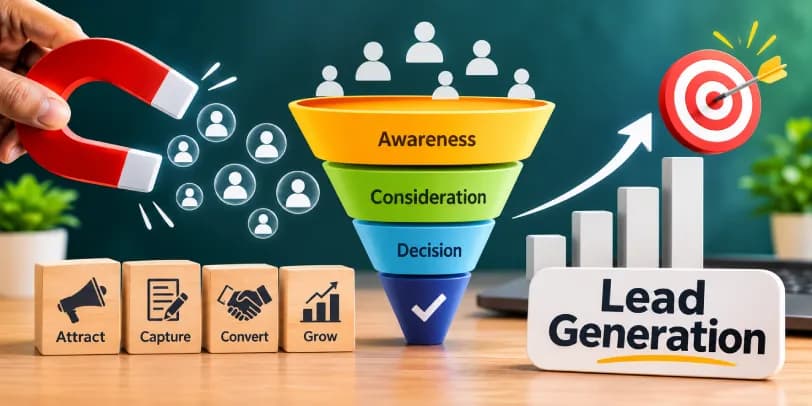
A funnel view makes these choices easier to organize. At the top of the funnel (TOFU), you reach new people who have never heard of you, using broad targeting, interests, lookalikes or Advantage+ audiences, with awareness or video content. In the middle (MOFU), you nurture people who showed interest, such as video viewers, Page engagers or website visitors, with proof, reviews, demonstrations and comparisons. At the bottom (BOFU), you retarget people who are close to buying, like cart abandoners or form starters, with a clear offer and a direct call to action.
You do not need all three on day one. A small business might begin with one prospecting campaign and one retargeting campaign, then add a middle layer once the audiences are large enough to be useful. The point is that each stage has a different audience, message and goal, so judging them by the same numbers would be unfair.
How Much Do Meta Ads Cost?
How Meta Ads Pricing Works
You set a budget, and Meta charges based on your chosen delivery goal, commonly by impressions (CPM) or clicks (CPC). CPM means cost per thousand impressions, and CPC means cost per click. There is no fixed price, because the auction sets it.
Factors That Affect Meta Advertising Costs
Costs depend on audience size, competition, seasonality, industry, ad quality, placement and your objective. Retail costs often rise during holiday periods, and narrow audiences usually cost more.
Daily vs. Lifetime Budgets
A daily budget spreads spending evenly each day. A lifetime budget spreads a total amount over a set period, letting Meta spend more on better days. Daily budgets are easier for beginners to control.
Campaign Budget vs. Ad Set Budget
Campaign-level budgets (Advantage campaign budget) let Meta shift money between ad sets. Ad set budgets give you manual control over each group. Choose ad set budgets when you want strict control, and campaign budgets when you want automation.
How Much Should Beginners Budget for Meta Ads?
There is no universal number, and minimums vary by currency and objective. As a rough principle, budget enough to gather meaningful data, then judge results over several days. A very small budget spread across many ad sets rarely teaches you anything.
How to Create Your First Meta Ad: Step-by-Step
Step 1: Create Your Meta Business Portfolio and Ad Account
Set up a business portfolio through Meta Business Settings, then create an ad account inside it. Use your real business details to avoid verification problems later.
Do this under your own login, with your own business as the owner. Then add colleagues or an agency only after the portfolio exists, assigning them partial access to the assets they need. Turn on two-factor authentication straight away, because a compromised admin login is one of the fastest ways to lose an ad account.
Step 2: Connect Your Facebook Page and Instagram Account
Link your Facebook Page and, if you use one, your Instagram professional account. Your ads will appear under these identities.
Step 3: Set Up Billing and Payment Methods
Add a payment method in the billing section. Check your payment threshold and any outstanding balance so charges do not surprise you.
Here is how billing usually works. Meta charges your card when your spend reaches a payment threshold, or on your monthly billing date, whichever comes first. New accounts often start with a low threshold that grows as you build a payment history, which is why you may see several small charges early on. You can also set an account spending limit, which caps total spend and acts as a safety net against runaway costs. In some countries, advertisers can use prepaid balances instead of cards.
If a payment fails, delivery can pause until you settle the balance, so keep your card details current and have a backup method on file. When a charge looks unexpected, open the billing and payments area, check the transaction details and compare them with your campaign spend before contacting support.
Step 4: Select Your Campaign Objective
Open Ads Manager, click Create, and choose the objective that matches your real goal, such as Leads or Sales.
Step 5: Set Your Audience, Budget, and Placements
Define your location, age range and audience type. Enter your budget and schedule, then choose automatic or manual placements.
Step 6: Create Your Ad Creative, Copy, and CTA
Upload your image or video, write short, clear copy, and select a call to action. Lead with the benefit to the customer, not the company description.
Step 7: Review and Publish Your Campaign
Check previews on different placements, confirm your links work, and submit. Meta reviews ads before they go live, which can take some time.
Example Meta Ads Campaign With a Sample Budget
Here is an illustrative example, not a guarantee. Imagine a local dental clinic running a lead generation campaign with a Leads objective. It sets a daily budget of 10 dollars, targets adults within 10 miles, and uses a short video about a free first consultation. The CTA is Sign Up through an instant form, and the success metric is cost per lead. Costs and results will differ in real campaigns.
Checklist Before Publishing Your First Meta Ad
- The objective matches the real goal
- The audience is not too narrow
- The Pixel or tracking is working
- Links, forms and landing pages load properly
- The creative fits each placement
- Billing is active and a spending limit is set if needed
- Access is limited to the right people, with two-factor authentication on
- The ad follows Meta's advertising policies
Meta Ads Tracking and Performance Measurement
What Are Meta Pixel and Conversions API?
The Meta Pixel is a snippet of code on your website that records actions like page views and purchases. The Conversions API sends similar event data directly from your server to Meta. Both help the system learn who converts.
Meta Pixel vs. Conversions API
The Pixel runs in the visitor's browser and can be affected by blockers and privacy settings. The Conversions API is more resilient because it works server-side. Many advertisers use both together for more reliable data.
When both send the same event, there is a risk of counting one purchase twice. Meta solves this through deduplication. Each event carries an event name and an event ID, and when the browser and server events share the same pair, Meta keeps one and discards the duplicate. If your reports show conversions that are suspiciously higher than your actual orders, missing or mismatched event IDs are a likely cause.
Matching is the other half of the story. Meta tries to connect each event to a real person using customer information parameters, such as hashed email addresses, phone numbers and browser identifiers. Event Match Quality is a score in Events Manager that shows how well your events can be matched. A higher score generally means better attribution and optimization, so send as many valid parameters as your privacy policy and consent setup allow.
How to Set Up and Verify Conversion Tracking
Create your Pixel in Events Manager, install it or connect it through your website platform, and define the events that matter, such as Lead or Purchase. Then test with Meta's testing tools and confirm that events appear correctly.
When you add the Conversions API, check three things: events arrive from both the browser and the server, deduplication is working, and Event Match Quality is healthy for your key events. Test again after any website change, because theme updates and checkout changes often break tracking quietly.
Important Meta Ads KPIs: CTR, CPC, CPM, CPA, and ROAS
CTR is click-through rate, the share of people who click after seeing your ad. CPC is the cost per click. CPM is the cost per thousand impressions. CPA is the cost per acquisition. ROAS is return on ad spend, or revenue divided by ad cost. Benchmarks differ widely by industry, so compare against your own history first.
One setting changes how all of these numbers look: the attribution setting. It decides which conversions Meta credits to your ad and over what period. A common setup counts conversions that happen within a set number of days after someone clicks, and within a shorter window after someone views the ad without clicking. Click-through attribution is usually easier to trust, while view-through attribution gives credit to people who saw but did not click, which can inflate results if you rely on it blindly. If you compare two reports and the numbers differ, check whether the attribution windows match. Also remember that Meta's figures may not match Google Analytics or your store dashboard, because each tool counts differently.
How to Read Meta Ads Manager Reports
Use the columns and breakdowns to see results by placement, age, device and creative. Focus on metrics tied to your objective. For deeper reporting, some advertisers connect Looker Studio as an optional external tool.
Be careful with what a breakdown can tell you. A breakdown simply splits your existing results into slices, such as mobile versus desktop or Reels versus feed. It is helpful for spotting patterns, but those slices were not tested under equal conditions, because Meta delivered more to some groups than others. An A/B test is different. It splits your audience into separate, comparable groups and changes only one variable, so the result is a fairer comparison.
Either way, small differences can be noise. If one ad has 12 conversions and another has 9, that gap tells you very little. Wait until each option has enough results, and look for differences that stay consistent over several days. Meta's A/B testing tool reports the likelihood that a winner would repeat, which is a useful guide to whether a result is meaningful.
How to Know Whether Your Meta Ads Are Working
Ads are working when your results, such as leads or sales, cost less than the value they bring in. Cheap clicks alone do not prove success. Compare the cost of each result against your profit.
There is a deeper question as well: would those sales have happened anyway? Attributed conversions are those Meta credits to your ads. Incremental conversions are the extra ones that happened because of your ads. Retargeting existing customers, for example, can show a great ROAS while adding very little new revenue. Conversion Lift studies answer this by comparing a group that could see your ads with a holdout group that could not. They need sufficient budget and volume, so they suit larger advertisers, but smaller businesses can get a rough sense by pausing a campaign for a short time and watching total sales, or by comparing results across regions.
Benefits, Limitations, and Business Use Cases of Meta Ads
Key Benefits of Meta Advertising
Meta offers massive reach, detailed targeting, flexible budgets, varied formats and measurable results. You can start small and scale as you learn.
Meta Ads for Small and Local Businesses
Local businesses can target nearby customers, promote offers and drive calls, visits or messages. Location targeting is especially useful for restaurants, salons and clinics.
Meta Ads for E-Commerce and Lead Generation
Online stores use catalog and retargeting campaigns to bring back visitors, while service businesses use lead ads to collect inquiries. Both depend heavily on good tracking.
For stores, a well-maintained catalog with dynamic product ads can turn browsing behavior into reminders for the exact products people viewed. For service businesses, the real win comes from connecting leads to a CRM and tracking which ones turn into customers. A campaign with a higher cost per lead can still be the better one if it brings more qualified buyers.
Disadvantages and Limitations of Meta Ads
Costs can rise, results can be inconsistent, and creative needs constant refreshing. Privacy changes have also reduced tracking accuracy for some advertisers. In addition, account restrictions can interrupt campaigns.
When Meta Ads May Not Be the Right Choice
Meta Ads may be a poor fit if your product has almost no visual appeal, your offer is unclear, your website cannot convert visitors, or your market is tiny and highly specialized. Fix those basics first.
Meta Ads Best Practices and Optimization Strategies
Create Effective Ad Creatives and Offers
Strong ads have a clear hook in the first seconds, one message and a specific offer. Real photos and simple video often beat overly polished designs.
Use A/B Testing to Improve Campaign Performance
Test one variable at a time, such as the image, headline or audience. Changing everything at once makes it impossible to know what worked. Use Meta's built-in A/B test tool when you want a clean comparison, rather than judging two ads that happened to run side by side with uneven delivery.
Understand the Meta Ads Learning Phase
New ad sets enter a learning phase while Meta gathers data. Performance can fluctuate during this time, and Meta generally looks for around 50 optimization events to stabilize delivery.
How Long Should You Test Meta Ads Before Making Changes?
Give a campaign several days, and ideally until it has exited the learning phase, before making major changes. Constant edits reset learning and waste budget.
Prevent Ad Fatigue and Refresh Creatives
When frequency climbs and results drop, people have seen your ad too often. Rotate new images, videos and angles regularly.
Improve Landing Pages and Conversion Rates
A good ad cannot rescue a slow or confusing page. Match the landing page to the ad's promise, keep forms short and make sure it loads quickly on mobile.
Scale Successful Campaigns Carefully
Increase budgets gradually, often by about 20 percent at a time, rather than doubling overnight. Large jumps can disrupt delivery.
Common Meta Ads Mistakes, Policies, and Troubleshooting
Common Campaign Setup and Targeting Mistakes
Frequent errors include choosing the wrong objective, narrowing the audience too much, skipping tracking, and using weak creative. Many problems start at setup.
Why Are My Meta Ads Not Delivering?
Check whether the ad was rejected, the budget is too low, the audience is too small, a payment failed or the ad set is still in review. Delivery issues usually have a simple cause.
Why Are My Meta Ads Getting Clicks but No Conversions?
Look at the landing page, page speed, offer clarity and tracking. If clicks come from the wrong audience or the Pixel is not firing, conversions will not show.
Meta Advertising Policies and Restricted Content
Meta restricts misleading claims, prohibited products and certain sensitive topics. Always review the current policies before launching.
Some categories need special handling. If your ad relates to housing, credit, employment, or social issues, elections and politics, you must declare a Special Ad Category when creating the campaign. This is not optional, and skipping it can lead to rejections or restrictions. Declaring a category also limits your targeting. For housing, credit and employment ads, options such as age, gender and detailed targeting are restricted, location targeting is broader, and some audience tools, including lookalikes, work differently or are unavailable. Social issue and political ads also require ad authorization and disclaimers. These rules exist to prevent discrimination, and they change over time, so check Meta's current documentation for your category and country.
How to Fix Rejected Ads and Account Restrictions
Read the rejection reason, edit the ad to comply, and request a review if you believe it was a mistake. For account restrictions, check Account Quality and follow the appeal steps.
Account Quality is the dashboard where Meta shows policy violations, restrictions and the status of your assets. It is worth opening before you panic, because it tells you what was flagged and what you can do about it. Also keep in mind that restrictions can apply at different levels. An ad account restriction limits advertising from that one account, while a business portfolio restriction can affect everything inside it, including other ad accounts, Pages and Pixels. That is another reason to keep your assets organized and never share a portfolio with unrelated businesses.
Business Verification helps here. By submitting official documents that confirm your business name, address and legal status, you build trust with Meta, unlock higher account limits and features, and make appeals smoother. Repeated violations, suspicious logins or mismatched business details can trigger integrity checks, so keep your information consistent and your security tight.
How to Avoid Wasting Your Meta Ads Budget
Start with a clear goal, track conversions, test small, and cut ads that clearly underperform. Review results regularly instead of letting campaigns run unchecked.
Conclusion
Meta Ads give businesses a flexible way to reach people across Facebook, Instagram and Messenger using targeted, measurable campaigns. Costs depend on the auction, so start with a modest budget, pick the right objective and set up tracking from day one. Learn from your first campaign, improve it step by step, and scale only what proves itself.
Frequently Asked Questions About Meta Ads
What is the difference between Meta Ads and Facebook Ads?
Facebook Ads are ads shown on Facebook. Meta Ads is the broader system that also covers Instagram, Messenger and the Audience Network.
Can I run Meta Ads without a website?
Yes. You can use lead forms, click-to-message ads, or send people to your Facebook or Instagram profile. A website helps with tracking and sales, though.
How much does it cost to advertise on Meta?
Costs are set by the auction, so there is no fixed price. You decide your daily or lifetime budget, and actual results vary by audience, industry and competition.
Can I run Facebook and Instagram ads from one account?
Yes. One ad account can run campaigns across Facebook and Instagram, provided both accounts are connected.
How long does it take for Meta Ads to show results?
You may see early data within days, but stable performance usually takes longer, especially while the learning phase is running.
Are Meta Ads worth it for small businesses?
They can be, when the offer is strong, the audience is relevant and tracking is in place. Start small, measure carefully and expand based on evidence.
Can I run Meta Ads without Meta Pixel?
You can run them, but you will lose valuable conversion data and optimization quality. Using the Pixel, ideally with the Conversions API, is strongly recommended.
Why are my Meta Ads not delivering?
Common causes include ad rejection, payment problems, small audiences, low budgets or ads still under review. Check Ads Manager for status messages first.