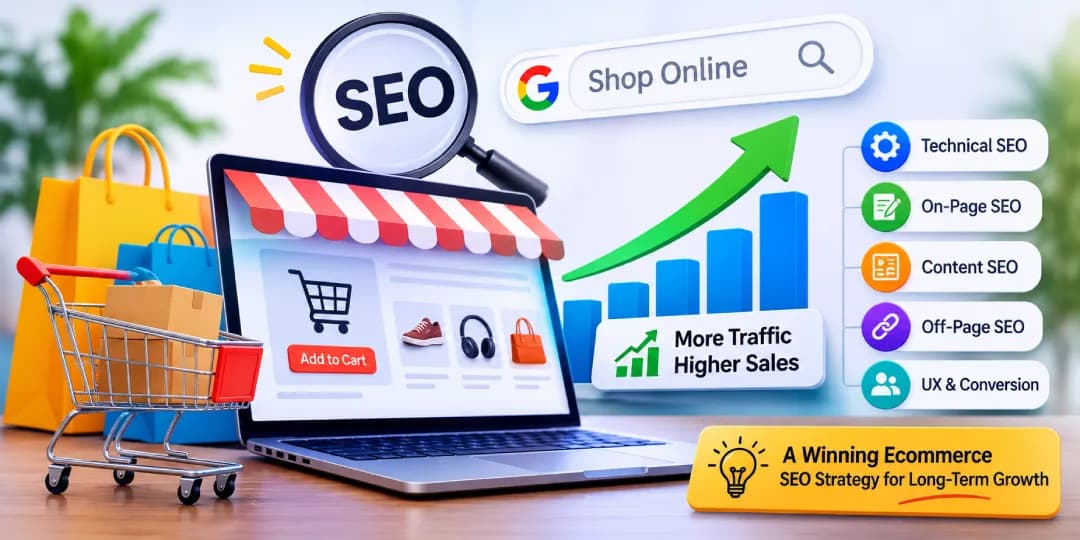
Ecommerce SEO is the process of optimizing an online store so its product pages, category pages, and content show up higher in search results for the terms shoppers actually use. Done well, it brings in steady, high-intent organic traffic that turns into sales without paying for every click. You can do it in-house by working through technical health, keyword research, page optimization, content, and link building, or you can hire an ecommerce SEO agency or consultant if you lack the time or expertise. This guide covers both routes.
Table of contents21 sections
What Is Ecommerce SEO?
Ecommerce SEO, sometimes written e-commerce SEO or SEO for ecommerce, is search engine optimization built around the way online stores work. Stores have thousands of similar pages, constantly changing inventory, filters that generate endless URLs, and shoppers who are close to buying. Those traits make the work quite different from optimizing a small brochure site.
How Does Ecommerce SEO Work?
Search engines crawl your site, index its pages, and rank them based on relevance, quality, and authority. Ecommerce SEO helps at each stage. A clean structure lets Google find every product, well-written pages tell it what each product is, and links and reviews signal that your store can be trusted. The goal is to match the page to the shopper's intent, whether they are researching or ready to buy.
Ecommerce SEO vs. Traditional SEO
Traditional SEO often centers on a handful of service or informational pages. Ecommerce SEO has to scale across large catalogs, so templates, duplicate content, crawl efficiency, and structured data carry more weight. Product availability and pricing also change daily, which creates problems a static site never faces.
Ecommerce SEO vs. Content SEO
Content SEO focuses on articles and guides that answer questions. Ecommerce SEO includes that, but its core job is making commercial pages (products and categories) rank. The two work best together, since a helpful guide can feed readers straight into a category page.
Ecommerce SEO vs. Paid Advertising
Paid ads deliver traffic immediately, but it stops when the budget does. Search engine optimization takes longer to build, yet its traffic compounds and usually lowers the cost per sale over time. Most healthy stores use both, and organic search data often shows which keywords are worth bidding on.
Why Is Ecommerce SEO Important for Online Stores?
Most shopping journeys begin with a search. If your store does not appear, a competitor collects that demand.
Increasing Organic Traffic and Search Visibility
Ranking for product and category terms puts your store in front of people already looking. Visibility also builds on itself, because pages that rank attract links, reviews, and brand searches.
Attracting High-Intent Shoppers
Someone searching "waterproof hiking boots women's size 8" is much closer to buying than someone browsing social media. Organic search reaches these shoppers at the moment of intent, which is why it often converts better than other channels.
Improving Sales and Conversion Opportunities
SEO and conversion work overlap. Clear titles, honest descriptions, fast pages, and visible reviews help a page rank and help it sell. As a result, better SEO tends to lift revenue even when traffic grows modestly.
Building Brand Awareness and Customer Trust
Shoppers tend to trust results that appear organically. Showing up consistently across category and buying-guide searches also makes your brand familiar before anyone clicks.
Reducing Customer Acquisition Costs and Supporting Long-Term Growth
A product page that ranks can keep producing sales for years. That lowers your reliance on paid ads and improves margins, particularly when you add new products and content on top of a solid base.
Core Pillars of Ecommerce SEO
Think of ecommerce SEO as five connected pillars. Each gets detailed treatment later in this guide.
Technical SEO
This covers how easily search engines can crawl, render, and index your store: site speed, mobile usability, JavaScript rendering, structured data, canonical tags, and clean redirects.
On-Page SEO
On-page SEO is what appears on each page, including titles, headings, descriptions, images, and internal links. It tells search engines and shoppers what the page offers.
Ecommerce Content SEO
Buying guides, comparisons, and helpful articles capture shoppers earlier in their decision and support your commercial pages.
Off-Page SEO and Authority Building
Backlinks, brand mentions, and reputation show search engines that other people vouch for your store.
User Experience and Conversion Optimization
Navigation, site search, product page design, and checkout friction affect both rankings and revenue.
How to Create an Ecommerce SEO Strategy
A strategy keeps you from chasing random tasks. Start with direction, then prioritize.
Define Your SEO Goals and Target Audience
Be specific. "Grow organic revenue from our boot category by 30% in twelve months" is workable, while "get more traffic" is not. Describe who buys, what they search for, and which devices they use. If you sell across borders, note which countries and languages matter, because that shapes the structure of the whole site.
Identify Priority Products, Categories, and Revenue Opportunities
Not every product deserves equal effort. Look at margins, best sellers, seasonality, and categories where you already rank on page two. These are usually the quickest wins.
Analyze Ecommerce SEO Competitors
Your real competitors in search are not always the businesses you compete with on shelves.
Identify Organic Search Competitors
Search your main category terms and note which domains appear repeatedly. Tools like Ahrefs or Semrush can list organic competitors automatically.
Find Competitor Keyword and Content Gaps
Compare your keyword profile with theirs. Terms they rank for that you do not are gaps, and they often point to missing categories, filters, or guides.
Analyze Competitor Backlink Opportunities
Review who links to competing stores. Roundups, supplier pages, and industry publications are often realistic targets for your own outreach.
Create an Ecommerce SEO Roadmap
Turn findings into a timeline, usually quarterly. Put foundational technical fixes first, then page optimization, then content and link building. If a replatforming or redesign is on the calendar, plan around it early, since a migration can undo months of progress if it is handled late.
Prioritize SEO Tasks by Impact and Effort
Rank each task by expected impact and required effort. A sitewide title template fix that takes an afternoon beats a month spent polishing one low-traffic page.
Ecommerce Keyword Research Strategy
Keyword research is where ecommerce SEO either gains direction or loses it. It tells you what shoppers type and how competitive each term is.
Understanding Search Intent for Ecommerce Keywords
Intent is the reason behind a search. Matching it matters more than matching exact wording.
Informational Keywords
Queries like "how to choose dry dog food" signal research. Blog posts and guides fit best.
Commercial Investigation Keywords
"Best running shoes for flat feet" shows someone comparing options. Comparison pages and category pages with helpful content work well here.
Transactional Keywords
"Buy Nike Pegasus 41 size 10" signals readiness to purchase. Product pages should target these.
Navigational Keywords
These include brand or store names. You mostly win them by building brand strength, and you should make sure your own site ranks first.
Finding Buyer-Intent and Long-Tail Keywords
Long-tail keywords, such as "grain-free dry dog food for sensitive stomachs," have lower search volume but less competition and higher conversion rates. Modifiers like size, color, material, and "near me" often reveal them.
Keyword Research for Product and Category Pages
Category pages usually target broader, higher-volume terms, while product pages target specific models or variations. Keeping that split clear prevents overlap. When a specific variation, such as a color or a size, has its own search demand, that is a signal it may deserve its own page, which the technical section covers.
Using Google and Amazon Search Suggestions
Autocomplete, "People also ask," and Amazon's suggestions show real phrasing from shoppers. They are free and often surface terms keyword tools miss. Your own site search is another source of the same kind of language, and it is covered in the site search section further down.
Best Ecommerce Keyword Research Tools
Google Search Console shows what you already rank for. Ahrefs and Semrush (including its Keyword Magic Tool) supply volume, keyword difficulty, and competitor data. Pick one paid tool you will actually use rather than several you will not.
Keyword Mapping to Product, Category, and Content Pages
Assign one primary keyword, with a few close variations, to each page in a spreadsheet. This gives every page a clear job and makes gaps obvious.
Avoiding Keyword Cannibalization
When two pages target the same term, they compete and both may rank poorly. Merge them, differentiate their intent, or point one to the other with a canonical or redirect.
Ecommerce Site Structure and Information Architecture
Good structure helps shoppers find products and helps Google understand how your catalog fits together.
Building an SEO-Friendly Ecommerce Site Architecture
Aim for a shallow structure where important products sit within about three clicks of the homepage. The simpler the path, the easier crawling and shopping both become.
Organizing Categories and Subcategories
Group products the way customers think, not the way your warehouse does. Create subcategories only when there is real search demand and enough products to justify them.
Ecommerce URL Structure Best Practices
Keep URLs short, readable, and consistent, for example /mens/running-shoes/. Avoid session IDs and unnecessary parameters, and do not change URLs without redirects. Decide early whether variants and regional versions will live on their own URLs, because changing that later is painful.
Internal Linking for Product Discoverability
Link from categories to products, from related products to each other, and from guides to the pages they support. Descriptive anchor text helps search engines understand each target. Use real HTML links with an href attribute, since links that only work through a script or a click event may never be followed.
Breadcrumb Navigation and Breadcrumb SEO
Breadcrumbs show where a page sits in the hierarchy and add internal links. Pair them with BreadcrumbList markup so Google can display the path in results.
Managing Category and Tag Archives
Tag and archive pages, especially on WordPress, can create thin or duplicate pages. Index only the ones that serve a real search purpose and noindex the rest.
Avoiding Orphan Product Pages
An orphan page has no internal links pointing to it, so search engines struggle to find it. Crawl your site and compare the results against your sitemap to catch them.
On-Page SEO for Ecommerce Websites
On-page work is where most stores see the earliest gains because you control everything.
Optimizing Ecommerce Product Pages
Product pages deserve the most attention, since they sit closest to the sale.
Writing SEO-Friendly Product Titles and H1 Tags
Include the brand, product type, and key attributes in natural order. Clarity beats cleverness. If a variant has its own page, the title and H1 should name the variant, for example "Trail Runner Waterproof Jacket, Forest Green, Women's," so it is clearly distinct from the parent product.
Creating Unique and Helpful Product Descriptions
Avoid pasting manufacturer copy. Explain who the product suits, how it is used, and what makes it different, in your own words. Variant pages need their own copy too, such as fit notes for a specific size or care advice for a specific material, rather than a duplicate of the parent description.
Optimizing Product Images, Alt Text, and File Sizes
Images matter twice in ecommerce: they help a page convert, and they can bring in traffic from Google Images, where shoppers often start browsing products. Use clear photos from several angles, descriptive file names such as `green-waterproof-hiking-jacket-front.jpg`, and accurate alt text that describes what the image actually shows. Alt text also serves shoppers who use screen readers, so write it for them first.
Search engines work out what an image is about from several signals together: the file name, the alt attribute, the caption, and the text and headings around it. Place product images close to relevant copy, and avoid burying the main product photo in a background style that cannot be indexed.
On the technical side, serve modern formats such as WebP or AVIF with a fallback, and use `srcset` and `sizes` so phones do not download desktop-sized files. Do not lazy-load the main product image above the fold, because that can hurt Largest Contentful Paint. An image CDN can resize, compress, and deliver files from servers close to the shopper, which helps speed and keeps image URLs stable. Finally, consider an image sitemap, or add image entries to your existing sitemap, especially if images are loaded through scripts or galleries that crawlers may not discover easily.
Adding Product Specifications and Key Features
Sizes, materials, dimensions, and compatibility answer common questions and make comparison easier.
Adding Customer Reviews, FAQs, and Product Q\&A
Reviews add fresh, unique content and build trust. A short FAQ addresses objections and can match long-tail queries. Make sure review content appears in the page's rendered HTML and is not loaded in a way search engines cannot see.
Optimizing Ecommerce Category Pages
Category pages often hold the most ranking potential because they target broad, valuable terms.
Writing Helpful Category Page Content
Add a short introduction above the products and, if useful, a brief buying guide below. Keep it genuinely useful rather than a block of repeated keywords.
Optimizing Category Headings and Product Listings
Use a clear H1, sensible sorting, and concise product listings with images, prices, and ratings. Cleaner listings improve both usability and clicks. If your listings load more products through an infinite scroll, make sure there are also crawlable paginated links behind it.
Ecommerce Homepage SEO Best Practices
Your homepage should state what you sell, link to major categories, and support brand searches. Avoid stuffing it with keywords, and focus on clear navigation.
Optimizing Title Tags and Meta Descriptions
Write unique titles, ideally under about 60 characters, with the main keyword near the front. Meta descriptions will not change rankings directly, but they influence clicks.
Improving Search Snippets and Click-Through Rates
Mention price, shipping, or ratings when relevant, and use structured data to qualify for rich results. Test changes in Search Console and watch how click-through rate responds.
Technical SEO for Ecommerce Websites
Technical issues quietly cap performance, particularly on larger stores.
Ecommerce Crawlability and Indexing
If search engines cannot crawl or index a page, nothing else matters. For many modern stores, that also means understanding how JavaScript affects what Google actually sees.
Stores built on JavaScript frameworks or heavy front-end apps usually render content in one of two ways. With server-side rendering, the server sends complete HTML, so products, prices, and links are visible immediately. With client-side rendering, the browser receives a mostly empty page and builds the content with JavaScript. Google can process JavaScript, but it does so in a second step after crawling, so rendering can be delayed, and anything that fails to render may not be indexed. For large catalogs, server-side rendering or pre-rendering the important templates is the safer path.
A few patterns cause trouble again and again. Product listings that only load after a user scrolls or clicks "load more," tabs that fetch descriptions or reviews on interaction, and navigation links built without a proper href are all content Googlebot may never see, because it does not click buttons or type into forms. If a product or its details appear only after interaction, treat them as invisible until proven otherwise.
To check for problems, use the URL Inspection tool in Search Console and compare the rendered HTML and screenshot with what a shopper sees. Then view the page source and see whether key elements, such as the title, price, product name, and internal links, appear in the raw HTML or only after rendering. A crawler such as Screaming Frog with JavaScript rendering turned on, run side by side with a non-rendered crawl, will show exactly which links and content depend on scripts.
Optimizing Robots.txt and XML Sitemaps
Use robots.txt to keep crawlers away from cart, checkout, and internal search pages. Submit an XML sitemap containing only indexable, canonical URLs. Also make sure your robots.txt does not block the JavaScript and CSS files Google needs to render the page.
Managing Crawl Budget for Large Stores
Large catalogs can waste crawl activity on filters, parameters, and duplicates. Reducing that waste helps Google reach new and important pages faster.
The most reliable way to see where crawl activity actually goes is log file analysis. Your server logs record every request, including each visit from Googlebot, so they show what Google does rather than what a crawler tool guesses it might do. Filter for verified Googlebot requests, because many bots pretend to be it, and then look at a few things.
First, find the low-value URLs that get crawled the most, such as filter combinations, internal search results, and session or tracking parameters. Second, look for important pages that Googlebot rarely visits or never reaches, like new products or deep category pages. Third, review response codes, since a high share of 404s, 301s, or 5xx errors means crawl effort is being wasted. Finally, compare the log data with your XML sitemap and a site crawl. Pages in the sitemap that are never requested, or URLs that are crawled but not in your sitemap, tell you where structure and internal linking need work.
Tools like Screaming Frog Log File Analyser or a general log platform can handle this, and even a month of logs usually reveals a surprising amount of waste.
Handling Pagination and Product Discovery
Give paginated pages self-referencing canonicals and crawlable links. Do not canonicalize every page to page one, because that can hide products deeper in the list.
Managing Duplicate Content and Canonical URLs
Ecommerce platforms create duplicates easily. Canonical tags tell Google which version to treat as the main one.
Canonical Tags for Product Variants
Variants are where many stores get stuck. A jacket in five colors and six sizes can produce thirty URLs, most of which look nearly identical. The answer depends on search demand.
If shoppers rarely search for a specific size, keep size as a selector on one page and canonical any variant URLs to the parent product. If a variant has independent demand, such as a color or model people search for by name, or a material that changes the product meaningfully, give it a separate, indexable URL with a self-referencing canonical. Phone models and storage capacities are a good example, since "128GB" and "256GB" versions are often searched separately.
Each indexable variant needs more than a different URL. Give it a unique title and H1, a short description that reflects what is actually different, its own images, and structured data with the correct price, availability, and identifiers for that variant. Then connect the family: link from the parent to the variants and back, and use item group relationships in your feed so Google understands they belong together. Avoid mixing signals, such as a variant that is canonicalized to the parent but also listed in the sitemap.
Handling Faceted Navigation and Filter URLs
Filters are useful for shoppers but can generate thousands of near-identical URLs. A category with ten filters can create millions of combinations, and a crawler can follow them almost endlessly. This is what people call a crawl trap.
There is no single fix, because each control method does something different:
- Robots.txt stops crawling. It saves crawl budget, but a blocked URL cannot pass signals, and Google may still index the bare URL if it is linked elsewhere.
- Noindex keeps a page out of the index, but Google must crawl the page to see the tag, so it does not save crawl budget on its own. Do not combine it with a robots.txt block, because the tag will never be read.
- Canonical tags consolidate similar pages toward a preferred version. They are a hint, not a command, and Google can ignore them.
- Non-crawlable filters are often the cleanest option. If filter controls are not exposed as normal links (for example, they work through scripts or POST requests), crawlers will not follow them.
A practical setup is to let genuinely valuable filter pages be crawlable and indexable, and to keep the rest out. Look at your keyword data to find combinations with real demand, such as "black running shoes women's." Give those clean, static URLs, unique titles, and internal links. For everything else, keep parameters in a consistent order, normalize URLs so the same filter set always produces the same address, drop parameters that do not change the content, and block or canonicalize the rest. Google retired its old URL Parameters tool, so this control now has to live in your own site setup.
Finally, monitor. Watch the number of crawled and indexed URLs in Search Console, scan your logs for repeated parameter patterns, and run a crawl with a URL limit. If the crawler keeps finding new URLs without end, you have a trap to close.
Improving Site Speed and Core Web Vitals
Faster stores rank better and convert better. Google measures three main Core Web Vitals.
Largest Contentful Paint (LCP)
This measures how quickly the main content loads. Aim for under 2.5 seconds by optimizing hero images and server response time.
Interaction to Next Paint (INP)
INP measures responsiveness to taps and clicks, with a target under 200 milliseconds. Reducing heavy JavaScript and third-party scripts usually helps most.
Cumulative Layout Shift (CLS)
CLS tracks unexpected movement as the page loads. Set image dimensions and reserve space for banners to keep it under 0.1.
Mobile-Friendly Ecommerce SEO
Most shoppers browse on phones, and Google indexes the mobile version first. Make sure content, structured data, and navigation match across mobile and desktop, and that buttons are easy to tap.
Structured Data and Schema Markup
Structured data helps search engines understand products and may unlock rich results. It also needs checking, because markup that is wrong or out of date can do more harm than none at all.
Product and Offer Schema
Mark up name, image, description, price, currency, and availability. Keep the data identical to what shoppers see on the page. Include identifiers such as brand, GTIN, and MPN where you have them.
Review and AggregateRating Schema
Use review markup only for real reviews displayed on the page. Fake or self-serving ratings can lead to penalties.
BreadcrumbList Schema
This lets Google show the category path in results and reinforces your site structure.
Merchant Listing Structured Data
Merchant listing markup supports richer product details, such as shipping and return policies, and can make your products eligible for enhanced shopping experiences.
Whatever you implement, validate it. Google's Rich Results Test shows whether a page is eligible for rich results and flags errors and warnings. The Schema Markup Validator at validator.schema.org checks the syntax against the wider Schema.org vocabulary, regardless of whether Google uses a given property. Errors, such as a missing price or an invalid availability value, can stop a page from qualifying, while warnings point to recommended fields that improve eligibility, like brand or aggregate ratings.
Test a sample of each template (simple product, variant, out of stock, on sale), and then use the enhancement reports in Search Console to catch issues across the whole catalog. This matters most after theme updates or platform changes, which can quietly break markup on thousands of pages.
HTTPS and Ecommerce Website Security
HTTPS is a baseline expectation, particularly where payments and personal data are involved. Fix mixed-content warnings and keep software updated to protect customers and trust.
Handling Out-of-Stock and Discontinued Products
Think of a product as having a lifecycle, and decide how each stage should look to search engines.
Before launch. If you plan to announce a new product, you can publish the page early, with accurate "coming soon" or pre-order details and markup that reflects availability. Make sure you actually want it indexed. If the page is not ready, keep it out of the index until the details, images, and price are final, so you do not rank with thin content. Add it to your sitemap and link to it from the relevant category on launch day.
While it is out of stock. If a product is only temporarily unavailable, keep the page live, mark it out of stock in the visible text and in the Offer availability data, and offer alternatives or a restock notification. Removing the page loses its rankings and links for no good reason.
When it returns. Restore availability in both the page and the feed promptly. Pages that kept their URL usually recover quickly, which is another reason not to delete them.
When it is replaced. If a newer model succeeds an older one, redirect the old URL to the successor with a 301, or keep the old page live with a clear link to the new version if people still search for it. Do not redirect to an unrelated page or to the homepage, since that looks like a soft 404\.
When it is permanently gone. If a product is discontinued and there is a close replacement, redirect to it. If there is no good equivalent, redirect to the most relevant category, or return a 410 or 404 when nothing relevant exists.
Seasonal items. For products that disappear and come back, such as holiday lines, keep the same URL year-round. Leave the page live with an "out of season" note and related alternatives, or redirect temporarily and restore it later. Reusing the same URL keeps the history and links you built in earlier seasons.
Fixing Broken Links, Redirects, and 404 Errors
Replace internal links that point to dead pages, avoid long redirect chains, and use 301 redirects for permanent moves. Check Search Console and a crawler regularly. After any large change, such as a migration, crawl the old URL list and confirm that every URL reaches its final destination in a single hop.
Ecommerce Content Marketing and Blogging Strategy
Content reaches shoppers before they are ready to buy and earns links that product pages rarely attract.
Creating Helpful Content for Ecommerce Buyers
Answer the questions your customers ask support, such as sizing, care, or compatibility. Content grounded in real customer questions tends to perform best.
Writing Buying Guides and Product Comparisons
Guides like "How to Choose a Standing Desk" capture commercial research traffic. Be honest about trade-offs, since credibility affects both rankings and conversions.
Building Topic Clusters Around Product Categories
Group related articles around a central category page and link them together. This shows topical depth and spreads authority across the cluster.
Using Seasonal and Trending Content
Publish ahead of peak periods, since seasonal pages need time to gain traction. Refresh the same URL each year rather than creating new ones.
Connecting Blog Content to Product and Category Pages
Every guide should guide readers somewhere. Add contextual links to relevant products and categories so the content supports sales.
Updating Outdated Ecommerce Content
Review older posts for stale prices, discontinued products, and outdated advice. Updating a page that already has authority is often easier than writing a new one.
Ecommerce User Experience and Conversion Optimization
Rankings bring visitors, but experience decides whether they buy.
Ecommerce Site Search Best Practices
Good site search handles typos, synonyms, and filters. Review search logs, because they reveal missing products and the exact language shoppers use.
The most useful report is often zero-result searches, the queries where shoppers found nothing. Look through them regularly and sort them into a few groups. Some are demand for products you do not carry, which can inform buying decisions or new category pages. Others are terminology gaps, where the shopper used a word that differs from your catalog, like "sneakers" versus "trainers" or "couch" versus "sofa." Those can be solved with synonyms in the search engine, and by adding the shopper's wording to titles, descriptions, and category copy. Some are simple typos or plurals the search should have handled.
Frequent searches that do return results deserve a look too. If many people search for a specific attribute, such as "waterproof" or "wide fit," it may justify a filter, a subcategory, or a dedicated landing page. Finally, compare your internal search terms with external keyword research. When a term has strong volume in Google and also shows up in your site search, you have a clear case for a new or improved page. When it appears in your search logs but not in keyword tools, it may be a niche term that still deserves attention because your own customers use it.
Navigation, Filtering, and Product Discovery UX
Keep menus simple and filters relevant to the category. Shoppers who find products quickly are more likely to buy.
Improving Product Page User Experience
Show price, availability, delivery details, and returns clearly. Strong images, concise copy, and visible reviews reduce hesitation.
Reducing Friction in the Path to Purchase
Offer guest checkout, clear shipping costs, and several payment options. Even small obstacles can cost sales.
Ecommerce SEO and Conversion Rate Optimization (CRO)
SEO attracts the right visitors, and CRO makes more of them buy. Test changes carefully so that improvements to conversions do not damage ranking signals.
Building Trust Through Reviews and User-Generated Content
Reviews, photos, and customer questions add credibility and fresh content. Respond to feedback, including negative reviews, to show you stand behind your products.
Off-Page SEO and Link Building for Ecommerce
Why Backlinks Matter for Ecommerce SEO
Backlinks remain a strong trust signal. Competitive categories rarely rank without them.
Earning Backlinks for Product and Category Pages
Product pages seldom attract links on their own. Useful resources, original data, and strong guides earn links that you can pass along through internal linking.
Digital PR and Content-Led Link Building
Original research, industry surveys, and newsworthy stories can earn coverage from publications. Quality matters more than volume.
Brand Mentions and Online Reputation
Unlinked mentions, reviews, and consistent branding all contribute to how search engines and shoppers see you. Monitor mentions and turn the good ones into links where appropriate.
Building Links Through Partnerships and Collaborations
Suppliers, manufacturers, local organizations, and complementary brands can all link to you naturally. Sponsorships and co-created content work well here.
Avoiding Spammy and Manipulative Link Building
Paid link schemes, private blog networks, and mass directory submissions risk penalties. Slow, earned links are safer and last longer.
Google Shopping and Merchant Center SEO
Understanding Google's Organic Shopping Results
Google shows free product listings in its Shopping tab and often in main results. These draw on your product data and structured markup.
Setting Up Google Merchant Center for Organic Visibility
Create a Merchant Center account, verify your website, and submit your product feed. Free listings let your products appear without ad spend. Once the feed is running, check the Diagnostics area regularly, since that is where disapprovals and warnings show up first.
Optimizing Product Feed Titles and Descriptions
Feed titles should include brand, product type, and key attributes, much like on-page titles. Put the most important words first, because titles can be truncated in some placements. Descriptions should be accurate and plain, without promotional text or all-caps phrases.
Titles and descriptions are only part of a strong feed, though. A few other attributes decide how well Google can match and show your products:
- Product identifiers. Provide brand, GTIN, and MPN wherever they exist. Accurate GTINs are one of the strongest matching signals.
- Categories. Set the Google product category from Google's taxonomy, as specifically as possible, and use the product type field for your own category path.
- Apparel and variant attributes. Include color, size, gender, age group, and condition where relevant. Missing attributes often limit visibility for fashion and similar categories.
- Images. Use clear, high-resolution main images on a plain background without watermarks or promotional overlays.
- Variants. Give every variant its own ID, and connect them with a shared item group ID so Google can group them under one product.
- Supplemental feeds and feed rules. Supplemental feeds let you add or fix attributes without touching your main data source, while feed rules transform existing values, for example adding a brand prefix to titles.
Product Pricing, Availability, and Shipping Information
Keep prices and stock levels in your feed identical to those on your site. Mismatches can cause disapprovals and lost trust. This includes shipping costs and delivery times, and the sale price when a promotion is running.
The usual culprits are timing and caching. A price changes on the site, but the feed updates once a day, or a cached page still shows the old price. Use scheduled fetches or an API for fast-changing catalogs, and make sure the structured data on the page uses the same source as the feed, so the two cannot drift apart.
Merchant Listings vs. Product Snippets
Product snippets are basic enhanced results for pages with markup, while merchant listings offer richer details and shopping features. Merchant listings generally need more complete data.
Website structured data and your Merchant Center feed are two separate sources, and Google can use both. When they disagree, expect warnings or disapprovals. Troubleshoot in a consistent order. Start with the Diagnostics report in Merchant Center to see which products are disapproved and why. Typical causes include price or availability mismatches, missing identifiers, unavailable landing pages, and policy problems. Then confirm that the product page matches the feed, test the page in the Rich Results Test, and fix the underlying data source rather than patching individual items.
Platform-Specific Ecommerce SEO
Shopify SEO Best Practices and Common Issues
Shopify handles basics like sitemaps and SSL, but duplicate URLs under /collections/ and /products/ paths, limited URL control, and heavy apps can cause problems. Review canonical tags, trim unused apps, and customize titles and descriptions. Variant URLs using the `?variant=` parameter are a common example of a variant that should usually canonicalize to the main product.
WooCommerce SEO Best Practices
WooCommerce offers great flexibility on WordPress, but performance depends on hosting, themes, and plugins. Choose clean permalinks, manage tag archives, and keep the site fast.
Magento (Adobe Commerce) SEO Considerations
SEO for Magento often involves layered navigation, URL rewrites, and performance tuning. Larger catalogs benefit from careful configuration and developer support.
Ecommerce SEO Plugins and Tools
Plugins such as Yoast or Rank Math help with metadata and schema on WordPress, and Screaming Frog is useful for crawling. Use tools to speed up the work, not to replace judgment.
Choosing an SEO-Friendly Ecommerce Platform
Look for control over URLs, metadata, redirects, and structured data, along with good performance. The best ecommerce platform for SEO is the one your team can configure properly.
Moving between platforms deserves its own caution. A move from Shopify to WooCommerce, or any other platform-to-platform migration, is one of the riskiest events in a store's SEO life. The platform itself rarely causes a drop. Lost URLs, broken redirects, missing metadata, and forgotten structured data usually do. If you are weighing a switch, include the migration cost and risk in your decision.
Advanced Ecommerce SEO Strategies
SEO for Large Ecommerce Websites and Catalogs
At scale, templates, automation, and crawl management matter. Fixing a template issue can improve thousands of pages at once. Rely on log analysis, server-side rendering for key templates, and strict rules for faceted URLs, since small inefficiencies multiply across a big catalog.
Local SEO for Retail and Multi-Location Ecommerce
If you also have physical stores, create and maintain Google Business Profiles and location pages. Applying effective local SEO strategies can help your physical locations appear in relevant local searches and attract nearby customers. Local inventory information can also help shoppers searching nearby.
B2B vs. B2C Ecommerce SEO
B2B buyers research longer, search for technical specifications, and often need account pricing. B2C shoppers decide faster and respond to reviews and promotions, so content and calls to action should reflect that.
International Ecommerce SEO and Hreflang
Selling across borders raises both technical and commercial questions, and it helps to settle them in order.
Structure. You can use country-specific domains (example.de), subdomains (de.example.com), or subdirectories (example.com/de/). Country domains send the strongest local signal but cost more to build and maintain, while subdirectories share authority and are easiest to manage. Choose based on your resources and how independent each market needs to be.
Language vs. country. Be clear about what you are targeting. A Spanish-language page serves Spanish speakers everywhere, while a page for Mexico should reflect Mexican pricing, shipping, and vocabulary. Many stores need both, for example Spanish for Spain and Spanish for Mexico, which is where hreflang earns its place.
Localization. Translate more than the body text. Localized product URLs, translated titles and meta descriptions, local currency, regional pricing, and country-specific availability and shipping all matter. A shopper who sees prices in the wrong currency or products they cannot buy will leave. Machine translation without review often produces awkward product names, so have a native speaker check the key pages.
Hreflang. Use hreflang tags to point each language or region to the correct version. Every page must reference itself and all its alternates, and the references must be reciprocal, meaning if page A points to page B, page B must point back to A. Missing return tags are the most common error, and Google will ignore annotations that are not confirmed in both directions. Use valid language and region codes, and add an x-default for visitors who match no specific version. Validate with a crawler that checks hreflang, and watch Search Console for problems after launch. Keep the hreflang URLs consistent with the canonical URLs, since conflicting signals cause trouble.
Seasonal Ecommerce SEO Strategies
Plan seasonal pages months ahead and keep their URLs permanent. Update them annually so they keep their authority.
Ecommerce SEO for Marketplaces vs. Independent Stores
Marketplace sellers compete within the platform's own search, while independent stores compete in Google. Independent stores have more control over brand and customer data.
AI Search, Google AI Mode, and Ecommerce Visibility
AI Overviews and Google's AI Mode increasingly summarize products and comparisons. Clear product data, structured markup, helpful content, and strong reviews improve your chances of being referenced. The fundamentals still apply, but accuracy and clarity matter even more. Content that needs JavaScript to appear, or feed data that disagrees with the page, makes it harder for any system to understand your products.
Ecommerce SEO Audit: How to Find and Fix Issues
Running an Ecommerce Technical SEO Audit
Crawl the site and check status codes, indexation, canonicals, redirects, speed, and mobile usability. Compare the results with Search Console data. Run the crawl both with and without JavaScript rendering to spot content and links that depend on scripts, and review server logs to see how Googlebot treats the site in practice.
Auditing Product and Category Page Optimization
Review titles, headings, descriptions, images, and content quality across key templates. Look for thin or duplicated copy. Check that structured data validates and matches your Merchant Center feed.
Identifying Indexing and Duplicate Content Issues
Use the Page indexing report in Search Console to see what is excluded and why. Pay attention to duplicate pages and parameter URLs, and check whether any variants or filter pages are indexed that should not be, or the reverse.
Finding Internal Linking and Site Structure Problems
Look for orphan pages, deep pages, and broken links. Stronger internal links to priority pages often produce quick gains.
Prioritizing and Fixing SEO Audit Findings
Sort issues by impact and effort, fix sitewide problems first, and record what you changed. Then recheck after Google has had time to recrawl.
Ecommerce SEO Checklist: Step-by-Step Implementation
Pre-Launch Technical SEO Checklist
Use this list for a new store, and treat it as the minimum for a redesign or platform migration.
- Set up HTTPS and confirm the site is crawlable and renders properly without relying on user interaction.
- Submit an XML sitemap and verify Search Console.
- Crawl the current site and export every URL: products, categories, content pages, images, and parameter versions.
- Map each old URL to its new equivalent in a spreadsheet, one to one wherever possible, and use 301 redirects. Check the map for chains and loops before launch.
- Preserve what already works: title tags, meta descriptions, headings, canonicals, internal links, and structured data. Do not let a new template quietly drop them.
- Keep URL structure the same if you can. If a domain or URL pattern must change, treat that as the highest-risk part of the project.
- Test on a staging site that is blocked from indexing, then remove that block at launch. Forgetting to do so is a classic and costly mistake.
- Check mobile usability and Core Web Vitals.
After launch, check the redirects again, resubmit the sitemap, confirm that the Rich Results Test passes on key templates, and monitor Search Console for crawl errors, indexation changes, and drops in impressions. Compare organic traffic and revenue against the weeks before the move. A temporary dip is normal, but a sustained decline after a few weeks means something was missed.
Keyword Research and Content Checklist
- Map one primary keyword to each page.
- Cover each intent type with the right page.
- Plan buying guides for key categories.
- Review zero-result site searches for new keyword and category ideas.
Product and Category Page SEO Checklist
- Write unique titles, descriptions, and product copy.
- Optimize images, file names, and alt text.
- Decide which variants deserve their own indexable URLs.
- Add schema markup and visible reviews, and validate both.
- Keep feed data consistent with on-page data.
Off-Page SEO and Authority Checklist
- Audit your current backlinks.
- Pursue relevant, earned links.
- Monitor brand mentions.
Ongoing SEO Monitoring and Maintenance Checklist
- Review Search Console monthly.
- Check Merchant Center diagnostics.
- Review server logs for crawl waste.
- Fix broken links and indexing issues.
- Update stale content and product data, and handle out-of-stock and discontinued items.
Measuring Ecommerce SEO Performance and ROI
Key Ecommerce SEO Metrics to Track
Organic Traffic and Keyword Rankings
Track organic visits and rankings for priority terms, but treat them as signals rather than the goal.
Organic Conversions and Revenue
Revenue from organic search is the most meaningful measure. It shows whether your traffic is the right traffic. Split it into brand and non-brand revenue, because brand searches mostly reflect existing awareness, and non-brand revenue shows how well SEO is bringing in new customers. You can approximate the split in Search Console with a query filter that includes or excludes your brand name.
Conversion Rate and Average Order Value
Watch both. Traffic growth with a falling conversion rate may indicate poor targeting.
Using Google Search Console for Ecommerce SEO
Search Console shows queries, clicks, impressions, indexing status, and Core Web Vitals. It is the most direct source of data about how Google sees your store.
Using Google Analytics 4 for Ecommerce Tracking
Set up GA4 ecommerce events such as view\item, add\to\_cart, and purchase. This lets you tie organic landing pages to revenue.
Be careful, though, about how much credit you give organic search. First-click attribution credits the channel that introduced the customer, while last-click credits the final visit before purchase. Organic search often sits earlier in the journey, so last-click models can understate it, and GA4's data-driven attribution can distribute credit more fairly. Check the assisted conversion and path reports to see how often organic search appears before another channel closes the sale.
Returning customers and long buying cycles complicate things further. Someone may find your guide today, return through an email next week, and buy after a direct visit. Shoppers also switch devices, and a phone search followed by a laptop purchase can look like two separate people. No setup captures all of this, so use consistent UTM tagging for other channels to keep organic separate from paid, email, and social, and treat the numbers as directional rather than exact.
Calculating Ecommerce SEO ROI
Compare organic revenue (or profit) against SEO costs, including tools, content, and agency fees. Because results build over time, judge ROI across months rather than weeks. When you present results, include assisted conversions alongside last-click revenue, so SEO is not judged on only part of its contribution.
Setting Realistic SEO Timelines and Expectations
Most stores see early movement in three to six months, and competitive categories can take longer. Anyone promising overnight results is not being straightforward.
Common Ecommerce SEO Mistakes to Avoid
Technical and Site Structure Mistakes
Blocking important pages, creating endless filter URLs, relying on content that only renders after interaction, and leaving redirect chains in place are common causes of lost visibility. Botched migrations belong on this list too, particularly missing redirects and forgotten noindex tags.
Duplicate and Thin Product Content
Manufacturer copy and near-empty pages give Google little reason to rank you. Add original details and useful information.
Poor Keyword Targeting and Cannibalization
Targeting terms that do not match your pages, or several pages for one term, weakens results.
Ignoring Mobile Usability and Site Performance
A slow or awkward mobile experience costs both rankings and sales.
Overlooking Customer Reviews and Conversion Experience
Without reviews, clear policies, and an easy checkout, even well-ranked pages underperform.
Treating Ecommerce SEO as a One-Time Task
Search results, competitors, and inventory keep changing. Ongoing maintenance is what protects your gains.
When to Hire an Ecommerce SEO Agency or Consultant
Signs You Need Professional Ecommerce SEO Services
Consider help if traffic has plateaued, a migration is coming, technical issues such as JavaScript rendering or faceted navigation are beyond your team, or you lack time for consistent work.
What to Look for in an Ecommerce SEO Agency
Look for real ecommerce experience, case studies you can verify, transparent reporting, and clear explanations of their process. Be cautious of guaranteed rankings, vague deliverables, and pressure tactics. A good ecommerce SEO expert should be able to explain what they will do and why, and ask for your revenue goals before proposing tactics. If you are planning a migration or international launch, ask for examples of similar projects they have handled.
Ecommerce SEO Pricing Models and Costs
Ecommerce SEO services are typically priced as monthly retainers, project-based audits, or hourly consulting. Costs vary widely depending on store size, competition, and scope, so compare what is actually included rather than just the price.
In-House SEO vs. Hiring an Ecommerce SEO Agency
An in-house team knows your products and brand deeply, while an agency brings broader experience and tools. Many businesses combine the two, keeping day-to-day work in-house and using specialists for audits, link building, or technical projects.
Conclusion
Strong ecommerce SEO rests on a few connected habits: keeping your site technically healthy, optimizing product and category pages, publishing useful content, and giving shoppers a smooth experience. Then you measure what happens and keep improving. Whether you build the skills in-house or bring in an ecommerce SEO agency, steady, well-prioritized work beats short bursts of effort.
Frequently Asked Questions About Ecommerce SEO
What is ecommerce SEO and how is it different from regular SEO?
Ecommerce SEO optimizes an online store's product pages, category pages, and content to rank in search. It differs from regular SEO mainly in scale and complexity, with large catalogs, filters, variants, and changing inventory to manage.
How long does it take to see results from ecommerce SEO?
Many stores see early improvements within three to six months. Highly competitive categories can take six to twelve months or more.
What are the most important ecommerce SEO best practices to start with?
Start with a crawlable site, clear structure, solid keyword mapping, unique product and category content, fast mobile pages, and structured data.
Can I do ecommerce SEO myself, or do I need an agency?
You can handle the fundamentals yourself, especially for a smaller store. An agency or consultant becomes useful when the work grows technical or time-consuming.
How do I optimize product pages that have very little unique content?
Add original descriptions, specifications, sizing details, FAQs, and customer reviews. Even a few helpful, unique elements can differentiate the page.
Does Shopify handle SEO automatically, or do I need to optimize it manually?
Shopify covers technical basics, but you still need to optimize titles, descriptions, content, internal links, and site speed.
What's the biggest technical SEO issue for large ecommerce sites?
Duplicate and parameter-based URLs from filters and variants, which waste crawl budget and dilute rankings. JavaScript-dependent content is a close second on modern stores.
How does site search affect SEO and conversions?
Site search mainly improves conversions by helping shoppers find products. Its data, especially zero-result searches, also reveals keyword ideas, terminology gaps, and content opportunities.
How do I create an ecommerce SEO strategy?
Set goals, identify priority products and categories, analyze competitors, build a roadmap, and prioritize tasks by impact and effort.
How do I perform an ecommerce SEO audit?
Crawl your site, review indexing in Search Console, check key templates, and fix issues in order of impact. Include JavaScript rendering checks and, for larger stores, log file analysis.
How do I optimize ecommerce category pages?
Target a clear primary keyword, write a helpful introduction, keep listings clean, and link to related categories and guides.
How do I find the best keywords for an ecommerce website?
Combine keyword tools, Search Console, competitor analysis, autocomplete suggestions, and your own site search data, then match each keyword to the right intent.
How do customer reviews affect ecommerce SEO?
Reviews add fresh content, support rich results, and build trust, which can improve click-through and conversion rates.
How should ecommerce websites handle duplicate products and variants?
Use canonical tags to point minor variants to a main product page, and give separate indexable pages, with unique titles, content, and structured data, only to variants with real search demand.
How can Google Merchant Center improve organic product visibility?
It makes your products eligible for free listings in Google Shopping and other surfaces, provided your feed is complete, accurate, and consistent with your website.
What are the best tools for ecommerce SEO?
Google Search Console, GA4, Ahrefs or Semrush, the Rich Results Test, and a crawler like Screaming Frog cover most needs. Log analysis tools help on larger stores.
How do I optimize out-of-stock and discontinued product pages?
Keep temporarily unavailable pages live with alternatives. Redirect permanently discontinued products to the closest match, and keep seasonal product URLs stable so they can return.
How can I measure ecommerce SEO performance and revenue?
Track organic revenue, conversion rate, and average order value in GA4, split brand from non-brand traffic, and combine them with rankings and clicks from Search Console. Remember that last-click reporting can understate organic search.