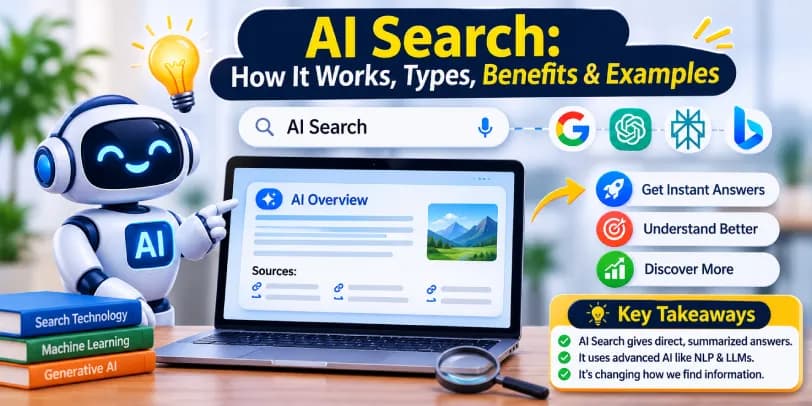
AI search is a way of finding information in which artificial intelligence interprets your question, retrieves relevant sources, and writes a direct answer, usually with links to where the information came from. Unlike a traditional search engine that returns a list of pages, an AI search engine tries to give you a synthesized response. It uses natural language processing, large language models, and often live web retrieval to do this. Examples include Google AI Mode, ChatGPT search, Perplexity AI, and Microsoft Copilot. This guide explains how AI-powered search works, which tools are worth trying, and what it means for businesses and SEO.
Table of contents16 sections
What Is AI Search?
AI search combines search technology with machine learning so a system can understand what you mean rather than only matching the words you typed. You can ask a full question, add follow-ups, and get an answer built from several sources. Many tools show their citations so you can check the original pages.
How Is AI Search Different from Traditional Search Engines?
A traditional search engine indexes pages and ranks them by relevance signals such as keywords, links, and quality. You get ten blue links and do the reading yourself.
AI search adds a layer on top. It reads the retrieved pages, pulls out the relevant parts, and writes a summary. In practice, traditional search is better when you want to browse, compare sources, or reach a specific site. AI search is better for complex questions that would otherwise take several searches and a lot of tab switching.
AI Search vs. Semantic Search vs. Conversational AI
These terms overlap, which causes confusion. Semantic search focuses on meaning. It matches the intent behind a query to content, even when the words differ. Conversational AI is the chat-style interface that lets you ask follow-up questions. AI search is the broader experience that often uses both, plus a generative model that writes the answer.
There is a fourth ingredient that gets less attention: the knowledge graph. A knowledge graph is a structured map of entities (people, brands, products, places, organizations) and the relationships between them. For example, it records that a company makes a certain product, that the product belongs to a category, and that the company is headquartered in a particular city. Entity recognition lets a search system spot those names in a query or a page and connect them to the right record. This is how an AI engine can tell the difference between Apple the company and apple the fruit.
Semantic search handles meaning, while knowledge graphs handle facts and relationships. Many modern systems blend the two, using embeddings to find relevant passages and entity data to keep the generated answer consistent about who or what is being discussed.
Why Is AI Search Important?
It changes how people discover information, products, and brands. Users get answers faster and ask longer, more natural questions. For businesses, that means customers may meet your brand inside an AI answer before they ever visit your website. Understanding this shift is now part of basic digital strategy.
How Has AI Search Evolved?
Search began with keyword matching. Then came machine learning ranking, and later transformer models that understood language far better. Google's early Search Generative Experience (SGE) tested generated summaries, which evolved into AI Overviews and AI Mode. Meanwhile, tools like Perplexity and ChatGPT search brought the answer-engine format to a mainstream audience.
How Does AI Search Work?
Behind a simple answer, several systems work together. Here is the process in plain terms.
From Search Query to AI-Generated Answer
First, the system interprets your question. Next, it retrieves relevant documents from a web index or a private knowledge base. Then a language model reads those passages and writes an answer. Finally, the tool attaches source links. Some systems also run multi-step searches, breaking a complex question into smaller ones, which is often called deep search.
It helps to see this as a chain. Content has to be discovered and crawled, then indexed, then retrieved for a specific question, and only then can it be used in the answer. If a page fails at any earlier link, it never reaches the final response.
Natural Language Processing and Search Intent
Natural language processing (NLP) lets the system understand grammar, context, and intent. If you search "best laptop for video editing under budget," the engine recognizes that you want comparisons, not a definition of a laptop. Matching intent correctly is what makes relevant results feel relevant.
Context plays a bigger role here than many people realize. In a conversational tool, your earlier messages shape the next search. If you ask about hiking boots and then type "what about for winter?", the system carries the topic forward and rewrites your follow-up into a complete query behind the scenes. Location and language also matter. A question about "pharmacies open now" or "tax filing deadline" needs your region to be answered correctly, and some tools use account settings or past activity to adjust results further.
The difference from general search is worth understanding. A generic query returns roughly the same results for everyone, while a personalized one changes which sources look most relevant. The same page might be a perfect match for one person's context and irrelevant to another's. That is also one reason two people can get slightly different AI answers to the same question.
Machine Learning, Transformers, and Large Language Models
Transformers are the neural network design behind modern language models. Large language models (LLMs) are trained on huge amounts of text and learn patterns in language. In search, they interpret questions, summarize passages, and generate fluent answers. They are powerful, but they do not automatically know what is true, which is why retrieval matters.
Vector Embeddings and Semantic Similarity
An embedding turns text, images, or audio into a list of numbers that represents meaning. Content with similar meaning sits close together in this numerical space. When you search, your query is converted into a vector, and the system finds the nearest matches. This is how a search for "car won't start in winter" can surface an article about weak batteries in cold weather.
In practice, systems rarely embed an entire web page as a single unit. Long documents are split into smaller pieces called chunks, and each chunk gets its own embedding. This is why an AI tool can pull one paragraph from a 5,000-word guide instead of the whole page.
Chunk size is a trade-off. Very small chunks are precise but can lose context, so a sentence like "it costs twice as much" becomes meaningless without the previous lines. Very large chunks keep context but blur the topic and add noise. Many systems use overlap, repeating a few sentences at the edges of neighboring chunks, so ideas are not cut in half. Headings also help. When a chunk carries its section title and surrounding context, the system can better understand what the passage is actually about. For writers, the takeaway is simple: each section of a page should make sense on its own.
Retrieval-Augmented Generation (RAG)
RAG connects a language model to an outside source of information. Instead of relying only on what it learned during training, the model first retrieves relevant documents and then writes its answer from them. This reduces made-up answers and allows the use of fresh or private data. Many enterprise AI search tools are built on RAG.
Hybrid Search: Combining Keyword and Vector Search
Vector search understands meaning, but it can miss exact terms such as product codes or names. Keyword search is precise but literal. Hybrid search runs both and merges the results, which usually gives better relevance than either method alone.
Search Indexing, Ranking, and Reranking
Before anything can be indexed, it has to be found. AI search platforms discover pages in a few ways: by following links, reading sitemaps, using their own crawlers, and in some cases relying on third-party search indexes. For example, some AI tools use an established search provider's index for part of their retrieval, while others maintain their own. Google's AI features draw on Google's own index, which is built by Googlebot.
This is where AI-related crawlers differ from traditional ones. A traditional crawler gathers pages so they can be ranked in a results list. AI-related crawlers may do that too, but some are collecting content for a different purpose, such as training a model, or fetching a page live because a user asked a question. We will look at the specific bots in the optimization section.
Once content is indexed, ranking orders the initial results. Reranking then applies a more careful model to the top candidates to put the best passages first. This extra pass is a big reason modern answers feel more accurate.
Real-Time Information Retrieval and Source Citations
Some AI search tools pull from the live web, which helps with news, prices, and recent events. Citations let you trace claims back to their origin. They are not a guarantee of accuracy, but they make checking possible, and that is a major advantage over a plain chatbot.
Which sources actually get cited? The exact formulas are not public, but several factors consistently matter:
- Relevance to the specific question. The passage has to answer what was asked, not just mention the topic.
- Freshness and factual consistency. Recent, current information tends to win for time-sensitive topics, and claims that agree with other reliable sources look safer to use.
- Authority and reputation. Established, trusted sites are more likely to be selected than unknown ones.
- Passage-level evidence. A clear, self-contained passage with supporting facts is easier to quote than a vague one.
Systems also compare several sources and combine them. If most reliable pages agree on a fact, the answer will likely reflect it. If sources conflict, the tool may hedge or lean on the one that looks most credible.
This explains a common frustration. A page can rank well in traditional search and still never appear in an AI answer, because ranking is judged at page level while AI selection is judged at passage level. A page may rank because of strong links, yet lack a clear, quotable answer to the question being asked.
What Are the Different Types of AI Search?
These types are not mutually exclusive. A single AI search system can combine several capabilities.
Generative AI Search
This type writes a new answer from retrieved sources. Google AI Overviews, Perplexity, and ChatGPT search are common examples of generative AI search.
Semantic and Vector Search
These systems focus on meaning and similarity. They power recommendations, document matching, and many internal search tools. Libraries such as FAISS (Facebook AI Similarity Search) are widely used for this kind of work.
Conversational AI Search
Here you interact through dialogue. You ask, refine, and continue the thread without restarting. This format suits research and exploratory questions.
Multimodal Search: Text, Voice, and Images
Multimodal search accepts more than typed words. You can speak a question, upload a photo, or combine both. AI image search and reverse image search, such as Google Lens, identify objects, places, and products. Facial recognition search exists as well, though it raises serious privacy and legal concerns, so use it carefully.
AI-Powered Site Search
Websites use AI to understand visitor questions and return better results than a basic keyword box. This is common on online stores, documentation portals, and help centers.
Enterprise AI Search
Enterprise AI search lets employees query company data across tools like drives, wikis, and ticketing systems. It respects permissions and often uses RAG. Glean is a well-known example, and cloud platforms offer building blocks too.
Google AI Search: AI Mode, AI Overviews, and Gemini
Google has added generative AI to its search experience in several forms.
What Is Google AI Mode?
Google AI Mode is a dedicated search experience that handles longer, more complex questions and supports follow-ups in a conversational format. It is powered by Gemini models and displays links alongside generated responses.
How Does Google AI Mode Work?
It uses a "query fan-out" approach. The system splits a complicated question into related sub-questions, searches for each, and combines the findings into one response. It draws on Google's index, along with sources such as shopping and knowledge data, then presents the answer with supporting links.
Google AI Mode vs. AI Overviews
AI Overviews are short summaries that appear at the top of regular results for certain queries. AI Mode is a separate, deeper environment where you continue a conversation. In short, Overviews are a quick snapshot, while AI Mode is a full research session.
Google AI Mode vs. Traditional Google Search
Traditional Google Search shows ranked pages and features such as maps and snippets. AI Mode prioritizes a written answer and follow-up questions. Many people use both: classic search for navigation and quick lookups, AI Mode for planning and comparison.
How to Use Google AI Mode
Open Google, choose the AI Mode option beneath the search bar or in the Google app, and type a detailed question. Then ask follow-ups to narrow things down. Availability depends on your country and account, so check what is offered in your region. If you prefer not to see AI summaries, there is no official off switch for AI Overviews. Many people use the Web filter, add a different search engine, or choose a search engine that doesn't use AI.
Gemini, Google Lens, and Circle to Search
Gemini is Google's AI assistant. Google Lens searches using your camera or photos, and Circle to Search lets you circle something on your phone screen to look it up. Together, they make visual and mobile search far more flexible.
What Are the Best AI Search Engines?
The best choice depends on whether you want speed, research depth, privacy, or integration with other tools.
Google AI Mode and Google Search
Google offers the largest index and strong coverage of local, shopping, and fresh content. It is a sensible default for most people.
ChatGPT Search
ChatGPT search pulls live web information into a conversational chat and attaches source links. It works well when you want to refine a question over several turns.
Perplexity AI
Perplexity is built around cited answers. It is popular with researchers because the sources appear prominently, and it offers a deeper research mode for longer investigations.
Microsoft Copilot and Bing AI Search
Copilot combines Bing's index with Microsoft's AI models and integrates with Windows, Edge, and Microsoft 365\. It is a natural fit if you already work in that ecosystem.
Brave Search
Brave Search emphasizes privacy and runs its own independent index. It offers AI-generated answers while keeping tracking minimal.
QuillBot AI Search
QuillBot is better known for writing tools, but its AI search features help with finding and summarizing information alongside its paraphrasing and checking tools.
Other AI Search Tools and Alternatives
You can also explore You.com, Phind for developers, and tools built on platforms like Elastic. If you want to avoid AI entirely, a non-AI search engine or the Web filter in Google works.
AI Search Engines Comparison: Features, Pricing, and Use Cases
| Tool | Source citations | Real-time access | Free option | Best for |
|---|---|---|---|---|
| Google AI Mode | Yes, with links | Yes | Yes | General and shopping queries |
| ChatGPT Search | Yes | Yes | Yes, with limits | Conversational research |
| Perplexity AI | Prominent | Yes | Yes, with limits | Cited research |
| Microsoft Copilot | Yes | Yes | Yes | Microsoft users |
| Brave Search | Yes | Yes | Yes | Privacy-focused users |
Pricing and feature limits change often, so confirm them on each provider's official site before relying on this table.
What Is Microsoft Azure AI Search?
Azure AI Search, formerly Azure Cognitive Search, is Microsoft's cloud service for building search over your own data. Developers use it to power website search, internal tools, and RAG applications.
How Azure AI Search Works
You connect data sources, such as Azure Blob Storage, and the service builds an index. It can enrich content with AI skills, such as extracting text from images. Queries then run against that index and return ranked results.
Key Features: Vector, Semantic, and Hybrid Search
Azure AI Search supports keyword, vector, and hybrid retrieval, plus a semantic ranker that reorders results by meaning. It also fits into Microsoft's wider AI platform, including Azure AI Foundry and Azure OpenAI, which makes it a common retrieval layer for generative applications.
Azure AI Search APIs and Integration
It provides REST APIs and SDKs for several languages, so teams can add search to existing apps. Integration with Azure OpenAI makes it straightforward to build chat experiences grounded in company documents.
Azure AI Search Use Cases
Typical uses include knowledge base search, customer support assistants, document discovery, and product search. Manufacturers, for instance, use it to search technical manuals and maintenance records.
Azure AI Search vs. Other Enterprise Search Platforms
Alternatives include Elasticsearch, Algolia, Google's Vertex AI Search, and Glean. Azure suits teams already on Microsoft cloud. Vertex AI Search fits Google Cloud users, while Algolia is often chosen for fast site search. Check current pricing for each before committing.
AI Search Applications and Real-World Use Cases
E-commerce and Product Discovery
Shoppers can describe what they want in plain language or upload a photo to find similar items. Visual search and augmented reality try-on features are growing in retail.
Website Search and Customer Support
AI site search understands questions like "how do I return a damaged item?" and links straight to the right answer. Support chatbots grounded in your help content reduce ticket volume and wait times.
Enterprise Knowledge Management and Document Search
Employees waste time hunting for files. Enterprise AI search finds answers across tools, summarizes long documents, and respects access permissions.
Research, Education, and Healthcare
Students and researchers use AI search to summarize papers and find sources. In healthcare, it can help clinicians locate guidelines, though outputs always need professional review.
AI Search for Business Intelligence and Data Analytics
Teams can ask questions of their data in natural language and get quick summaries or charts, which lowers the barrier to analysis.
Cybersecurity, IT Observability, and Threat Detection
Security and IT teams search logs and alerts using AI to spot unusual patterns faster. This remains a more specialized use case.
How Does AI Search Affect SEO and Website Traffic?
AI Search and Zero-Click Searches
When an answer appears directly on the results page, fewer people click through. These zero-click searches reduce traffic for some informational queries, especially simple ones. Complex, high-intent queries still send visitors.
AI Search vs. Traditional SEO
Traditional SEO aims for ranking and clicks. AI search adds a goal: being cited or mentioned inside the answer. The fundamentals still matter, including quality content, technical health, and authority. Most pages that perform well in AI results also perform well in classic search.
Answer Engine Optimization (AEO) and Generative Engine Optimization (GEO)
AEO and GEO describe the practice of making content easy for AI systems to find, understand, and cite. You may also see it called AI search optimization or AI search engine optimization. It builds on SEO rather than replacing it. For a deeper understanding, explore our guide on what is AEO (Answer Engine Optimization), including its strategies and how it helps improve visibility in answer engines.
One distinction is often missed. Optimizing for live AI search retrieval is different from trying to get your information into a model's training data. A model learns from a fixed snapshot of text during training, and that knowledge only changes when the model is trained again. Publishing a new page today will not rewrite what an already-trained model "knows."
What new content can do is show up through retrieval. When a tool searches the web at the moment of a question, your fresh page can be found and cited. That is a citation from live sources. If a model answers without searching, it is recalling patterns from training, and there is no link to follow. You can influence the first by making content retrievable and clear. The second is largely outside your control, and a future training run may or may not include your content. For that reason, most practical AEO and GEO work focuses on retrieval.
Brand Visibility, AI Mentions, and Source Citations
Visibility now includes how often AI tools mention or link your brand. Consistent information across your site, reviews, and trusted third-party pages helps systems describe you accurately.
How to Measure AI Search Visibility
Several AI search visibility tools track brand mentions, citations, and share of voice across ChatGPT, Perplexity, Google AI Overviews, and AI Mode. Platforms such as Profound, along with features in established SEO suites, fall into this category. Look for tools that offer AI search monitoring across multiple engines, prompt-level tracking, competitor comparison, and reporting suited to agencies. Start with a small set of important questions and track them monthly.
Visibility tools only tell part of the story, so connect them to your own analytics. In Google Analytics 4, AI platforms often appear as referral sources, such as chatgpt.com, perplexity.ai, gemini.google.com, or copilot.microsoft.com. Some tools also add a parameter like utm\_source to their links, which makes them easier to spot. A practical step is to create a custom channel group or segment that matches these referrers, so AI traffic is not buried inside general referral or organic data.
Be realistic about the limits. Some AI visits arrive with no referrer and get counted as direct traffic. Clicks from Google's AI Overviews and AI Mode are generally reported together with regular web search in Search Console rather than as a separate line, so you cannot always isolate them. Treat the numbers as directional.
Finally, separate the different things you can measure. A brand mention means the AI named you. A citation means it linked to you. A click means someone visited. A business outcome means that visit led to a lead, sign-up, or sale. These are not the same, and it is worth tracking engagement and conversions for AI-referred visitors, since they often arrive with more context and may behave differently from other traffic.
How to Optimize Your Website for AI Search
Create Helpful, Accurate, and Answer-Focused Content
Answer the question early and plainly, then add depth. Original data, clear definitions, and real expertise give AI systems something worth citing.
Use Clear Headings and Structured Content
Descriptive headings, short paragraphs, lists, and tables help both readers and machines understand your page. Phrase headings the way people actually ask questions. Since AI systems often retrieve individual passages, write each section so it can stand alone. Name the subject clearly instead of relying on vague references like "this" or "it," so a chunk still makes sense when it is lifted out of the page.
Improve Crawlability and Indexability
If a page cannot be crawled, it cannot be cited. Check your robots.txt, fix broken links, keep a clean sitemap, and make sure important content is not hidden behind logins.
It also helps to know which bots visit your site, because not all of them do the same job. Some collect content for search, and others collect it for model training:
- OpenAI: OAI-SearchBot is used for search features in ChatGPT, while GPTBot is used to gather content that may be used to train models.
- Anthropic: Claude-SearchBot supports search result quality, while ClaudeBot is associated with training data collection.
- Perplexity: PerplexityBot is used to surface and link sites in Perplexity search results.
- Google: Googlebot handles crawling for Google Search, which includes AI Overviews and AI Mode. Google-Extended is a robots.txt control that lets you opt out of certain Gemini training and grounding uses. It is not a separate crawler and does not affect your Google Search presence.
The practical point is that search crawlers and training crawlers can be managed separately. A site might allow search bots so its pages can be cited, while blocking training bots. Bot names and policies change, so check each company's current documentation before editing your robots.txt.
Rendering is another quiet problem. Many AI crawlers do not run JavaScript the way a full browser does. If your key content loads only after scripts run (client-side rendering), a crawler may see an empty shell. Server-side rendering, or at least making sure the main text, headings, and links appear in the initial HTML, makes content far more likely to be read correctly. A quick test is to view your page source or fetch the page with JavaScript disabled and see whether your important content is still there. If it is not, retrieval systems may never see it.
Use Relevant Schema Markup
Structured data such as Article, FAQ, Product, and Organization schema clarifies what your content represents. It does not guarantee citations, but it reduces ambiguity. It also feeds the entity side of search, helping systems connect your brand, products, and authors to the right entries in their knowledge graphs.
Build Topical Authority and Earn Trustworthy Citations
Cover a subject thoroughly across related pages, and earn mentions from reputable sites. Author bios, sources, and transparent editorial practices support trust.
Optimize Content for Conversational and Long-Tail Queries
People ask AI tools longer questions. Include natural phrasing, comparisons, and follow-up questions your audience would ask.
Keep Information Updated and Verifiable
Refresh statistics, pricing, and dates regularly, and cite your own sources. Fresh, checkable content is more likely to be trusted.
What Are the Benefits of AI Search?
Faster Information Discovery
You get a consolidated answer in seconds rather than opening a dozen tabs.
Better Context and Intent Understanding
AI search interprets vague or multi-part questions and carries context across follow-ups.
Personalized and Conversational Experiences
Results can adapt to your language, location, and earlier questions, which feels closer to talking with a knowledgeable assistant. The trade-off is that personalization can narrow what you see, so it is worth checking a second source on important topics.
Improved Research and Productivity
Summaries, comparisons, and source lists speed up research, planning, and even tasks like AI job search, where tools help match skills to roles.
Scalable Search for Businesses
Once set up, AI search can serve thousands of customers or employees at once without a proportional rise in support effort.
What Are the Limitations and Risks of AI Search?
AI Hallucinations and Inaccurate Answers
Language models sometimes produce confident but wrong statements. Grounding with RAG helps, but does not remove the risk.
Outdated Information and Unreliable Sources
An answer is only as good as its sources. Tools without live retrieval may be out of date, and even those with it can cite weak pages.
Data Privacy, Security, and Governance
Entering sensitive data into public tools may expose it. Businesses need clear policies, access controls, and vendor reviews.
Bias and Limited Source Coverage
Training data and indexes are not neutral. Some regions, languages, and viewpoints are underrepresented.
Implementation Costs and Technical Complexity
Enterprise deployments need data cleanup, integration work, and ongoing tuning. Costs vary widely, so request current quotes.
How to Verify AI-Generated Search Results
Open the cited sources and confirm the claim appears there. Cross-check important facts with a second source, and be extra careful with medical, legal, and financial topics. Treat the generated answer as a starting point.
How to Choose the Right AI Search Engine
Compare Accuracy and Source Transparency
Test each tool on questions you already know the answer to. Prefer tools that show clear, clickable sources.
Teams that build or buy search systems evaluate them more formally, and the same ideas are useful for anyone comparing tools. Retrieval quality and answer quality are two separate things, so measure both:
- Retrieval precision and recall. Precision asks how many of the retrieved passages were actually relevant. Recall asks how many of the relevant passages were found at all.
- Answer relevance and factual accuracy. Does the final response address the question, and is it correct?
- Citation accuracy. Does each cited source really support the claim attached to it?
- Hallucination rate. How often does the system state things that no source supports?
A system can retrieve excellent passages and still write a poor answer, or write a smooth answer from weak passages. Testing both stages shows you where the problem actually is. For a personal comparison, a simple list of 15 to 20 test questions with known answers works well.
Evaluate Real-Time Search and Research Capabilities
If you need current news or prices, confirm that live web retrieval is supported. For deep research, check whether multi-step reasoning is available.
Consider Privacy, Cost, and Ease of Use
Read the data policies, compare free and paid limits, and pick an interface you will actually use.
Choose Based on Personal or Business Needs
Individuals often do well with a free tier of Google, ChatGPT, or Perplexity. Businesses should evaluate permissions, integrations, and governance before choosing a platform.
Advanced AI Search Technologies
Vector Databases and Similarity Search
Vector databases store embeddings and find nearest matches quickly. Options include FAISS, Pinecone, and Vertex AI Vector Search.
BM25 and Traditional Relevance Scoring
BM25 is a classic keyword relevance formula still used in hybrid systems because it handles exact terms well.
Distributed Indexing and Search Scalability
Large systems split indexes across many machines so queries stay fast as data grows.
Search Infrastructure and Data Governance
Good infrastructure includes access control, logging, and data retention rules, which keep search useful and compliant. It also includes ongoing evaluation, such as regularly testing retrieval precision, recall, and citation accuracy, so quality does not quietly decline as data and models change.
What Is the Future of AI Search?
The Rise of AI Agents and Agentic Search
Agents will not only answer questions but complete tasks, such as comparing products and booking services, across several steps.
Multimodal and Voice-First Search
Searching by voice, camera, and screen will keep growing, especially on phones and wearables.
How AI Search May Change User Behavior
People are already asking longer questions and expecting direct answers. Many will use several tools depending on the task.
The Future of SEO and Brand Discovery
SEO will likely expand to cover visibility inside AI answers. Brands that publish trustworthy, well-structured content and maintain a consistent reputation should stay discoverable.
Conclusion
AI search is changing how people discover information, compare products, and interact with businesses online. Instead of simply showing a list of links, modern AI search engines understand user intent, retrieve relevant information, and generate direct answers from multiple sources. For businesses and website owners, this shift creates both challenges and opportunities. Traditional SEO remains important, but visibility now also depends on whether AI systems can discover, understand, and cite your content. Creating helpful content, improving technical SEO, using structured data, and building topical authority can help your website stay competitive. As AI search continues to evolve, businesses that adapt their content strategies and focus on accuracy, relevance, and user experience will be better positioned to earn visibility across both traditional search engines and AI-powered platforms.
Frequently Asked Questions About AI Search
What is AI search in simple terms?
AI search uses artificial intelligence to understand your question and give a direct, summarized answer, often with sources, instead of only listing web pages.
How is AI search different from traditional search?
Traditional search ranks pages, while AI search reads them and writes an answer. See How Is AI Search Different from Traditional Search Engines?
What are the different types of AI search?
The main types are generative, semantic and vector, conversational, multimodal, site search, and enterprise AI search. Many systems combine several.
Is AI search the same as ChatGPT?
No. ChatGPT is a chatbot that now includes a search feature. AI search is the broader category that includes many tools.
What is the difference between Google AI Mode and AI Overviews?
AI Overviews are brief summaries above standard results. AI Mode is a separate conversational experience for deeper questions.
Are there free AI search engines?
Yes. Google, Perplexity, ChatGPT, Copilot, and Brave all offer free access, though some features have limits.
Can AI search engines access real-time information?
Many can, by retrieving live web content. Tools without web access rely on older training data.
How accurate are AI search engines?
Accuracy varies by tool and topic. They can make mistakes, so check the cited sources.
How does AI search affect SEO and website traffic?
It can lower clicks on simple queries while creating new visibility through citations. Read more in How Does AI Search Affect SEO and Website Traffic?
What is Azure AI Search used for?
It is used to build search and RAG applications over company data, such as knowledge bases and support tools.
How does RAG improve AI search results?
RAG retrieves relevant documents before the model answers, which grounds responses in real sources and reduces errors.
What is the difference between AI search and semantic search?
Semantic search matches meaning. AI search often uses it, then adds a generative layer that writes the answer.
Can AI search analyze images and uploaded documents?
Many tools can. Google Lens handles images, and several assistants accept uploaded files for summarizing and questions.
Is AI search safe for sensitive business information?
Only with the right controls. Use enterprise tools with permissions, encryption, and clear data policies, and avoid pasting confidential data into public tools.
How can businesses optimize their websites for AI search?
Publish helpful, structured, current content, keep your site crawlable and readable without JavaScript, use schema, and build authority. Details are in How to Optimize Your Website for AI Search.
How do I choose the best AI search engine?
Compare accuracy, source transparency, real-time access, privacy, and cost against your needs. See How to Choose the Right AI Search Engine.