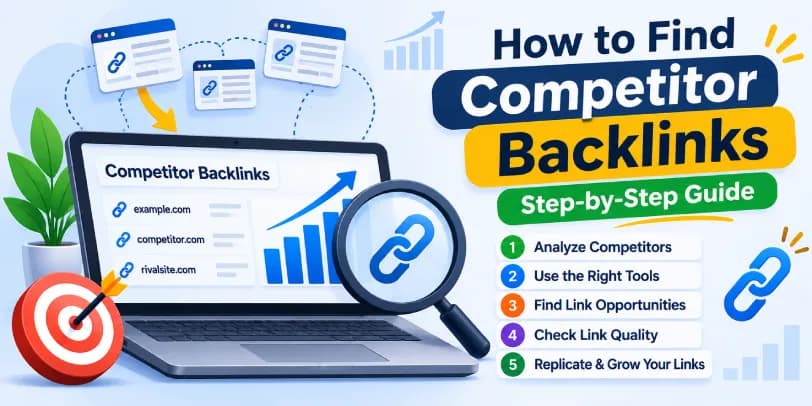
To find competitor backlinks, enter a rival's domain into a backlink checker such as Ahrefs, Semrush, or Moz Link Explorer. Review the referring domains, then filter by authority, link type, and relevance. You can also use Google search operators for a free but limited approach. Once you know who links to your competitors, a backlink gap analysis shows which of those sites don't link to you yet, which gives you a ready-made list of link building opportunities.
Table of contents13 sections
What Are Competitor Backlinks and Why Do They Matter?
A competitor backlink is a link from another website that points to a site competing with yours for the same searches. Search engines treat links as endorsements, so the sites that earn them often rank better. Looking at where your rivals earn them shows you what is working in your niche.
What Is a Competitor Backlink Profile?
A backlink profile is the full collection of inbound links pointing to a domain. It includes the number of referring domains, the anchor text used, the mix of dofollow and nofollow links, the linking pages, and how the profile has grown over time. When you run a competitor backlink analysis, you are essentially reading this profile to understand how a rival built its authority.
Benefits of Competitor Backlink Analysis for SEO
The biggest benefit is speed. Instead of guessing which sites might link to you, you see who already links to similar content. That saves weeks of cold prospecting.
In addition, the analysis reveals which content types attract links, which publishers cover your topic, and where your own profile is thin. It also helps you spot patterns, such as a competitor getting many links from resource pages or industry roundups. Finally, it gives you a realistic benchmark. If the top-ranking page has links from 80 domains and yours has five, you know the size of the task.
How to Choose the Right Competitors to Analyze
Not every competitor is worth studying. A poor choice leads to a noisy backlink report and wasted outreach.
Direct vs. Indirect SEO Competitors
Direct competitors sell the same product or serve the same audience. Indirect SEO competitors may not sell what you sell, but they rank for the same keywords. A software company, for instance, may compete in search results with a review blog, a news site, and a forum thread. Each of them earns links in different ways, and all can teach you something.
Domain-Level vs. Page-Level Competitors
Domain-level competitors are whole websites that compete with yours across many topics. Page-level competitors are individual URLs that outrank your page for one keyword. A small niche site might never beat a large publisher overall, yet one of that publisher's pages may be beatable.
Page-level analysis is often more practical, and it works best when you start from a keyword rather than a domain. Pick the keyword you want to rank for, look at the pages in the top results, and compare their backlinks. Pages that rank for the same query and satisfy the same search intent tend to attract the same kinds of links. A "best tools" query will pull links from roundups and reviews, while a "how to" query leans toward resource pages and tutorials. Comparing only domains would hide that difference.
How to Identify Competitors Worth Analyzing
Start by searching your main keywords and noting the sites that appear repeatedly. Then check the organic competitors report inside your SEO tool, which lists domains with overlapping keywords. Pick three to five that are close to your size or slightly ahead. A giant brand with a decade of links will tell you little, while a competitor who grew quickly in the last year will tell you a lot.
Best Tools to Find Competitor Backlinks
Several backlink tools can do this job. They differ in database size, pricing, and how much they show for free.
Ahrefs Backlink Checker and Site Explorer
The Ahrefs free backlink checker shows a limited set of backlinks for any domain or URL, which is enough for a quick look. The full Site Explorer shows every referring domain, anchor, and linking page it has found, along with Domain Rating (DR) and URL Rating (UR). These are Ahrefs' own scores, not Google metrics. It also has a Link Intersect feature and a Best by Links report, and its backlink database is widely regarded as one of the largest.
Semrush Backlink Analytics and Backlink Gap
Semrush Backlink Analytics gives you a backlinks report with referring domains, anchors, and its own Authority Score. The Backlink Gap tool lets you compare your domain with several competitors and see which sites link to them but not to you. This is one of the quickest ways to build a prospect list, so it deserves a place in any workflow.
Moz Link Explorer
Moz Link Explorer is a good option if you like straightforward data. It reports Domain Authority (DA), linking domains, anchor text, and a spam score. The free plan allows only a small number of queries, so it suits occasional checks. The older Open Site Explorer name still comes up in searches, but Link Explorer is the current tool.
Mangools LinkMiner
LinkMiner is a browser-based tool that shows backlinks while you look at a page. Its Link Strength score helps you sort stronger links from weaker ones at a glance. It works well for page-level checks and for people who do not need a heavy platform.
Ubersuggest Backlink Checker
Ubersuggest offers a simple backlink checker with domain scores, referring domains, and anchor text. It is beginner-friendly and usually cheaper than the large platforms. The data is lighter, so treat it as a starting point rather than a complete picture.
Morningscore Backlink Analysis
Morningscore includes backlink analysis inside a wider SEO dashboard. It assigns a Linkscore to each link and offers live previews of the linking page, so you can see the context without opening every URL. That is useful for small teams that want everything in one place.
Free vs. Paid Backlink Checker Tools
Free backlink checkers, including those from Ahrefs, Moz, and Seobility, are good for spot checks but usually cap the results. Paid platforms give complete exports, filters, and history. A sensible approach is to start free, confirm the process works for you, and pay only when you need volume. Whichever you use, remember that Google Search Console shows only your own links, not your competitors'.
How to Find Competitor Backlinks: Step-by-Step
The steps below work in most tools, even though the buttons are in different places.
Step 1 — Enter a Competitor Domain or URL
Paste the competitor's domain into the search bar of your chosen backlink tool. Use the root domain for a site-wide view, or a single URL if you want to see why one page ranks. If you are unsure, run both. When you are targeting a specific keyword, enter the URLs of the pages that rank for it, since their links show what that query rewards.
Step 2 — Review Referring Domains and Backlink Data
Look at referring domains first, not raw backlink counts. One site linking 500 times counts as one referring domain, and it is the number of unique domains that usually tells the real story.
Three numbers are easy to confuse here. Unique referring domains count each linking website once. Unique linking pages count each page that carries a link, so one domain with 40 linking pages adds 40 here but only one above. Total backlinks count every individual link, including repeats. Sitewide links, such as a footer or sidebar link that appears on every page of a site, can inflate that last figure dramatically. If a competitor shows 10,000 backlinks but only 60 referring domains, a few sitewide links are probably doing the heavy lifting.
Then scan the backlink list for linking page titles, anchor text, link type, and first-seen dates. You will quickly see whether the profile comes from editorial mentions, directories, or something less natural.
Step 3 — Apply Backlink Filters
Filters turn a huge list into a useful one. Start with link attributes, because they change how much a link is worth and whether you can realistically earn something similar.
- Dofollow links pass ranking signals in the traditional way and are usually the priority.
- Nofollow links carry a rel="nofollow" tag. Google treats it as a hint, and these links still bring referral traffic and make a profile look natural.
- Sponsored links use rel="sponsored" and mark paid placements or affiliate deals. If a competitor's links are mostly sponsored, that is a paid strategy, not an editorial one you can replicate through outreach.
- UGC links use rel="ugc" and appear in comments, forum posts, and other user-generated content. They are easy to get but rarely strong.
Filtering by these attributes shows you which of your competitor's links came from real editorial decisions and which were bought or self-created. After that, set a minimum authority score, choose a category or language that fits your market, and switch on one link per domain so a single site does not flood the list. You are left with a shorter list worth reading.
Step 4 — Find Competitors' Most-Linked Pages
Use a report like Ahrefs Best by Links to see which URLs attract the most links. These pages reveal what content formats work in your niche, such as free tools, original research, templates, or in-depth guides. In many cases, a handful of pages bring in most of a site's links.
Step 5 — Export and Organize Backlink Data
Export the filtered list to a spreadsheet. Add columns for the linking URL, domain score, link type, topical fit, and status. This also doubles as your first backlink report, which you can reuse when you present results to a client or team.
How to Find Competitor Backlinks Using Google Search for Free
If you have no budget, you can still check backlinks by hand with search operators. It takes longer, but it teaches you a lot.
Google Search Operators for Backlink Discovery
Google no longer supports the old link: operator, so you have to be more creative. Try searching the competitor's brand name in quotes while excluding their own site, for example "brand name" \-site:theirsite.com. This surfaces unlinked and linked brand mentions. You can also search for "brand name" "write for us" or "guest post by" to find guest-post placements, and "brand name" "best tools" or "alternatives" to uncover roundups and comparisons. Bing Webmaster Tools and Google Alerts can help you track new mentions over time.
Limitations of Manual Backlink Research
The main problem is that Google shows only a sliver of the web, and you cannot see metrics like authority score or link type. It is also slow, and you will miss many links. For that reason, manual searching is best treated as a supplement to a proper backlink checker, not a replacement.
How to Perform a Competitor Backlink Gap Analysis
A gap analysis answers a simple question: who links to them but not to me?
Compare Your Backlink Profile With Competitors
Begin by comparing totals. Look at referring domains, average authority, anchor text distribution, and the share of dofollow links. If a competitor has far more referring domains but similar quality, the problem is volume. If the numbers are close but their links are stronger, the problem is quality.
Find Referring Domains Linking to Competitors but Not You
Two tools handle this, and they answer slightly different questions. Semrush Backlink Gap compares your domain against up to several competitors and lists the sites that link to them but not to you. Ahrefs Link Intersect works in a similar way, but it is more flexible about what you compare, since you can set it up to show domains that link to all of your competitors, only some of them, or exactly one.
In practice, use the intersect approach when you want common linking domains across several rivals. A publisher that has linked to three competitors is clearly open to your topic, which makes it a strong candidate. Use the single-competitor view when you want to find domains that link to only one rival. Those are often the result of a specific campaign, partnership, or relationship, so they reveal one competitor's particular tactics rather than a niche-wide pattern. Both views are useful, but they lead to different outreach.
Identify and Prioritize High-Value Backlink Gaps
Export the gap list and score each opportunity by authority, relevance, and how easy the link looks to earn. A relevant mid-authority blog that accepts contributors is often a better first target than a famous site that rarely responds. Sort the list so you start with the easiest high-value wins.
How to Evaluate Competitor Backlink Quality
Not every backlink deserves your time. Quality varies enormously.
Domain Authority, URL Strength, and Organic Traffic
DA, DR, and Authority Score are third-party metrics. Google does not use them, but they are useful estimates of how strong a site is. Combine them with URL-level strength and organic traffic. A site with a high score but no traffic may be a link farm, while a modest site with real visitors can be valuable.
Topical Relevance and Linking Page Context
Relevance works at three levels, and a link can pass at one and fail at another. First, ask whether the linking domain is relevant: does the site as a whole cover your industry? Second, ask whether the linking page is relevant. A general marketing site might have one excellent article on your topic and a hundred unrelated ones, and only that one matters. Third, look at the surrounding content, meaning the paragraph and sentence around the link. A link placed in a relevant sentence is worth far more than one dropped into an unrelated list.
In other words, a relevant website does not automatically make every page a good opportunity. Open the linking page and read it. Is the link placed naturally within useful content, or does it look forced? Context matters as much as the score.
Anchor Text, Link Placement, and Outbound Links
Natural anchor text is mixed: brand names, bare URLs, and descriptive phrases. If most anchors are exact-match keywords, that can signal manipulation. Placement matters too, since links inside the main content generally carry more weight than those in footers or sidebars. Also check how many outbound links the page has, because a page that links to hundreds of sites passes very little value.
How to Identify Spammy or Manipulative Backlinks
A toxic backlink checker or spam score can flag risky links, but use your own eyes as well. Warning signs include thin content, irrelevant topics, obvious paid links, and sudden spikes in referring domains. Clusters of links from similar IP addresses or sites that seem to belong to the same private network are also suspicious. If a competitor has many of these, do not copy them.
How to Analyze Competitors' Link Building Strategies
Now that you can see the links, the next step is understanding the strategy behind them.
Identify How Competitors Acquire Backlinks
Group the links by source type: editorial mentions, guest posts, directories, partnerships, press, and resource pages. The biggest group usually shows the main tactic. For example, if most links appear on blog posts with an author bio, the competitor is probably guest posting heavily.
Analyze Competitors' Most-Linked Content and Linkable Assets
Review the pages you found earlier and ask why they earn links. It might be original data, a free calculator, a detailed guide, or a useful template. Note the format, depth, and promotion angle. These pages are called linkable assets, and they often hold the blueprint for your own content plan.
Find Branded, Directory, and Profile Backlinks
Branded links, business directories, and social profiles are the easiest to replicate. They rarely move rankings alone, but they build a baseline and help search engines verify your brand. Make a quick list of any reputable directories your competitors use that you have not claimed yet.
Local businesses should treat this as a separate exercise. If you compete in a city or region, look at the links your local rivals have from regional news sites, community organizations, chambers of commerce, local sponsorships, charity events, and geographically relevant directories. These sources rarely show up in a national backlink comparison, yet they often matter most for local rankings. A sponsorship link from a neighborhood sports club, for example, is easy to overlook and surprisingly valuable.
Discover Listicle, Comparison, and Resource Page Mentions
Many competitors earn links from "best of" lists, comparison articles, and curated resource pages. These are valuable because the writer already wants to include options in your category. Search for the competitor's name alongside words like "alternatives," "best," or "vs" to find them.
Analyze New and Lost Backlinks and Acquisition Trends
Check the new and lost links reports. A competitor gaining many links in a short period probably ran a campaign, so look for what they published or launched at that time. Lost links, on the other hand, show broken pages, removed mentions, or expired deals that you could take advantage of.
Pay attention to link velocity too, which is the pace at which a site gains referring domains. Plot monthly referring-domain growth over a year or two. A steady climb suggests a consistent outreach or content program. A sharp spike followed by a flat line usually points to a one-off campaign, a viral piece, or a press mention, and it is worth studying but not worth treating as a normal pace. If you set a target based on a temporary spike, you may overestimate how many links you need each month.
How to Replicate Competitor Backlinks
Replicating does not mean copying blindly. It means earning similar links in your own way. Competitor backlink research is an important part of a broader link building strategy, helping you identify relevant websites and earn quality backlinks through targeted outreach and useful content.
Identify Replicable Backlink Opportunities
Go through your gap list and separate links you can realistically earn from those you cannot. Guest posts, resource pages, directories, and roundups are usually replicable. Exclusive partnerships or paid placements may not be.
Before you commit time to a target, qualify it. Check whether the site has clear editorial standards or contributor guidelines. See whether it actually gets organic visibility, since a good-looking site with no search traffic adds little. Look at its outbound-link patterns, because a site that links out to dozens of unrelated businesses on every page may be selling placements. Finally, confirm that a place for your link exists, such as a relevant paragraph, a resource list, or a section you could improve. If there is nowhere natural for the link to go, the opportunity is weaker than it looks.
Build a Targeted Outreach List
For each target, find the right contact, note the linking page, and record why your content fits. A short, specific list beats a large generic one. Personalized email pitches get noticeably better responses than templates, so mention the exact page you saw and explain what your resource adds.
Guest Posting and Editorial Outreach
If competitors appear on certain blogs, pitch those same blogs with fresh ideas rather than copying topics. Offer something that is useful to their readers. Editorial outreach works similarly: send writers a genuinely helpful resource or data point they might cite. You can also check whether listicle authors would consider adding your product when you pitch.
Broken Link Building
When you find a competitor link pointing to a dead page, or a resource page with broken links, you have an opening. Tell the site owner about the broken link and suggest your own relevant page as a replacement. It helps them and earns you a link, which makes the pitch easy to accept.
Competitor sites also create these openings by accident. Look for backlinks that point to pages returning a 404 error, pages that redirect through a chain of several URLs, or URLs that have changed after a redesign. Many tools let you filter the competitor's backlinks by target page status. The linking sites still want to send readers somewhere useful, so if you have a page that covers the same topic, you can suggest it as the new destination.
Brand Mention and Link Reclamation
Search for mentions of your brand that do not link to you, and politely ask the author to add a link. Do the same for lost links you once had. Reclamation is often the fastest win because the site already knows who you are. Image attribution is another source, since people often use your graphics without a credit link.
Create Better Content to Earn Similar Backlinks
Where a competitor's linked page is weak, publish a better one. Add newer data, clearer examples, and a better layout. Then promote it to the same sites that linked to the original. This approach takes longer but tends to produce the most durable links.
How to Monitor Competitor Backlinks
Backlink research is not a one-time task. Competitors keep building, and so should you.
Track Competitor Backlink Growth and Changes
Set up backlink monitoring in your tool so you get alerts for new and lost links. A monthly review is enough for most sites, while competitive niches may justify a weekly check. Watch for sudden jumps, new link sources, and any domain that starts linking to several rivals at once.
Organize Outreach Opportunities and Monitor Progress
Keep your outreach in a spreadsheet or task manager with columns for contact, date, status, and result. Update it after every follow-up. Over time, this record shows which tactics bring links and which waste time, so you can adjust your campaign instead of repeating mistakes.
Do not stop at counting links, though. Connect each acquired link to what it did for the business. Track referral traffic from the linking page, the leads or sales that traffic produced, and conversions on the page it points to. Then check the organic performance of the target page, including rankings and impressions in Search Console. A single link that sends qualified visitors and lifts a key page is worth more than ten that do nothing you can measure.
Common Mistakes in Competitor Backlink Analysis
A few errors show up again and again.
Copying Competitor Backlinks Without Quality Checks
Not every link a competitor has is good. Some may be spammy or even harmful. If you copy them without checking, you may import the same problems. Always apply the quality checks above first.
Relying Only on Authority Metrics or Backlink Counts
A high DA or a large link count does not guarantee a useful link. Relevance, traffic, and placement matter just as much. Treat scores as a guide, not a verdict.
Ignoring Backlink Data Limitations and Updates
Different tools crawl the web differently, so their backlink counts rarely match. Databases also refresh at different speeds, which means a new link may take days or weeks to appear. No tool has complete data, so cross-check important findings in a second tool before acting.
Conclusion
Finding competitor backlinks comes down to a repeatable process. Choose the right rivals, use a reliable backlink checker, filter the data, run a gap analysis, judge link quality, and then earn similar links through outreach and better content. Finally, measure what those links do for your traffic and revenue. Start small, perhaps with one competitor and one tool, and build from there. The sooner you start tracking backlinks, the sooner you will notice patterns you can use.
Frequently Asked Questions
How can I find competitor backlinks for free?
Use the free versions of Ahrefs, Moz, or Seobility to see a limited set of links. You can add Google search operators, brand mention searches, Google Alerts, and Bing Webmaster Tools for extra insight. The results will be partial, but they are enough to get started.
What is the best tool to find competitor backlinks?
Ahrefs and Semrush are the most popular because of their large databases and gap tools. Moz, Mangools, Ubersuggest, and Morningscore are good alternatives, depending on your budget and needs.
How many backlinks does a competitor need to outrank me?
There is no fixed number. Rankings depend on link quality, relevance, content, and search intent. Compare the referring domains of pages ranking above you and aim to match or exceed their quality, not just their count.
What is the difference between backlink analysis and backlink gap analysis?
Backlink analysis studies one site's links to understand its profile. Backlink gap analysis compares several sites to find links your competitors have that you do not.
How can I replicate my competitors' backlinks?
Identify links you can realistically earn, qualify each target, build a targeted outreach list, and use guest posting, broken link building, reclamation, and better content. Always check quality before you pursue a link.
How do I evaluate competitor backlink quality?
Check the linking site's authority score, traffic, topical relevance at the domain, page, and content level, link placement, anchor text, and outbound links. Also look at the link attribute (dofollow, nofollow, sponsored, or UGC) and watch for signs of spam or manipulation.
Why do backlink counts differ between SEO tools?
Each tool crawls the web on its own schedule and has its own index. As a result, they find different links and refresh data at different speeds. Counting methods also vary, since some tools emphasize total backlinks while others emphasize unique referring domains.
How often should I monitor competitor backlinks?
Monthly works for most websites. If your niche is highly competitive or you are running an active campaign, weekly checks are better.